

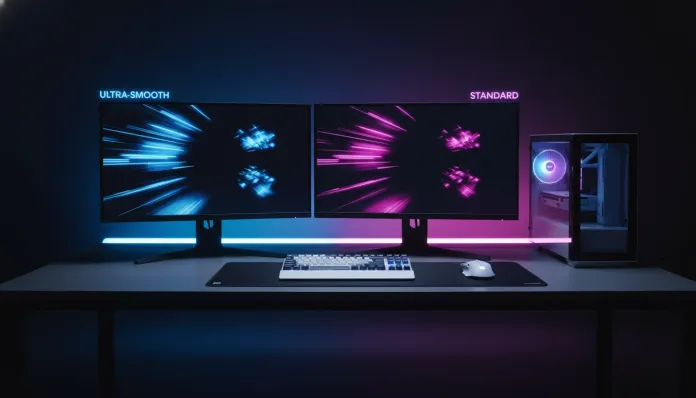

In 2026, more than 67% of gaming setups in Brazil already use monitors with refresh rates above 120Hz — an impressive jump compared to the 34% recorded in 2023, according to IDC Brasil data. This growth is no coincidence: with the advancement of last-generation GPUs, such as NVIDIA’s RTX 5000 series and AMD’s RX 8000 series, delivering frames above 144 per second in AAA games has stopped being a privilege of a few and became an accessible reality. The problem? Now you’re stuck with the classic dilemma: is it worth paying more for a 240Hz monitor or is 144Hz still the king of value in 2026?
This question seems simple, but it hides technical layers that can make the difference between playing well and playing at the limit of human perception. The refresh rate (measured in Hz) defines how many times per second the monitor redraws the image — think of it as the frames of a movie: the more frames, the smoother and more fluid the experience. But smooth for the monitor doesn’t necessarily mean smooth for your eye or your wallet.
For this article, I dove deep into benchmark data, market reports from 2025 and 2026, tests with representative models from each category — including the ASUS ROG Swift Pro PG248QP (240Hz) and the LG 27GP850-B (165Hz/144Hz base) — plus conversations with competitive and casual gamers in the Brazilian scene. Let’s dissect all of this together.
Technical Specifications
The table below compares typical specifications of competitive monitors in the two main categories available on the market in 2026:
| Specification | 144Hz Monitor (entry) | 240Hz Monitor (entry) | 240Hz Monitor (top) |
|---|---|---|---|
| Refresh Rate | 144Hz | 240Hz | 360Hz (turbo mode) |
| Response Time (GTG) | 1ms | 0.5ms | 0.3ms |
| Panel | IPS / VA | IPS / Fast IPS | Fast IPS / OLED |
| Typical Resolution | 1080p / 1440p | 1080p / 1440p | 1080p / 1440p |
| Input Latency | ~5ms | ~2.5ms | ~1ms |
| FreeSync/G-Sync Support | Yes | Yes | Yes (Dual) |
| HDR | HDR400 | HDR400-600 | HDR1000+ |
| Average Price BR (2026) | R$ 1,200 – R$ 2,000 | R$ 2,500 – R$ 4,000 | R$ 5,000 – R$ 9,000 |
| Power Consumption | ~25W | ~30W | ~35-45W |
> Note: Input latency values vary depending on firmware and activated game mode. Always check if the monitor has a calibrated “overdrive” mode — in excess, it generates ghosting (image ghosting) on moving objects.
Pros and Cons
144Hz Monitors
Pros:
- Excellent value for money for most gamers in 2026
- Wide compatibility with mid-range GPUs (RTX 4060, RX 7600)
- Great variety of IPS panels with good color reproduction
- Consumes less power and generates less heat
- More affordable in the national market, with models under R$ 1,500
- Difference versus 60Hz is immediate and dramatic
Cons:
- In competitive FPS (CS2, Valorant), the 240Hz advantage is noticeable with training
- Entry-level 144Hz monitors sometimes come with slower VA panels (ghosting in black)
- Technology begins to be overlooked in top-tier model launches
- Average response time (1ms GTG) is no longer the top of the category
240Hz Monitors
Pros:
- Real advantage in high-performance competitive scenarios (sub-5ms response)
- Reduced motion blur — movement is noticeably cleaner
- Support for advanced technologies like NVIDIA Reflex + G-Sync Esports Mode
- Future-proof for GPUs released in 2025-2026
- 240Hz OLED becomes more accessible in price in 2026
- In blind tests, trained players identify the difference in fast-rotating scenes
Cons:
- Requires powerful GPU to deliver 240fps consistently — RTX 4070 or higher recommended
- Premium pricing still present (minimum R$ 2,500 for reliable models)
- Marginal benefit for casual games, RPGs, and strategy
- Fast IPS panels may show inconsistent brightness at edges
- 240Hz OLED monitors still suffer from burn-in risk in prolonged use with static HUD
Cost-Benefit Analysis
Here’s the heart of the discussion. The difference between 144Hz and 240Hz is 66 additional frames per second — mathematically, this represents a frame interval of 6.94ms at 144Hz versus 4.17ms at 240Hz. Sounds small? For your brain, it’s more than it seems.
In games like CS2 and Valorant, where the competitive advantage window can be measured in tens of milliseconds, this delta has real impact. Studies published by NVIDIA in 2024 showed that players with monitors above 200Hz registered up to 18% improvement in hit rate in quick duels compared to those using 60Hz — but the difference between 144Hz and 240Hz dropped to something between 3-7%, depending on the player’s skill level.
For casual and semi-competitive gamers, 144Hz delivers 90% of the experience at 60% of the price. That simple. If you play Forza Horizon, Elden Ring, FIFA 27, or any strategy title, you won’t miss those extra 96Hz in your day-to-day gaming.
For serious competitive gamers — professional streamers, tournament players, or those in the top 5% of FPS rankings — 240Hz represents a tangible advantage that justifies the investment. The tipping point in Brazil in 2026 is approximately R$ 2,800: below that, you’re in quality 144Hz territory; above, 240Hz starts to be worth the price.
Comparison with Competitors
| Model | Refresh Rate | Panel | Resolution | BR Price 2026 | Best For |
|---|---|---|---|---|---|
| LG 27GP850-B | 165Hz (OC) | Nano IPS | 1440p | R$ 1,800 | Overall value |
| ASUS ROG Swift 360Hz | 360Hz | Fast IPS | 1080p | R$ 7,200 | FPS Professionals |
| Samsung Odyssey G7 | 240Hz | Curved VA | 1440p | R$ 3,400 | Immersion + competitive |
| AOC AGON AG274FZ | 240Hz | IPS | 1080p | R$ 2,600 | Entry into 240Hz |
| Dell Alienware AW2725DF | 240Hz OLED | QD-OLED | 1440p | R$ 5,800 | Premium balanced |
| MSI MAG 274QRF | 144Hz | IPS | 1440p | R$ 1,400 | Budget 1440p |
The AOC AGON AG274FZ deserves special mention: it democratized 240Hz in Brazil in 2025-2026, with competitive pricing and support for both FreeSync Premium Pro and G-Sync Compatible. It’s the most honest entry point into the category.
Usage and Configuration Tips
Having a 240Hz monitor doesn’t mean you automatically game at 240fps. There’s a complete chain that needs to be aligned:
- Check the cable: Use DisplayPort 1.4 or HDMI 2.1 to ensure sufficient bandwidth. Old cables silently limit refresh rates — classic troubleshooting that many ignore.
- Enable the correct mode in your GPU’s control panel: In NVIDIA, confirm the monitor is listed as 240Hz in NVIDIA Control Panel. On AMD, check Radeon Software > Display.
- Calibrate overdrive: Most monitors have 3-4 levels. The “Extreme” mode frequently causes reverse ghosting. Test each level with tools like TestUFO (testufo.com) and choose the cleanest one.
- NVIDIA Reflex + G-Sync: If you have an RTX, enable both technologies simultaneously. They reduce input latency synergistically — Reflex alone can cut 10-30ms from the latency chain.
- For 144Hz with low GPU budget: Enable the frame limiter at 5-10fps below your monitor’s rate to avoid tearing and reduce load. Example: limit to 138fps for a 144Hz monitor.
- Color profiles: In entry IPS monitors, the sRGB profile activated in the OSD menu often delivers more accurate colors than the “gamer” mode with exaggerated saturation.
Future of Technology
The gaming monitor market in 2026 is at an interesting transition point. Gaming OLED panels with 240Hz and 1440p resolution have finally reached prices that the mid-to-high market can absorb — a trend that will accelerate in 2027-2028.
More relevant: the MDSS (Multi-Domain Slice Shutter) technology that Samsung and LG are developing promises to eliminate burn-in on OLEDs, which should make 240Hz OLED monitors the new premium standard by 2028. Meanwhile, Mini LED panels continue to evolve as an alternative with superior HDR and no burn-in risk.
Another development to watch: monitors with intelligent variable refresh rates, which dynamically adjust between 48Hz and 240Hz based on content, optimizing power consumption without sacrificing performance. This already appears on TVs and should reach desktop monitors en masse by 2027.
If you’re buying now, in 2026, it’s also worth considering how guides on cost-benefit analysis in consumer technology apply that same “future-proof vs. current need” logic — the reasoning is transversal across multiple gadgets. And if you’re building a complete setup with planned budget, consulting analysis of other peripherals like the Galaxy A37 guide for the Brazilian market in 2026 can help balance your tech ecosystem investments.
Final Verdict
After all this analysis, the honest answer is: it depends on who you are as a gamer — and that’s not an evasive answer, it’s the most accurate one that exists.
If you play competitive FPS regularly, have a GPU capable of delivering 200+ fps consistently in your favorite titles, and have a budget above R$ 2,500, then 240Hz is worth every penny. The experience is noticeably cleaner, latency is lower, and the equipment will handle next-gen GPU launches over the next 3-4 years without breaking a sweat.
If you’re a versatile gamer — mixing FPS with RPG, adventure, racing, and strategy — then 144Hz in 1440p is the smartest 2026 purchase. You’ll have a beautiful, smooth image with much more visual detail for a fair price.
The middle ground exists and has a name: the 165Hz IPS 1440p monitors from LG and MSI are the absolute sweet spots of the current market — refresh rate close enough to 240Hz for most scenarios, with superior image quality to 1080p.
Overall Rating — 240Hz: 8.5/10 | Overall Rating — 144Hz (value): 9.2/10
Recommended for 240Hz: Competitive FPS gamers, professional streamers, and enthusiasts with RTX 4070/RX 7900 or higher GPU
Recommended for 144Hz: Versatile gamers, mid-range GPU setups, casual to semi-competitive players
Best price range — 240Hz: R$ 2,600 to R$ 4,000 (honest entry point with real quality)
Best price range — 144Hz: R$ 1,300 to R$ 2,000 (where value per real is maximum in 2026)