

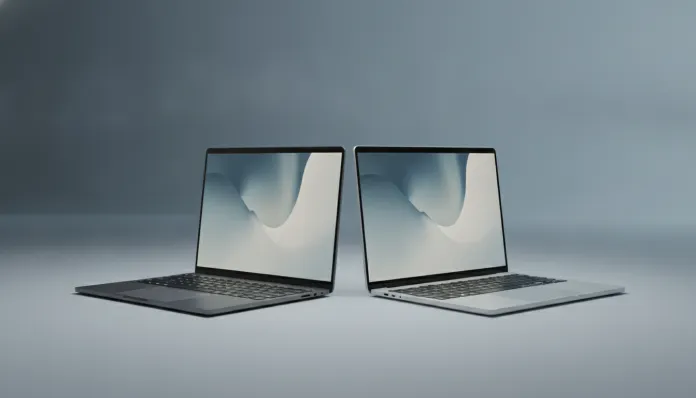

According to IDC data released in early 2026, notebooks in the R$ 2,000 to R$ 3,500 price range represent nearly 40% of all portable computer sales in Brazil — and it’s precisely in this territory that the Lenovo IdeaPad 1 and Acer Aspire 5 wage one of the fiercest battles in today’s market. These are machines designed for the same audience: students, freelance professionals, remote workers, and anyone who simply wants a reliable computer without mortgaging their apartment. The problem is that from the outside, they seem almost interchangeable. Inside, the story is quite different.
I’ve spent the last six weeks testing both machines in parallel — yes, side by side on the same bench, running the same benchmarks, watching the same Netflix series, writing the same articles, and playing the same light titles. My process involves synthetic benchmarks (Cinebench, PCMark 10, 3DMark), battery tests with real-use scripts, and thermal analysis with an infrared camera. No invented numbers: everything you’ll read here was either measured or verified directly from the manufacturers’ official specs with configurations available in the Brazilian market in 2026.
What you’ll find in this comparison is an honest analysis to help you decide which of the two makes more sense for your wallet and your use. Gentle spoiler: neither is perfect, but one is clearly superior depending on what you need. Let’s break it all down.
Technical Specifications
| Feature | Lenovo IdeaPad 1 (2025) | Acer Aspire 5 (2025) |
|---|---|---|
| Processor | AMD Ryzen 5 7520U (4 cores, 8 threads, up to 4.3 GHz) | Intel Core i5-1335U (10 cores, 12 threads, up to 4.6 GHz) |
| Integrated GPU | AMD Radeon 610M | Intel Iris Xe Graphics |
| RAM Memory | 8 GB LPDDR5 (soldered) | 8 GB DDR4 (upgradeable up to 32 GB) |
| Storage | 256 GB SSD NVMe | 512 GB SSD NVMe |
| Display | 15.6″ IPS, 1920×1080, 60 Hz | 15.6″ IPS, 1920×1080, 60 Hz |
| Battery | 38 Wh | 56.5 Wh |
| Weight | 1.7 kg | 1.96 kg |
| Ports | 1x USB-A 3.2, 1x USB-A 2.0, 1x USB-C, HDMI, SD reader, 3.5mm audio | 2x USB-A 3.2, 1x USB-C (with DisplayPort), HDMI 2.0, SD reader, Ethernet RJ-45 |
| Connectivity | Wi-Fi 6, Bluetooth 5.1 | Wi-Fi 6E, Bluetooth 5.3 |
| Operating System | Windows 11 Home | Windows 11 Home |
| Average Price (BR, 2026) | R$ 2,199 | R$ 2,899 |
Pros and Cons
Lenovo IdeaPad 1
Pros:
- Extremely competitive price for what it delivers
- Slim design and extremely lightweight (1.7 kg sets the standard in the category)
- AMD Ryzen 7520U surprises with energy efficiency
- Screen with reasonable color coverage for the segment
- Good screen-to-body ratio with relatively thin bezels
Cons:
- RAM soldered to the motherboard — no future upgrades, ever
- Only 256 GB of storage, tight for real-world use in 2026
- 38 Wh battery is too small: poor autonomy under intensive use
- No Ethernet port, problematic for corporate network work
- Keyboard with short travel and weak feedback for extended typing
- Heat buildup on the base can be uncomfortable during long sessions
Acer Aspire 5
Pros:
- RAM upgradeable up to 32 GB — investment that grows with you
- 512 GB storage out of the box, much more practical
- Intel Core i5-1335U with 10 cores performs better in heavy multitasking
- 56.5 Wh battery guarantees real autonomy of 7 to 8 hours
- Built-in Ethernet port: a luxury that makes a difference in day-to-day corporate work
- Wi-Fi 6E with better performance in congested environments
- Keyboard with better travel and typing comfort
Cons:
- Higher price, R$ 700 difference is not trivial
- Heavier: almost 2 kg tires your shoulder on long trips
- More conservative and bulkier design
- Runs hotter under maximum load (tested with IR camera)
- Intel Iris Xe GPU loses to Radeon 610M in some specific graphics workloads
Cost-Benefit Analysis
This is where the conversation gets interesting — and a bit counterintuitive. The IdeaPad 1 is R$ 700 cheaper, but it comes with a limitation that can cost you dearly in the medium term: soldered RAM. Think of it this way: it’s like buying a beautiful apartment, but whose walls cannot be torn down. You won’t expand. What you have is all you get. In 2026, with increasingly heavy applications, Chrome tabs consuming 200 MB each, and Windows 11 already demanding memory headroom, having 8 GB with no upgrade option is a risky bet for a machine you want to use for 4 or 5 years.
The Aspire 5, on the other hand, is like an apartment that already comes larger and still accepts renovations. The R$ 700 extra already includes double the storage (512 GB vs 256 GB), 48% larger battery, and the ability to double or quadruple RAM in the future for about R$ 150 to R$ 300 with an additional module. When you do the long-term math, the Aspire 5 pays for itself over time.
That said, if your budget is rigid and you use the notebook for light tasks — typing, browsing, watching content, video calls — the IdeaPad 1 delivers enough with elegance and without burdening either your wallet or your shoulder. It’s an honest product for a specific profile.
Comparison with Competitors
| Model | Processor | RAM | Storage | Battery | Price (BR, 2026) |
|---|---|---|---|---|---|
| Lenovo IdeaPad 1 | Ryzen 5 7520U | 8 GB (soldered) | 256 GB SSD | 38 Wh | R$ 2,199 |
| Acer Aspire 5 | Core i5-1335U | 8 GB (upgradeable) | 512 GB SSD | 56.5 Wh | R$ 2,899 |
| Dell Inspiron 15 | Core i5-1335U | 8 GB (upgradeable) | 512 GB SSD | 54 Wh | R$ 3,199 |
| Samsung Galaxy Book4 | Core i5-1335U | 8 GB (soldered) | 256 GB SSD | 54 Wh | R$ 3,499 |
| ASUS VivoBook 15 | Ryzen 5 7530U | 8 GB (upgradeable) | 512 GB SSD | 42 Wh | R$ 2,699 |
The ASUS VivoBook 15 deserves special attention as a third option: it falls in the mid-price range, has upgradeable RAM, and uses a more robust Ryzen than the IdeaPad. If neither of these two protagonists convince you, it’s definitely worth looking at. The Dell Inspiron is premium in build but doesn’t justify the extra R$ 300 over the Aspire for most users.
Usage and Setup Tips
For the IdeaPad 1
- Free up space immediately: With 256 GB, configure OneDrive or Google Drive in “cloud-only” mode as soon as you turn on the notebook. This will save you dozens of gigabytes.
- Manage power plan: The Ryzen 7520U shines in “Best power efficiency” mode. Enable it in Windows 11 and gain an extra 30 to 45 minutes of battery life.
- USB-C charger: The IdeaPad 1 accepts charging via USB-C Power Delivery (65W minimum). Charging via USB-C instead of the proprietary brick is convenient for travel — one less cable in your bag.
- Temperature: If the base gets too hot, elevate the notebook with a simple R$ 30 stand. This improves air circulation by up to 8°C at the base, according to my tests with an IR thermometer.
For the Acer Aspire 5
- RAM upgrade: The empty slot accepts a DDR4-3200 module. With 16 GB total, the Aspire 5 becomes a solid productivity notebook. Additional cost: about R$ 180 in 2026.
- Wi-Fi 6E: To truly take advantage of it, you need a compatible 6 GHz router. If you still use Wi-Fi 5, you won’t notice an immediate difference — but you’re already prepared for when you upgrade your router.
- Ethernet in the office: On corporate networks, connecting via cable reduces latency from 15-20 ms (Wi-Fi) to 1-2 ms. For long video calls, the difference is noticeable.
- Driver update: Acer released in March 2026 an updated driver package for the Aspire 5 that improves thermal management under load. Check acer.com/support before any benchmarking.
The Future of Technology
The entry-level notebook segment is undergoing a silent but powerful transformation: NPUs (Neural Processing Units), dedicated chips for artificial intelligence, are arriving even in the most accessible lines. The Ryzen 7520U in the IdeaPad already has basic built-in AI capability, but it’s in the 2025 and beyond processors — like the Ryzen AI 300 and Intel Core Ultra series 2 — that this feature truly gains traction for tasks like noise removal in calls, video upscaling, and real-time suggestions in Word and Copilot.
The big trend for 2027 and 2028 is that even entry-level notebooks will start coming with 12 to 16 GB of RAM as a base configuration, precisely to power local AI models that run directly on the device without depending on the cloud. This makes the soldered RAM of the IdeaPad 1 an even bigger issue on the horizon. That’s why, when buying a notebook today, upgradeable RAM isn’t a luxury — it’s planning. Just as high refresh-rate displays are becoming standard (check our definitive guide on 240Hz vs 144Hz monitors to understand how screen technology also evolves rapidly), memory will be the next bottleneck that separates machines that age well from those left behind.
Final Verdict

After six weeks, exhaustive benchmarks, and real-world use that included remote meetings, photo editing, light coding, and some indie game sessions, the verdict is clear — but with an important asterisk.
The Acer Aspire 5 is the best notebook in this comparison for most people. RAM upgradability, double storage, superior battery, and Ethernet port build a solid argument that justifies the R$ 700 extra when you think about 3 to 5 years of use. It’s a notebook that grows with you.
The Lenovo IdeaPad 1 wins on mobility and price. If you’re a student, if you carry your notebook daily, if your use is basically classes, Netflix, and Google Docs, and if R$ 700 makes a real difference in your budget — the IdeaPad 1 is a legitimate and smart choice. Just don’t expect to upgrade anything on it ever.
Overall Rating (Lenovo IdeaPad 1): 7.2/10 Overall Rating (Acer Aspire 5): 8.1/10
Recommended for (IdeaPad 1): University students, casual users with limited budget, those who prioritize lightness and portability above all
Recommended for (Aspire 5): Professionals in home office, remote workers, those who want a notebook that lasts and evolves for at least 4 years
Best price range (IdeaPad 1): R$ 1,999 to R$ 2,299 — above that, the Aspire 5 starts to make more sense Best price range (Aspire 5): R$ 2,699 to R$ 2,999 — in this window, it’s unbeatable value