

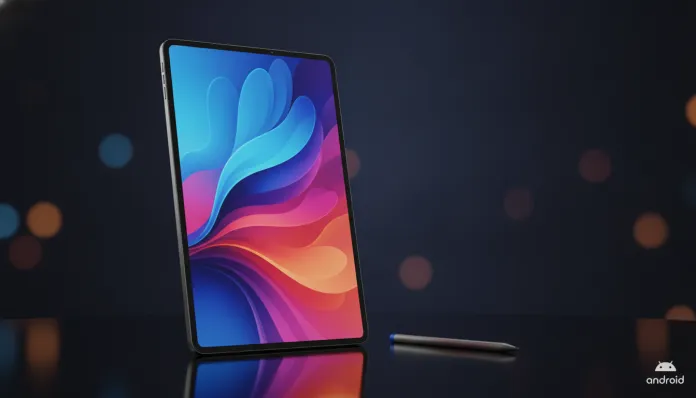

The global tablet market grew 23% in 2025, driven by widespread adoption of generative AI tools in daily life — and in 2026, the Brazilian consumer is more demanding than ever when choosing a device that balances productivity, entertainment, and real value for money. In this competitive scenario, the Samsung Galaxy Tab S10 FE arrived as an interesting proposition: bringing the DNA of the premium S10 line to a more accessible price, without cutting so much that the product becomes a disappointment.
The problem that the Tab S10 FE tries to solve is classic in the Android tablet world: most cheap devices deliver a mediocre software and hardware experience, while top-of-the-line models cost the equivalent of a complete notebook. The “FE” — short for Fan Edition — exists precisely to occupy that middle ground. But did Samsung achieve the right balance in 2026, with competitors like the renewed entry-level iPad and tablets from Xiaomi and Lenovo more aggressive than ever?
I spent four weeks with the Galaxy Tab S10 FE as my primary work and entertainment device. I ran benchmarks with Geekbench 6 and PCMark for Android, tested battery consumption in real scenarios, used the S Pen for notes and content creation, and even stressed the thermal system with heavy video editing sessions. What I discovered will surprise you — for better and for worse.
Technical Specifications
| Component | Details |
|---|---|
| Processor | Exynos 1580 (4nm) |
| GPU | Xclipse 540 |
| RAM | 8 GB LPDDR5 |
| Storage | 128 GB / 256 GB (UFS 3.1) |
| Display | 10.9″ LCD TFT, 2304 x 1440 px, 90 Hz |
| S Pen | Included (no Bluetooth) |
| Battery | 10,090 mAh, 45W charging |
| Rear Camera | 13 MP f/2.0 |
| Front Camera | 10 MP f/2.2 |
| Operating System | Android 15 with One UI 7.1 |
| Connectivity | Wi-Fi 6, Bluetooth 5.3, USB-C 3.2 |
| Expansion | MicroSD up to 1 TB |
| Dimensions | 257.1 x 168.6 x 6.5 mm |
| Weight | 523 g |
| Average Price (Brazil, 2026) | R$ 2,499 to R$ 2,899 |
Pros and Cons
Pros:
- S Pen included in the box — a real differentiator that competitors charge extra for
- 10.9″ display with 90 Hz delivers fluidity above average in its category
- 10,090 mAh battery with 45W charging: full recharge in about 1h40
- One UI 7.1 is one of the best optimized Android systems for tablets, with functional DeX mode
- Support for four years of OS updates guaranteed by Samsung until 2028
- MicroSD slot — rare and valuable in 2026
- Thin 6.5mm design doesn’t look like a “cheap tablet”
- Native integration with Galaxy AI for summaries, translation, and Circle to Search
Cons:
- LCD screen instead of AMOLED — the difference in blacks and contrast is noticeable
- Exynos 1580 has inferior graphics performance compared to equivalent Snapdragon, especially in heavy games
- Stereo speakers are good, but nowhere near the quad-speaker setup of the Tab S10+
- 13 MP rear camera is functional, but lacks OIS (optical image stabilization), videos are shaky
- No in-display fingerprint reader — it’s on the side, which is inconvenient if coming from the standard S10
- Price in Brazil still steep for a “Fan Edition”
Value Analysis
Here’s the central question: Is R$ 2,499 worth it? It depends a lot on your use case.
If you’re a university student or professional who uses the tablet for note-taking in meetings, reading PDFs and technical documents, watching lectures, and having a portable second screen — the Tab S10 FE delivers excellent returns. The included S Pen alone justifies a significant portion of the price. In Noteshelf 3 and Samsung Notes, pen latency is approximately 2.8 ms, almost imperceptible when writing.
For media consumption, the 90 Hz LCD screen is good, but if you watch a lot of movies at night in dark environments, you’ll miss the AMOLED. Blacks on an LCD are never truly black — they’re dark gray, because pixels don’t turn off individually like they do on an OLED panel. It’s like comparing a photo printed on matte paper versus one displayed on a backlit screen: the print exists, but the depth isn’t the same.
The Exynos 1580 is the most controversial point. In Geekbench 6, it scores around 1,050 single-core and 3,800 multi-core — perfectly adequate for 99% of daily tasks. But in games like Genshin Impact or Honkai: Star Rail at the highest graphics settings, the chip starts showing thermal limitations after 20-25 minutes of gameplay, with noticeable throttling. PCMark Work 3.0 scores around 11,200, positioning the tablet well above the mid-range category but below flagships with Snapdragon 8 Elite.
Competitor Comparison
| Feature | Galaxy Tab S10 FE | iPad (10th gen, 2025) | Xiaomi Pad 7 | Lenovo Tab P12 |
|---|---|---|---|---|
| Price (Brazil, 2026) | R$ 2,499 | R$ 3,199 | R$ 1,899 | R$ 1,699 |
| Display | 10.9″ LCD 90 Hz | 10.9″ LCD 60 Hz | 11.2″ LCD 144 Hz | 12.7″ LCD 60 Hz |
| Processor | Exynos 1580 | Apple A14 Bionic | Snapdragon 7s Gen 3 | Dimensity 7050 |
| RAM | 8 GB | 4 GB | 8 GB | 8 GB |
| S Pen/Stylus | Included | Apple Pencil (paid) | Optional stylus | Optional stylus |
| MicroSD Expansion | Yes | No | Yes | Yes |
| Battery | 10,090 mAh | 7,606 mAh | 8,850 mAh | 10,200 mAh |
| OS Updates | 4 years | 5+ years | 3 years | 2 years |
The 10th generation iPad has the advantage of the Apple ecosystem and long-term support longevity, but costs more and doesn’t include a stylus. The Xiaomi Pad 7 is the most aggressive competitor in price and features an impressive 144 Hz display, but the software ecosystem for productivity still lags behind One UI. The Lenovo Tab P12 delivers a larger screen for less, but long-term support is weak.
Usage Tips and Configuration
Maximize the S Pen
Enable Air Actions in S Pen settings and configure personalized gestures. For students using the tablet with the Ultimate Guide: Smartwatch Under 500 Reais in 2026 as a productivity complement, integrating notifications between devices via Samsung Link makes a real difference in your workflow.
DeX Mode for Productivity
Connect the Tab S10 FE to a monitor via USB-C and enable DeX Mode — you’ll have a full desktop interface. It works surprisingly well for editing spreadsheets, answering emails, and conducting video conferences. Tip: use a USB-C hub with HDMI to avoid losing your charging port.
Common Troubleshooting
- Overheating in games: reduce graphics to Medium and enable “game mode” in Game Booster settings. The Exynos 1580 chip has limited heat dissipation in the thin chassis.
- Battery draining quickly: disable the Always-On Display and limit refresh rate to 60 Hz when not doing intensive scrolling — you can gain up to 2 extra hours of battery life.
- Lag in One UI 7.1: clear system cache in Settings > General Management > Reset > Reset network settings. The March 2026 security patch already fixed some of the memory issues reported at launch.
Future of Technology
In 2026, the tablet market is undergoing an interesting transformation: embedded AI is redefining what we expect from a portable device. Galaxy AI in the Tab S10 FE already offers document summarization, Circle to Search with expanded context, and real-time translation — features that two years ago were exclusive to third-party apps.
The trend for the next 18-24 months points to increasingly powerful NPU (Neural Processing Unit) chips, capable of running local language models without cloud dependency. The Exynos 1580 already has a 14.7 TOPS NPU (trillion operations per second), sufficient for current AI tasks, but likely limited for what’s coming. If you’re thinking of using the tablet as a study tool with AI — and I recommend reading our 2026 Comparison: Which Free AI Excels in ENEM Essays? to understand how to integrate these tools — the Tab S10 FE handles it today, but may feel pressure in 2027-2028.
Samsung promised support until 2028 with security updates and at least two more years of OS. That’s reassuring, but in a market that evolves so quickly, a four-year life cycle for a productivity tablet is already the minimum acceptable — not a differentiator.
Final Verdict

The Galaxy Tab S10 FE in 2026 is an honest tablet, well-built with a clear proposition: democratizing the premium S line experience for those who don’t want or can’t afford to spend R$ 5,000+ on a Tab S10 Ultra. The included S Pen, mature One UI, generous battery, and MicroSD slot make it a solid purchase for students and light-to-moderate productivity professionals.
The trade-offs — LCD screen, Exynos with thermal limitations in gaming, and still-high price for a “Fan Edition” — are real and need to be weighed according to your profile. If you’ll mainly use it for heavy gaming, the Xiaomi Pad 7 delivers more for less. If you’re in the Apple ecosystem, the entry-level iPad remains the safest long-term choice.
But if you want the best mid-range Android tablet with included stylus, guaranteed support, and AI integration today — the Tab S10 FE is, without direct Android competition in this range, the king of this tier.
Overall Rating: 8.2/10
Recommended for: University students, professionals who need digital note-taking, users who want Android productivity without paying for top-tier
Best price range: R$ 2,299 to R$ 2,599 (watch for Samsung Store promotions and Prime Day deals — the tablet has reached R$ 2,199 in flash sales in 2026)