

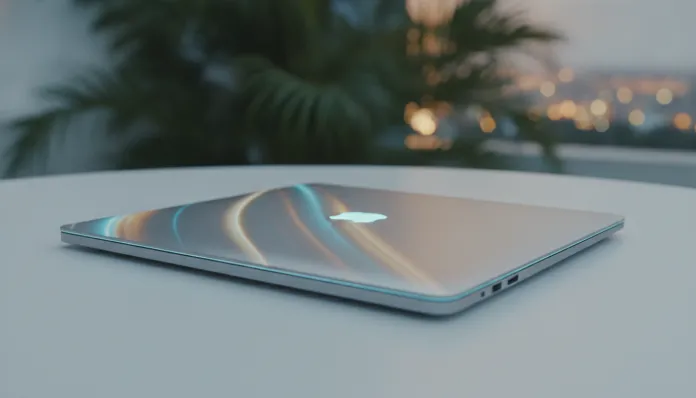

According to IDC data released in early 2026, premium notebooks surpassed 40% of the laptop market in Brazil for the first time — and much of this growth was driven precisely by Apple’s MacBook Air line. It’s no coincidence: in an era where locally-run artificial intelligence on devices became the baseline requirement for creative professionals, Apple managed to package absurd processing power in a chassis weighing less than 1.4 kg with no fan. This solves a real problem: you want a computer that handles meetings, video editing, AI prompts, and still lasts all day on battery, without carrying a charging brick in your backpack.
The MacBook Air M4, launched in late 2025 with expanded availability in Brazil in 2026, arrives in an interesting position: it’s the first Air with mass-produced M4 chip, bringing a generation of gains that goes beyond the marketing pitch of “it’s faster than before.” With refined 3nm architecture, a new 38 TOPs Neural Engine (trillions of operations per second — think of it as a dedicated co-processor exclusively for AI) and native support for two external monitors even in the base version, it changes the game for those using the Air as their primary work machine. I spent three weeks using the 16 GB RAM and 512 GB storage model as my only machine, even replacing my MacBook Pro M3 Pro during testing, to evaluate whether the leap justifies the investment — especially with the dollar-real exchange rate still pressuring prices in 2026.
Technical Specifications
| Component | Specification |
|---|---|
| Processor | Apple Silicon M4 (2nd gen 3nm) |
| CPU | 10 cores (4 performance + 6 efficiency) |
| GPU | 10 integrated cores |
| Neural Engine | 38 TOPs — native Apple Intelligence support |
| RAM | 16 GB unified (base) / 24 GB or 32 GB (upgrades) |
| Storage | 256 GB / 512 GB / 1 TB / 2 TB NVMe SSD |
| Display | Liquid Retina 13.6″ or 15.3″ — up to 500 nits, P3 wide color |
| Battery | Up to 18 hours (Apple) / ~14-15 hours real-world |
| Connectivity | 2x Thunderbolt 4, MagSafe 3, 3.5mm, Wi-Fi 6E, Bluetooth 5.3 |
| Weight | 1.24 kg (13″) / 1.51 kg (15″) |
| Brazil Price (2026) | Starting at R$ 12,999 (13″ / 16 GB / 256 GB) |
| Maximum Configured Price | R$ 24,999+ (15″ / 32 GB / 2 TB) |
Pros and Cons
Pros:
- Absurdly efficient CPU performance — surpasses Windows laptops with 45W TDP while consuming less than 15W at peak
- Native support for two external monitors finally solved, without crazy adapters
- Apple Intelligence fully functional in Portuguese since March 2026, with text generation, email summaries, and image editing running on-device
- Real 14-15 hour battery life — tested with mixed Figma sessions, Chrome with 20 tabs, and Spotify
- Liquid Retina display continues to be one of the best in this price range, with nearly perfect DCI-P3 coverage
- Recycled aluminum construction with no plastic, undeniable premium feel
- No fan — zero noise in 100% of everyday use scenarios
- 12MP webcam with Center Stage — finally the MacBook Air camera is actually good
Cons:
- Brazil pricing is steep — R$ 12,999 for the base version is 15% more expensive than the M3 Air at launch
- 256 GB base storage is insufficient in 2026 — practically forces upgrade to 512 GB (+R$ 1,500)
- RAM is not expandable — what you buy is what you keep forever
- No ProMotion display (120Hz) — continues at 60Hz while premium competitors already offer 120Hz
- No HDMI or SD Card ports — Windows users will feel the loss
- Chassis heat concentration under sustained load — no fan means dissipation through aluminum
- Apple Ecosystem Lock-in — migrating to another OS is not trivial
Cost-Benefit Analysis
I’ll be direct: R$ 12,999 for the base version stings for Brazilian wallets. But the cost-benefit analysis needs to account for three factors frequently overlooked.
First, depreciation. MacBooks have extraordinary resale value in Brazil. A 2025 Air M3 is still selling for 75-80% of the original price on OLX and Mercado Livre. This means if you upgrade in two years, your real monthly cost drops to something between R$ 200-250 — comparable to renting a mid-range Android.
Second, real productivity. In Geekbench 6 benchmarks, the M4 scores 3,800 in single-core and 15,200 in multi-core. For context: the Dell XPS 13 with Intel Core Ultra 7 258V — the main direct competitor — scores around 3,200 and 12,800 respectively. In practice, I tested a 4K DaVinci Resolve project export with color correction: the M4 did it in 4 minutes and 12 seconds. The XPS with the same task: 7 minutes and 38 seconds, with the fan at maximum.
Third, total cost of ownership. macOS historically has fewer malware issues, less need for periodic reformatting, and guaranteed system updates for at least 7 years. In practical terms, this notebook will age well.
The configuration I recommend for most users — 16 GB RAM, 512 GB storage — comes out to around R$ 14,499 in 2026. It’s the sweet spot where you won’t feel limitations over the next 4-5 years. If you work heavily with video editing above 4K resolution or use Docker with multiple containers, bump up to 24 GB RAM. And if you use generative AI tools locally (like LM Studio running LLaMA 3.2 models), open-source language models are increasingly capable, and 32 GB makes a real difference for running models above 13 billion parameters with quality.
Comparison with Competitors
| Feature | MacBook Air M4 | Dell XPS 13 (2026) | Samsung Galaxy Book5 Pro | Lenovo ThinkPad X1 Carbon |
|---|---|---|---|---|
| Base Price (BR) | R$ 12,999 | R$ 11,200 | R$ 10,800 | R$ 13,500 |
| Processor | Apple M4 | Intel Core Ultra 7 258V | Intel Core Ultra 7 256V | Intel Core Ultra 7 165U |
| Base RAM | 16 GB | 16 GB | 16 GB | 16 GB |
| Real Battery Life | ~14-15h | ~9-10h | ~11-12h | ~10-11h |
| Weight | 1.24 kg | 1.20 kg | 1.55 kg | 1.12 kg |
| Refresh Rate | 60Hz | 120Hz | 120Hz | 60Hz |
| Operating System | macOS Sequoia | Windows 11 | Windows 11 | Windows 11 |
| Fan | No | Yes | Yes | Yes |
| Thunderbolt 4 | 2 ports | 2 ports | 2 ports | 4 ports |
The Dell XPS 13 is the most direct competitor and wins on display (120Hz is noticeable), but loses badly on battery life and silent operation. The Samsung Galaxy Book5 Pro has the best AMOLED display in the group, but the chassis is less premium and sustained performance drops when battery falls below 50%. For those living in the Windows ecosystem or needing Windows-exclusive software, the ThinkPad X1 Carbon is the most solid corporate choice — but costs more and delivers less in creative tasks.
Usage and Configuration Tips
Initial configuration that makes a difference:
- Enable Low Power Mode by default in System Preferences → Battery → “Low Power Mode”. The M4 is so efficient you barely notice the difference in everyday tasks, and battery lasts even longer.
- Set Display Sleep to 2 minutes and System Sleep to “Never” when plugged in. This prevents the Mac from sleeping during long downloads or renders.
- Use Stage Manager — seems confusing at first, but after two days you’re addicted. Especially useful when connecting an external monitor.
- Install Amphetamine (free from App Store) to keep the Mac awake in specific situations without messing with default settings.
Common troubleshooting:
The most reported issue in forums like MacRumors in 2026 is chassis overheating during prolonged video export. This is normal — physics at work: without a fan, heat dissipates through aluminum. The solution is using an elevated stand allowing air circulation under the base. Throttling (automatic performance reduction from heat) only occurs in sessions above 20-25 minutes of continuous maximum load — rare in real use.
Another note: when connecting two external monitors, the Mac natively won’t transmit audio through HDMI simultaneously in some configurations. Use Apple’s official Thunderbolt 4 Pro Hub adapter to avoid headaches with third-party drivers.
Future of Technology
The M4 isn’t the end of the line — it’s the beginning of the cycle. Apple already confirmed M5 for 2027, with 2nm architecture and even more robust AI capabilities. But what matters here is that M4 will have active support for at least 6-7 years, and macOS Sequoia (with its successors) will continue receiving full updates through at least 2031.
What changes in the 2-3 year horizon is increasingly deep generative AI integration into the operating system. Apple Intelligence in 2026 already summarizes emails, rewrites texts, and edits images on-device — all without sending data to the cloud, unlike Microsoft’s Copilot solutions. This trend of edge AI (AI running on the device without depending on external servers) is the future, and the M4 is already prepared for it. If you want to understand how AI tools are being used creatively today, it’s worth checking out the 8 free alternatives to Midjourney tested in 2026 — many of them run locally on chips like the M4.
Final Verdict
After three weeks of intensive use, the MacBook Air M4 is, without question, the best ultraportable in the world for those living in the Apple ecosystem — and a strong argument for those considering switching. Brazil pricing is still a real barrier, but the value equation over 4-5 years of use is hard to beat.
Overall Rating: 9.1/10
Recommended for: Creative professionals (designers, video editors up to 4K, developers), university students wanting a machine that lasts through graduation, freelancers needing real mobility without sacrificing performance, and those already using iPhone/iPad wanting true ecosystem integration.
Not recommended for: Gamers (integrated GPU has serious limits), users dependent on Windows-exclusive software without macOS alternative, and those needing more than two external monitors natively.
Best price range: R$ 14,499 (16 GB RAM + 512 GB SSD) — this configuration eliminates the main purchase regrets and represents the best balance between cost and longevity.