


What you need to know before building or buying
Building a gaming PC to run games in 1440p (Quad HD resolution, 2560 x 1440 pixels) with 144 Hz refresh rate is, in 2026, a realistic goal with a R$ 7,000 budget. This combination delivers a visibly superior experience to Full HD without requiring the heavy investment that 4K still demands. 1440p is the sweet spot for those who want sharp image quality and smooth motion without needing a top-tier GPU to maintain performance.
This guide is for those who want to build a PC from scratch, upgrade what they already have, or buy a pre-built desktop in this price range. I’ll go through each component, explain what really matters for this type of use, and indicate what to check before finalizing your purchase. Prices mentioned here are Brazilian market references for the first half of 2026 and vary by store, exchange rate, and availability.
Why 1440p 144 Hz is the sweet spot for PC gaming in 2026
Full HD (1920 x 1080) is still capable, but on 27-inch or larger monitors you start to notice pixels. 4K (3840 x 2160), on the other hand, still requires expensive graphics cards to maintain 144 frames per second in demanding games. 1440p sits right in the middle: pixels small enough to look sharp, pixel density compatible with reasonably priced GPUs.
The 144 Hz refresh rate means the monitor updates the image 144 times per second. For comparison, a regular TV refreshes 60 times. In fast-paced games like shooters and battle royales, this difference is noticeable: movements appear smoother, control response feels more immediate. It’s not just aesthetic; there’s real gameplay benefit, especially in competitive titles.
How much each part costs: 2026 price references
Before the table, an important caveat: component prices in Brazil depend on the dollar exchange rate, ICMS from your state, and when the product was imported by the retailer. The values below are typical ranges in the national market at the beginning of 2026, not including shipping.
| Component | Recommended option | Price range (R$) |
|---|---|---|
| Processor | AMD Ryzen 5 7600 or Intel Core i5-14600K | R$ 1,100 – R$ 1,500 |
| Graphics card | AMD RX 7700 XT or NVIDIA RTX 4060 Ti | R$ 2,200 – R$ 2,800 |
| Motherboard | B650 (AMD) or B760 (Intel), entry-level | R$ 700 – R$ 1,100 |
| RAM Memory | 32 GB DDR5 (2 x 16 GB), 5600 MHz | R$ 400 – R$ 600 |
| Storage | 1 TB NVMe SSD | R$ 300 – R$ 500 |
| Cooler | Tower cooler or 240 mm AIO | R$ 150 – R$ 400 |
| Power supply | 650 W 80 Plus Bronze certified | R$ 400 – R$ 650 |
| Case | Mid-tower with good ventilation | R$ 200 – 400 |
| Total estimate | R$ 5,450 – R$ 7,950 |
The monitor is not on the list because many readers already have one or prefer to buy separately. If you need to include a monitor in the budget, read the specific section below.
Processor and motherboard: the pair that defines the platform
For 1440p gaming, the processor is not the main bottleneck in most games: it’s the GPU that does the heavy work. Still, you don’t want a CPU that limits your graphics card. The AMD Ryzen 5 7600 and Intel Core i5-14600K are the most efficient choices in this price range in 2026. Both deliver enough performance to not bottleneck an RX 7700 XT or RTX 4060 Ti.
The AMD AM5 platform has the advantage of natively supporting DDR5 and, according to AMD, the platform should receive new processors until at least 2027, giving some upgrade margin. The Intel LGA1700 platform, on the other hand, reached end of life in 2025, so the i5-14600K is a good buy now, but with no future for CPU upgrade on the same motherboard. For those thinking about changing the processor in two years without changing the motherboard, AM5 is the safer path.
When choosing a motherboard, stick with the B650 series (for Ryzen) or B760 series (for Intel). Entry-level boards in these series already offer PCIe 4.0 for the SSD, two M.2 slots, USB 3.2, and support for fast memory. You don’t need to pay more for an X670 or Z790 unless you want to do advanced overclocking.
GPU: the component that weighs most on the 1440p experience
The graphics card is where the budget should be concentrated for 1440p 144 Hz gaming. In 2026, the most balanced options for this range are between the AMD Radeon RX 7700 XT and the NVIDIA GeForce RTX 4060 Ti. Both are sold in Brazil by partners of both manufacturers.
- The RX 7700 XT brings 12 GB of VRAM (GPU exclusive memory used for textures and scene data), which gives more headroom in modern games that load heavy textures.
- The RTX 4060 Ti has 8 GB of VRAM in the base version, but features DLSS 3 (NVIDIA technology that generates extra frames using artificial intelligence, increasing perceived FPS) and a more mature ray tracing ecosystem on the market.
- If you play titles that support DLSS and use GeForce Experience, NVIDIA might be the more practical choice. If you prioritize raw memory and are comfortable configuring drivers, AMD delivers good value for money.
Verify that the card sold in Brazil has invoice, national warranty, and Anatel certification (mandatory for products with wireless communication; GPUs with built-in Wi-Fi need the seal). Products imported without national warranty may be attractive for price, but after-sales support is often a real problem.
1440p 144 Hz monitor: what to check before buying
If the monitor is not in the budget, you can use the Full HD you already have temporarily. But when you buy one, here are the essential criteria for a 1440p 144 Hz panel.
Panel: IPS, VA, or OLED?
- IPS (In-Plane Switching): wide viewing angles, accurate colors, fast response time. It’s the standard for most gamers in 2026.
- VA (Vertical Alignment): higher contrast than IPS (useful in dark environments), but with more noticeable ghosting (image trailing) in rapid movements.
- OLED: superior image quality, absolute black, but with prices still above R$ 3,000 on 1440p models and risk of burn-in with prolonged static use.
For most cases, a 27-inch IPS with 1440p and 144 Hz is the ideal entry point. Make sure the monitor has FreeSync Premium (if you go with AMD) or G-Sync Compatible (if with NVIDIA). These technologies sync the GPU frame rate with the monitor, eliminating tearing (image “cut” in half when GPU and monitor are out of sync).
Monitors with these specs are found in Brazil between R$ 1,400 and R$ 2,200 in 2026, depending on brand and store. If you’ll also use the PC for work and connect other devices, having a monitor with USB-C connectivity can be useful; and if you need to expand your computer’s connectivity, it’s worth checking out a USB-C hub with HDMI for notebook: 2026 buying guide to understand available options.
RAM memory and storage: don’t economize on the basics
32 GB of DDR5 is the minimum recommended for a setup that will last three to four years. In 2026, games like simulators and open-world RPGs already reach 16 GB of system RAM consumption in heavy scenarios. Opt for two 16 GB sticks to use dual channel (both modules work in parallel, which significantly increases memory bandwidth).
For the SSD, 1 TB NVMe PCIe 4.0 is a reasonable entry point. NVMe SSDs are much faster than traditional SATA in terms of sequential speed, but what users perceive in daily use is game loading speed and level loading time. Brands like Kingston, WD, Crucial, and Samsung have models with national warranty available in Brazil.
Assembly and purchase: specific care for the Brazilian market
Building the PC yourself saves between R$ 300 and R$ 600 compared to a pre-built desktop with the same parts. But it requires care: discharge static electricity before touching components (touch a grounded metal surface), fit the cooler with uniform pressure, and don’t force any connectors.
If you prefer to buy pre-built, stores like Pichau, KaBuM!, and TechTudo Configurator offer assembled desktops with invoice. Check if warranty covers parts and labor separately, because many stores charge return shipping for technical service. Imported desktops without national warranty, especially those arriving as individual imports from international sites, may have problems with the Federal Revenue Service and have no local support.
Frequently asked questions about 1440p 144 Hz gaming PC
Do I need 32 GB of RAM or is 16 GB enough?
In 2026, 16 GB still works for most games, but you’ll feel the limitation in open-world games with mods, when streaming simultaneously, or when having a browser and Discord open at the same time. If the budget gets tight, start with 16 GB and make sure the motherboard supports future expansion.
RX 7700 XT or RTX 4060 Ti: which is better for 1440p?
It depends on the ecosystem you prefer. The RX 7700 XT has more VRAM, which can be advantageous in heavy textures. The RTX 4060 Ti has DLSS 3 and better ray tracing support in NVIDIA titles. Check the games you play most and if they support DLSS or FSR before deciding.
Can I use a Full HD 144 Hz monitor I already have and switch later?
Yes, that’s a valid strategy. The GPU recommended here will run Full HD with ease and you get the most out of the hardware while saving for a 1440p monitor. Just remember that the perceived performance ceiling will be limited by the monitor resolution, not the GPU.
Can products without Anatel certification be used in Brazil?
Technically, telecommunications equipment without Anatel certification cannot be legally sold in Brazil. For components like GPU and RAM, certification doesn’t apply directly, but for routers, Wi-Fi adapters, and wireless peripherals, the Anatel seal is mandatory and guarantees the product was tested to operate within local standards.
Which to choose: recommendation by profile and budget
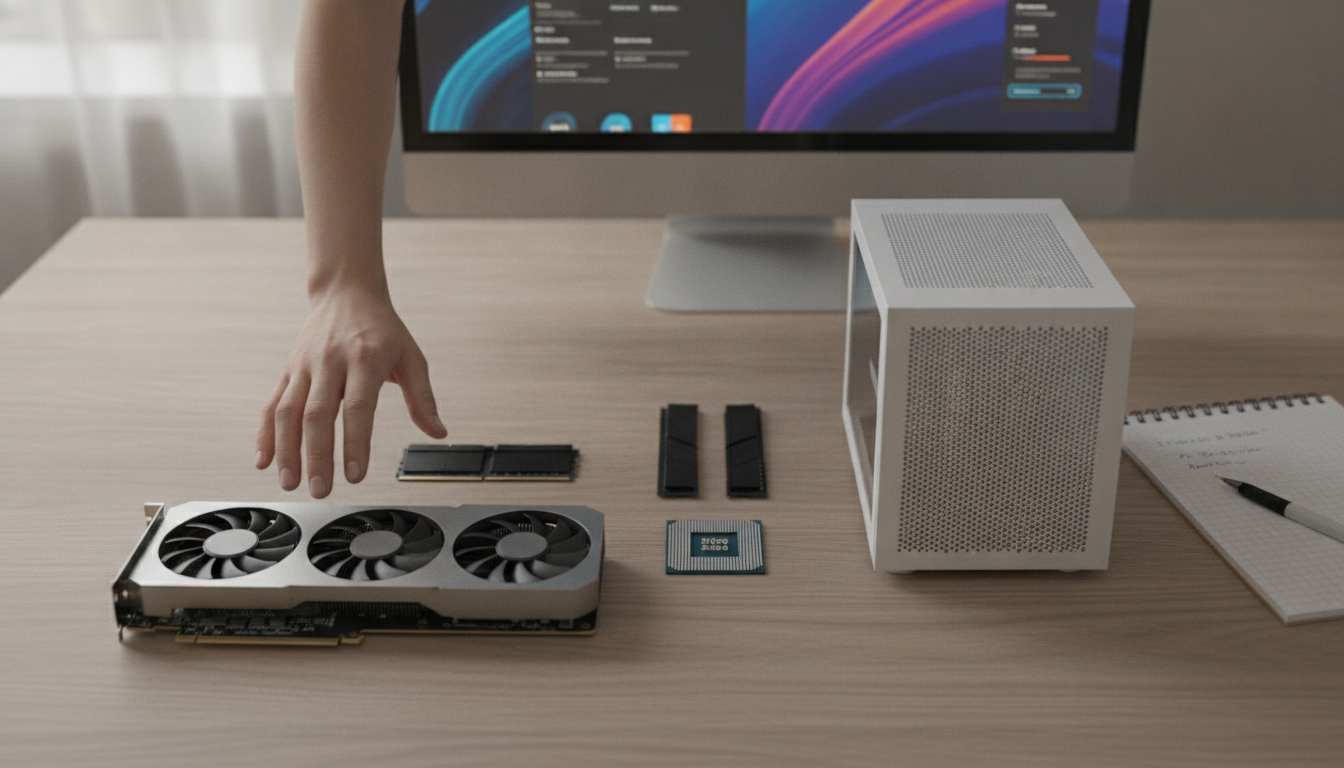
If your budget is closer to R$ 5,500, prioritize GPU and processor and use a 512 GB SSD temporarily. It runs 1440p 144 Hz on most current titles without problems.
If you have the full R$ 7,000, distribute it like this: R$ 1,200 on the processor, R$ 2,600 on the GPU, R$ 900 on the motherboard, R$ 500 on 32 GB of RAM, R$ 400 on the SSD, R$ 600 on the power supply, and R$ 700 between case and cooler. This setup will last comfortably until 2028 without needing significant upgrades.
Recommended for: those who want a solid and lasting gaming experience in 1440p without entering 4K financial territory.
Price range: R$ 5,500 to R$ 7,000 for the PC without monitor; R$ 7,000 to R$ 9,000 with 1440p 144 Hz monitor included.