

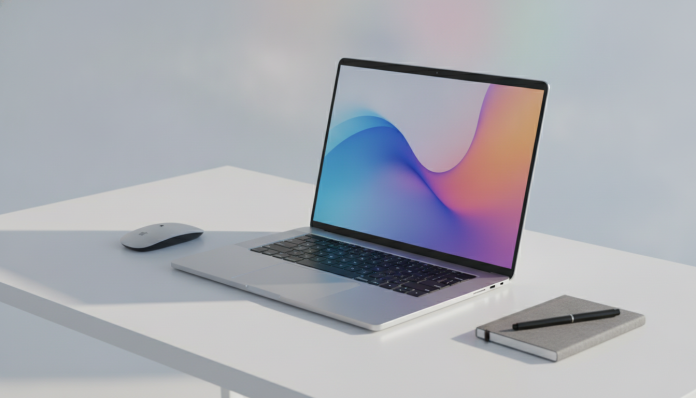

Samsung Galaxy Book 4: The Korean notebook that wants to conquer the Brazilian market
The Samsung Galaxy Book 4 arrived on the market as Samsung’s bid for anyone who wants a thin, light notebook integrated into the brand’s ecosystem, especially for those already using Galaxy smartphones. Originally launched in 2024, the model still circulates in Brazil in 2026 with renegotiated prices, which raises the classic question: is it still worth buying, or would the money be better spent elsewhere?
The short answer is: it depends a lot on your profile. For those who work with productivity in the office, travel frequently, and already use other Samsung devices, the Galaxy Book 4 delivers a well-integrated experience. For those who need heavy performance in video, design, or gaming, you’ll be frustrated, and there are more honest alternatives for that mission.
Before diving into the details, it’s worth noting: this article is based on Samsung’s official specifications, public technical datasheets, and information widely published in specialized outlets. There was no in-house laboratory testing at this publication.
Technical Specifications
| Specification | Details |
|---|---|
| Display | 15.6-inch Full HD (1920 x 1080), IPS panel, 60 Hz |
| Processor | Intel Core i5-1335U or i7-1355U (13th generation, U-series) |
| RAM | 8 GB or 16 GB LPDDR4x (soldered to motherboard) |
| Storage | NVMe SSD 256 GB or 512 GB |
| Graphics | Intel Iris Xe Graphics (integrated) |
| Battery | 54 Wh |
| Charging | 65 W via USB-C |
| Operating System | Windows 11 Home |
| Connectivity | Wi-Fi 6, Bluetooth 5.1, USB-C, USB-A, HDMI, microSD card reader |
| Camera | 720p webcam |
| Weight | Approximately 1.55 kg |
| Compliance | Check for Anatel certification seal on the box before purchasing |
Performance: Sufficient for work, without excesses
Intel’s 13th-generation Core U-series processors are designed for energy efficiency, not raw performance. This means the Galaxy Book 4 handles spreadsheets, multi-tab browsing, video calls, light document editing, and Office suite use well, but starts to struggle with more demanding tasks like exporting 4K videos or running heavy design software.
The RAM soldered to the motherboard, incidentally, deserves attention. Since it cannot be upgraded after purchase, the 8 GB version can feel tight if you keep many programs open at the same time. Samsung, according to its official datasheet, offers the 16 GB configuration, and if you have that option within budget, it’s the safer choice for the medium term.
The NVMe SSD, storage technology that uses a faster interface than traditional HDDs, ensures that Windows 11 boots quickly and applications open without that annoying wait. On this front, the Galaxy Book 4 delivers what it promises.
Display and design: Elegance with some compromises
The 15.6-inch Full HD IPS panel display offers satisfactory viewing angles and color reproduction for daily use, according to Samsung’s published specifications. Maximum brightness can be a point of attention in very brightly lit outdoor environments, something common on screens in this price range with a 60 Hz refresh rate.
The design is one of the device’s strengths. The chassis is thin, with an aluminum finish that conveys a sense of quality, and the weight of around 1.55 kg places it in a comfortable category for those carrying the notebook in a backpack daily. Samsung doesn’t exaggerate the display bezels, and the keyboard has a spaced-out layout that usually appeals to those who type a lot.
A criticism that frequently appears in international reviews, such as from The Verge and Notebook Check, is the 720p camera. By 2026, this has passed its expiration date: meetings on Teams or Google Meet end up with quality below what most competitors in the same price range offer. If videoconferencing is an important part of your daily routine, this detail weighs heavily.
Battery and autonomy: Moderate promise
The 54 Wh battery is reasonable but not exceptional for a 15.6-inch display. Samsung advertises up to 13 hours of battery life under controlled conditions, which in real-world usage with moderate brightness, browsing and open applications, tends to be significantly less, around 6 to 8 hours in mixed use, according to user reports in specialized forums like Reddit and Notebook Review.
The 65 W USB-C charging is a concrete positive point: it allows you to use compatible third-party chargers and is more practical than carrying a proprietary cable when traveling. Samsung claims fast charging support, and the absence of a standard three-prong Brazilian plug charger in some imported versions is something you need to verify before closing the purchase.
Integration with the Samsung ecosystem: The real differentiator
Here’s the strongest argument in favor of the Galaxy Book 4 for Samsung brand users. Integration with Galaxy smartphones via Samsung Flow allows you to mirror your phone’s screen on the notebook, receive notifications, reply to messages, and even use your phone as a webcam, an interesting alternative to compensate for the notebook’s weak camera.
Features like Quick Share, Samsung’s equivalent to Apple’s AirDrop for the Samsung ecosystem, and clipboard synchronization between devices make a difference in the daily routine of those already living within the brand’s universe. If you use Galaxy S, Galaxy A, or Galaxy Tab, the Book 4 fits naturally into that workflow.
For those not using any Samsung product beyond the notebook, this differentiator simply doesn’t exist, and other notebooks deliver the same basic proposal with more up-to-date specifications.
Brazilian context: Price, imports, and warranty
In Brazil, the Galaxy Book 4 is found in authorized stores and major online retailers in a price range that varies considerably depending on configuration and timing of purchase. In 2026, with the model already somewhat established in the market, it’s possible to find the Galaxy Book 4 with Core i5 and 8 GB of RAM for around R$ 3,500 to R$ 4,500, while the version with i7 and 16 GB can exceed R$ 5,500. In the US, the launch occurred with a suggested price around US$ 750 to US$ 1,000, depending on configuration.
Before importing on your own or buying from a parallel reseller, check for the Anatel certification seal on the box and documentation. Notebooks sold without this certification may have issues with Wi-Fi and Bluetooth modules in Brazil, and Samsung Brazil’s warranty does not cover products purchased outside official national channels. The standard warranty offered by Samsung in Brazil is one year, with the possibility of paid extension.
Market comparisons in the mid-range, such as the one we analyzed between Moto G56 and Galaxy A36, show that Samsung has invested in positioning its products with an integrated ecosystem proposal in different price categories, and the Galaxy Book 4 follows this same logic.
Pros and cons
Pros:
- Thin design and construction with good quality feel
- Native integration with Galaxy smartphones via Samsung Flow
- 65 W USB-C charging
- NVMe SSD ensures quick response in daily use
- Weight suitable for daily transport
- Available in authorized stores with Samsung Brazil warranty
Cons:
- 720p camera below current market standard
- Soldered RAM prevents future upgrades
- Display with 60 Hz without high refresh rate option
- Battery with modest real autonomy for screen size
- No dedicated GPU, limiting video editing and gaming
- Price in Brazil can be high depending on configuration
Competitors and alternatives in Brazil
| Product | Processor | RAM | Storage | Price range (BR) |
|---|---|---|---|---|
| Samsung Galaxy Book 4 | Intel i5/i7 13th generation | 8/16 GB | 256/512 GB SSD | R$ 3,500 to R$ 5,500 |
| Lenovo IdeaPad Slim 5 | Intel Core U-series or AMD Ryzen 7 | 8/16 GB | 512 GB SSD | R$ 3,200 to R$ 5,000 |
| Dell Inspiron 15 | Intel Core U-series | 8/16 GB | 512 GB SSD | R$ 3,800 to R$ 5,200 |
| ASUS VivoBook 15 | AMD Ryzen 5/7 | 8/16 GB | 512 GB SSD | R$ 3,000 to R$ 4,800 |
| Acer Aspire 5 | Intel/AMD varied | 8/16 GB | 256/512 GB SSD | R$ 2,800 to R$ 4,500 |
The Lenovo IdeaPad Slim 5 frequently appears as the most balanced alternative in this price range, with AMD Ryzen configurations that usually offer better integrated performance per price. The ASUS VivoBook 15 also deserves attention, especially in Ryzen 7 versions, for those who need a bit more power without paying a premium.
If budget is the main criterion and you have no attachment to the Samsung ecosystem, the Acer Aspire 5 is an option to consider carefully based on specifications of each model available in stock, as the line varies significantly.
Frequently asked questions about the Samsung Galaxy Book 4
Does the Galaxy Book 4 run games?
Not satisfactorily. The integrated Intel Iris Xe graphics was not designed for gaming, and heavier titles will run with reduced quality or simply won’t run well. For occasional and light gaming, like indie games or older titles, it works, but it’s not the right choice for regular gamers.
Is it possible to expand RAM later?
No. The RAM is soldered to the motherboard, meaning the configuration purchased is permanent. For this reason, if possible, prefer the 16 GB version from the start to ensure a longer lifespan without slowdowns.
Does the Galaxy Book 4 have official warranty in Brazil?
Yes, as long as purchased from authorized Samsung stores or major retailers operating within Brazilian law. Standard warranty is one year. Always check the seller’s CNPJ and the presence of the Anatel seal on the packaging to avoid surprises.
Does the charger that comes in the box work with Brazilian outlets?
It depends on the sales channel. Products purchased from official Brazilian stores usually come with a plug compatible with the NBR 14136 standard, which is the national standard. On imports, an adapter may be necessary. Confirm with the seller before closing the order.
Is it worth it?

The Galaxy Book 4 is an honest notebook within its proposal: thin, light, well-built, and with interesting integration for those living in the Samsung ecosystem. It doesn’t try to be what it’s not, and that’s a merit. The problem lies in the price practiced in Brazil, which sometimes puts this notebook in direct competition with more powerful alternatives from other brands.
If you pay a bit more attention to configuration choice, prefer the 16 GB RAM version, and close a deal on a promotion that puts the price below R$ 4,000, the cost-benefit becomes easier to defend. Above that, competition tightens.
Recommended for: Professionals who already use Samsung smartphones and want native integration between devices; those seeking a lightweight notebook for office work and frequent travel; users who value design and construction and don’t need dedicated GPU.
Not recommended for: Content creators who frequently edit video; those who play modern games; users who need more than 16 GB of RAM or plan to expand hardware over time.
Price range: R$ 3,500 to R$ 5,500 in Brazil, depending on configuration and timing of purchase. Reference launch price in the US was approximately US$ 750 to US$ 1,000.