

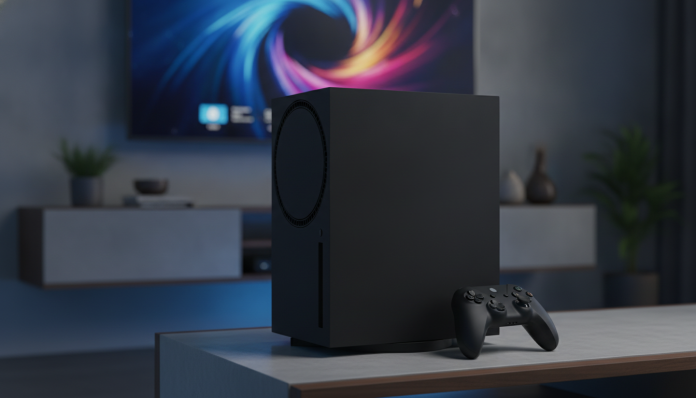

The Xbox Series X arrived in November 2020 promising to be the most powerful console of its generation. More than five years later, in 2026, the question many Brazilians ask is legitimate: does it still make sense to buy a console that technically is no longer “new”? The short answer is yes, but with important caveats that depend on your usage profile, budget, and how you plan to play.
The Series X remains a solid machine. Microsoft’s hardware delivers real 4K performance, fast SSD loading, and access to Game Pass, a subscription service that offers dozens of games per month. For those wanting to enter the Xbox ecosystem without paying for an expensive gaming PC, it’s still one of the smartest entry points. For those who already have a powerful PC or PlayStation 5, the conversation changes significantly.
Xbox Series X Specifications
| Specification | Detail |
|---|---|
| CPU | AMD Zen 2, 8 cores at 3.8 GHz (3.6 GHz with SMT) |
| GPU | AMD RDNA 2, 12 teraflops |
| RAM | 16 GB GDDR6 (10 GB at 560 GB/s + 6 GB at 336 GB/s) |
| Internal storage | 1 TB NVMe SSD (expandable via proprietary card) |
| Expandable storage | Seagate Storage Expansion Card (1 TB, 2 TB) |
| Maximum resolution | Up to 8K (declared support); 4K/120 Hz in practice for most games |
| Ray tracing | Yes, hardware accelerated |
| Backward compatibility | Xbox, Xbox 360, and Xbox One games compatible |
| Size | 30.1 cm x 15.1 cm x 15.1 cm |
| Weight | 4.45 kg |
| Video output | HDMI 2.1 |
| USB | Three USB-A 3.1 ports |
| Launch price (USA, 2020) | US$ 499 |
Source: Microsoft official specifications.
Performance: What the Hardware Actually Delivers in 2026
The Series X’s 12 teraflops GPU was the most cited number in 2020, and it still has practical meaning today. Teraflop is a measure of graphics processing capacity, like engine power: the higher it is, the more the hardware can render complex scenes. In practice, according to Microsoft, the console runs most titles in native or reconstructed 4K using techniques like checkerboard rendering, which intelligently reconstructs a 4K image from a lower resolution.
The most interesting point for 2026 is the game library. Support for previous titles (backward compatibility) allows you to play games from four Xbox generations at no extra cost. Developers continue to launch major titles for the console, and Microsoft has publicly committed to not abandoning the Series X until at least the end of this decade. This matters: powerful hardware is worthless if the software disappears.
The internal SSD solves a historic console problem: long loading times. According to Microsoft, the Series X’s Velocity Architecture, which is the name given to the set of fast storage access technologies, drastically reduces these times and enables features like Quick Resume, which keeps multiple games suspended simultaneously.
Storage Expansion: A Cost to Consider
The most critical hardware point remains the proprietary expandable storage. The 1 TB Seagate card varies significantly in price on the Brazilian market, often ranging between R$ 500 and R$ 900 depending on the time and sales channel. You cannot use common SSDs to run Series X games (only for storage), which limits your options. If you’re buying the console, factor this extra cost into your budget.
Game Pass and the Microsoft Ecosystem in 2026
The Xbox Game Pass (now marketed as part of Xbox Game Pass Ultimate) remains the console’s strongest selling point. For a monthly fee, you get access to a large catalog of games, including all of Microsoft’s first-party releases on launch day. For those who buy few games per year or enjoy exploring varied titles, the value-for-money is hard to ignore.
The ecosystem has another advantage that few highlight: Play Anywhere. Several titles purchased or included with Game Pass can be played on both Series X and Windows PC, with progress synchronized. If you have a decent PC at home, this increases the perceived value of the subscription. The entire Xbox game library is also fully compatible with the Xbox app on PC.
In 2026, Microsoft continues to invest in Xbox Cloud Gaming, a game streaming service where you play via internet without needing local hardware. This makes the Series X less “urgent” for those with good internet, but streaming still suffers from noticeable latency in competitive games. For the best experience, local hardware still wins.
The Brazilian Situation: Approval, Warranty, and Where to Buy
The Xbox Series X has ANATEL approval for the Brazilian market, meaning it can be legally sold in the country. This is important: consoles without approval bought from foreign websites can face customs issues, warranty problems, and lack of technical support in Brazil.
Microsoft offers a limited one-year warranty in Brazil for products purchased from authorized channels. Check at purchase time if the retailer is authorized; this directly affects your access to national warranty coverage, which covers manufacturing defects.
In terms of price, in 2026 the Series X can be found between R$ 3,500 and R$ 4,500 in authorized Brazilian stores, depending on promotions and current exchange rates. Price varies significantly throughout the year, especially on dates like Black Friday. Importing may seem tempting, but consider import taxes (which may be charged by the Brazilian Tax Authority) and loss of national warranty.
Comparison with Available Alternatives in Brazil
| Console | Approximate price in Brazil (2026) | Highlight | For whom |
|---|---|---|---|
| Xbox Series X | R$ 3,500 to R$ 4,500 | Game Pass, backward compatibility, 4K | Xbox ecosystem fan or Game Pass enthusiast |
| PlayStation 5 (standard edition) | R$ 4,000 to R$ 5,000 | Sony exclusives, DualSense | Fan of exclusives like God of War, Spider-Man |
| Xbox Series S | R$ 2,000 to R$ 2,800 | Lower price, Game Pass | Those who game at 1080p or 1440p |
| Gaming PC (entry-level) | From R$ 4,000 (complete) | Maximum flexibility, upgrades | Those wanting freedom and willing to spend more |
Approximate prices based on market research; check sales channels for current values.
If your focus is graphics performance and you’re considering a PC instead of a console, it’s worth reading our analysis on the best graphics card up to R$ 3,000 for 1080p in 2026 before deciding. The cost difference between building a PC and buying the Series X might surprise you.
For the complete Series X experience, a monitor or TV with HDMI 2.1 and 120 Hz support makes a real difference. If you’re unsure which monitor to buy, check out the comparative analysis on 240Hz vs 144Hz gaming monitor, which explains when it’s worth paying more for higher refresh rates.
Pros and Cons of Xbox Series X in 2026
Pros:
- Xbox Game Pass Ultimate offers excellent value for those consuming many games
- Backward compatibility with four Xbox generations at no additional cost
- SSD with Velocity Architecture eliminates long loading times
- Native HDMI 2.1 enables 4K/120 Hz with compatible TVs
- ANATEL approval and national warranty available through authorized channels
- Play Anywhere synchronizes progress between console and PC
Cons:
- Expensive storage expansion limited to proprietary Seagate card
- Few exclusives not also available on Windows PC
- Five-year-old hardware may seem dated compared to newer alternatives
- Prices in Brazil remain high due to exchange rates and taxes
- Xbox Cloud Gaming still doesn’t completely replace local hardware for reactive games
Frequently Asked Questions About Xbox Series X in 2026
Does Xbox Series X have an invoice and warranty in Brazil?
Yes, when purchased from Microsoft-authorized stores in Brazil. The product has ANATEL approval and limited one-year warranty covering manufacturing defects. Buying from unauthorized importers may leave you without national technical support.
Is it better to buy Series X or Series S in 2026?
It depends on your setup. If you have a 4K TV and want the best possible visual performance, the Series X justifies the price difference. If you game on a 1080p or 1440p monitor, the Series S delivers a very similar experience at a significantly lower price, with access to the same Game Pass and game library.
Does Xbox Series X run all current games in 4K?
Not necessarily. Final resolution depends on how each developer optimized the game. Many titles use image reconstruction techniques (like checkerboard rendering) to achieve 4K visuals without full native rendering. Check the technical specifications of each specific game to know the guaranteed resolution and frame rate.
Can you use a common external HD to expand storage?
Yes, but with an important limitation. External USB drives and SSDs can be used to store Series X games, but to run those games you must copy them back to the internal SSD or the Seagate expansion card. Common external storage only works as a “depot” and for running previous generation games.
Does Xbox Series X Still Make Sense for Your Budget and Gaming Style?
Recommended for: those wanting to enter the Xbox ecosystem and take advantage of Game Pass, families who play varied titles without wanting to buy each game individually, players who already have an Xbox One library and want to preserve their investment, and those preferring console simplicity over building and maintaining a gaming PC.
Not recommended for: those who already have a powerful Windows PC (most Xbox exclusives are available there too), those prioritizing Sony exclusives like God of War or Horizon series, and those on a tight budget who won’t subscribe to Game Pass (in that case, the per-game cost can be heavier).
Price range: R$ 3,500 to R$ 4,500 from authorized channels in Brazil, with seasonal variations. Always check current prices before purchasing, as exchange rates directly affect final prices at national stores.