


Building a 1440p 144Hz gaming PC with $7,000: what’s possible in 2026
Is seven thousand reais a lot or a little for a gaming PC? It depends on what you want from the machine. To play at 1440p (QHD resolution, with four times more pixels than Full HD, delivering a sharper image without the absurd processing cost of 4K) at 144Hz (144 frames per second, which is the number of times the monitor refreshes the image, making movement much smoother), this budget is at the edge of reasonable in the 2026 Brazilian market. It’s not comfortable, but it’s viable if you know where to spend and where to save.
The short answer is: yes, it’s worth building, but with smart choices. The build won’t run all modern AAA games on ultra graphics without dropping below 100 fps, but it will deliver a consistent experience and far superior to console in terms of versatility, with the possibility of future upgrades. For those playing competitive titles like CS2, Valorant, and Apex Legends, the scenario is even more favorable, as these games are much less graphically demanding and take good advantage of high refresh rates.
Anyone expecting a machine that runs Cyberpunk 2077 with ray tracing on ultra at 1440p above a constant 100 fps will need more money or accept intermediate graphics settings. But if the goal is smooth and responsive 1440p in most popular games, the budget fits.
Suggested configuration: parts and price range in 2026
The table below represents a build based on availability and cost-benefit in the Brazilian market in mid-2026. Prices are estimated ranges and may vary by store, promotion, and region.
| Component | Suggestion | Price range (R$) |
|---|---|---|
| Processor | AMD Ryzen 5 7600 or Intel Core i5-13400F | R$ 800 to R$ 1,100 |
| Graphics card | AMD Radeon RX 7700 XT or Nvidia GeForce RTX 4060 Ti | R$ 2,400 to R$ 3,000 |
| RAM memory | 32 GB DDR5 5200 MHz (2×16 GB) | R$ 500 to R$ 750 |
| Storage | 1 TB NVMe SSD (PCIe 4.0) | R$ 350 to R$ 500 |
| Motherboard | B650 (AM5) or B760 (LGA1700) | R$ 600 to R$ 900 |
| Power supply | 650W 80 Plus Gold | R$ 450 to R$ 650 |
| Case | Mid-tower with adequate airflow | R$ 200 to R$ 400 |
| Cooler | Tower cooler or 240 mm AIO | R$ 150 to R$ 350 |
| Estimated total | R$ 5,450 to R$ 7,650 |
With careful store selection and taking advantage of promotions, you can close the build within R$ 7,000. The monitor is not included in this account because many readers already have one, but we’ve set aside a section for it below.
CPU and GPU: where the budget should be concentrated
The GPU (graphics card, or video card) is the component that most impacts gaming performance, and this is where your money needs to work hardest. For 1440p 144Hz, the Nvidia RTX 4060 Ti and AMD RX 7700 XT are the options with the best cost-benefit ratio in the segment.
The RTX 4060 Ti, according to Nvidia’s specifications, comes with 8 GB of GDDR6 memory in the base model, which can be limiting in some modern games with heavy textures. The 16 GB model solves this bottleneck, but usually costs about R$ 400 to R$ 600 more. AMD’s RX 7700 XT brings 12 GB of VRAM according to AMD’s official specifications, which can be an advantage in games requiring more video memory, like open-world titles with mods. Check the version available at the store before buying.
For the CPU (processor), the Ryzen 5 7600 is a solid choice for the AM5 platform, which still has a long lifespan in terms of socket compatibility. Intel’s Core i5-13400F also delivers equivalent performance in games according to specifications and benchmarks published by manufacturers, and often costs slightly less at some national stores. The performance difference between them in gaming on a daily basis is small; what changes is the ecosystem and future upgrade options.
1440p 144Hz monitor: what to look for and how much to spend
The monitor is the window to all of this. There’s no point in a powerful GPU with a poor panel. For 1440p 144Hz, look for monitors with IPS panels (which offer good colors and wide viewing angles) or VA (which delivers higher contrast, ideal for games with dark scenes). TN panels are faster in response time, but deliver inferior color quality.
Check if the monitor has FreeSync Premium certification (compatible with AMD GPUs) or G-Sync Compatible (compatible with Nvidia), as this technology synchronizes the monitor’s refresh rate with the frames delivered by the GPU, eliminating screen tearing (that visual tear in the image when the two are out of sync) without needing additional hardware. National monitors with these certifications, from brands with Anatel homologation and local warranty like LG, Samsung, Dell, and AOC, range between R$ 1,500 and R$ 2,800 in the 27-inch 1440p 144Hz range.
If you’re buying the monitor together with the build, the total budget goes beyond R$ 7,000. In that case, consider investing R$ 5,500 to R$ 6,000 in internal parts and set aside R$ 1,500 to R$ 2,000 for the monitor. Imported monitors without invoice and local warranty may seem cheaper, but the risk of technical support and lack of authorized assistance in Brazil weigh in the decision.
RAM memory and storage: don’t save the wrong way
A common mistake in tight-budget builds is putting 16 GB of RAM to make it seem like money was left for other components. In 2026, 32 GB is the minimum recommended for modern gaming without concerns. Games like Microsoft Flight Simulator 2024 and some recent open-world titles occupy 16 GB on their own, leaving little room for the operating system and other processes.
Use memory in dual channel mode, meaning two sticks installed in the correct positions on the motherboard (usually slots 2 and 4, but check your board’s manual). This doubles the memory bandwidth and directly impacts gaming performance, especially on platforms with integrated GPU or processors sensitive to memory latency. For storage, a 1 TB PCIe 4.0 NVMe SSD is sufficient for the system and some games; add an external drive or second SATA SSD if you need more space.
Assembly, warranty, and support in Brazil
Building the PC yourself saves between R$ 150 and R$ 400 in labor costs. But if you don’t have experience, it’s worth hiring a technician or specialized store, as installation errors can damage components without warranty coverage. Most national stores like Kabum, Pichau, and Terabyte Store offer their own warranty in addition to manufacturer warranty, which makes life much easier in case of defects.
When buying parts, prefer products with invoice and minimum 12-month warranty. Components imported via parallel import or international purchases without invoice may be held at customs, taxed up to 100% of the declared value in some cases, and left without local technical assistance. Anatel requires homologation for devices with wireless communication, such as Wi-Fi and Bluetooth cards; components without this homologation technically cannot be used legally in Brazil, although it’s common to find them on the market.
Speaking of connectivity, if you’re going to use the machine connected to the router via Ethernet cable, great. If it’s via Wi-Fi, consider a Wi-Fi 6 network card with a homologated chip. By the way, keeping your home connection secure is important: if you want to add an extra layer of privacy to your home network or mobile device while gaming, learn how to set up a free VPN on Android in 2026 to protect other devices in the house at no extra cost.
Pros and cons of building in this range in 2026
Pros:
- Clearly superior performance to console in customization and upgrades
- 1440p 144Hz is a noticeably better experience than Full HD 60Hz
- AM5 and LGA1700 platforms still have upgrade potential with new processors
- Possibility of taking advantage of promotions to swap GPU in the future without changing everything
- Multitasking beyond gaming: streaming, light editing, productivity
Cons:
- R$ 7,000 doesn’t include monitor, peripherals, or operating system, which can add another R$ 1,500 to R$ 3,000
- AAA games with ultra graphics may require medium settings to maintain 100+ fps
- GPU prices in Brazil are historically inflated compared to the dollar
- Building requires research and some technical confidence; outsourcing has extra cost
- Component availability may vary by region
Alternatives: pre-built systems and consoles as comparison
Pre-built PCs (PCs assembled by specialized stores) arrive in the Brazilian market in 2026 with configurations similar to prices between R$ 6,500 and R$ 9,000, depending on the store and GPU chosen. The advantage is integrated warranty and professional assembly; the disadvantage is the store’s markup built into the price and less freedom in component choice.
The PlayStation 5 Pro and Xbox Series X, both available in Brazil, deliver solid resolution and performance at lower prices, but with more expensive games, no hardware upgrades, and no PC flexibility. For those playing exclusively single-player titles on TV and not concerned with the closed ecosystem, the console is still a simpler alternative. For those gaming on a monitor, prioritizing competitive games, or using the computer for other tasks, the built PC makes more sense.
Frequently asked questions about 1440p 144Hz gaming PC
Is it worth using DDR4 instead of DDR5 to save money?
On platforms that accept both options, like some Intel LGA1700 boards, DDR4 can be cheaper. The performance difference in games is small in practice, but DDR5 has more longevity. If the budget tightens, DDR4 is acceptable, but confirm compatibility in the motherboard specifications.
Do I need a dedicated cooler or is the box cooler enough?
The Ryzen 5 7600 comes with a box cooler according to AMD, which is sufficient for normal use. For overclocking or high-temperature environments, a medium-sized tower cooler improves temperatures and noise levels. The Core i5-13400F doesn’t come with a cooler in the F version; you need to buy one separately.
How much should I spend on the operating system?
Windows 11 Home has a suggested retail price around R$ 400 to R$ 600 in physical or digital licenses from authorized stores in Brazil. Third-party licenses available online are usually cheaper, but not officially supported by Microsoft. Check the activation policy before buying.
Is a 8 GB VRAM GPU enough for 1440p in 2026?
For most popular games, yes. Some recent titles with high-quality textures exceed 8 GB on ultra settings, which can cause performance drops. If possible, opt for the 12 GB or 16 GB version of the GPU for greater peace of mind in the coming years.
When building, what to check before powering on
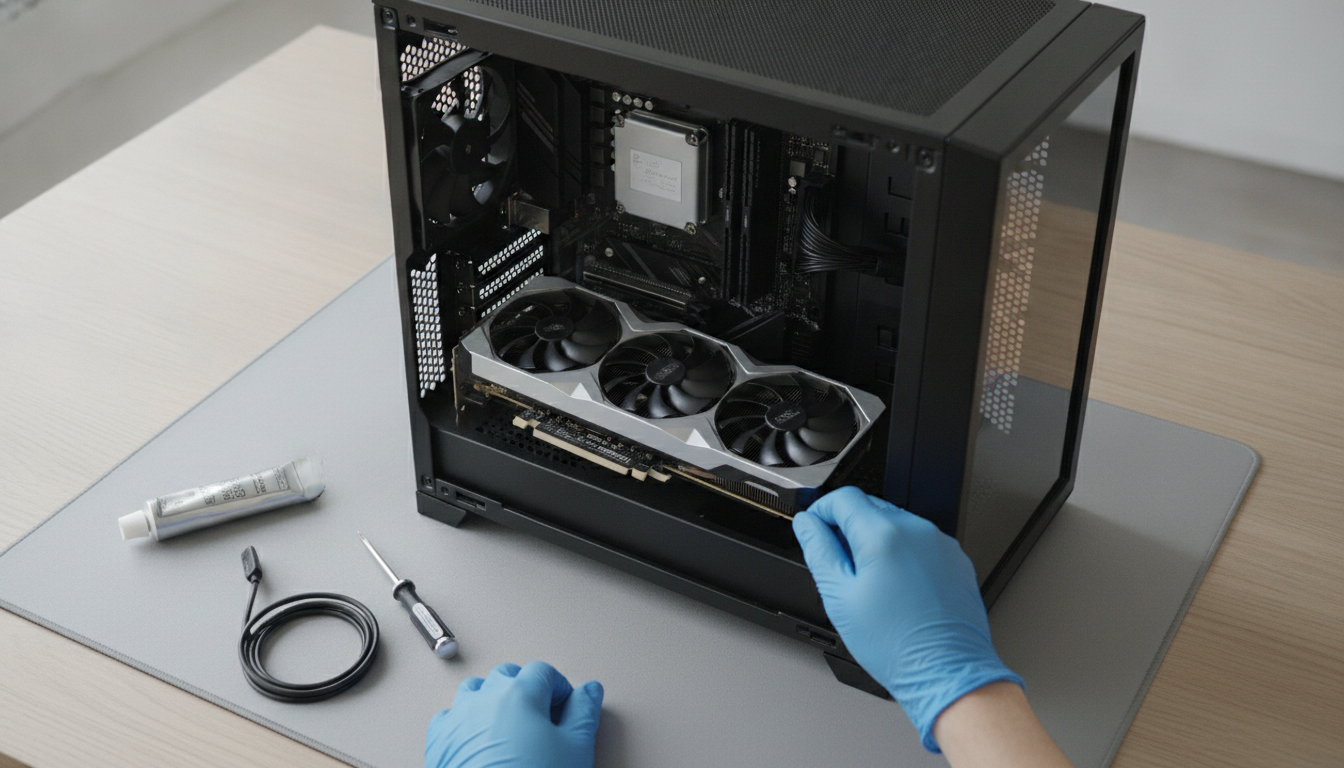
If you’ve decided to build, a practical tip before closing the case: confirm in the motherboard manufacturer’s compatibility list (usually called QVL, Qualified Vendor List) if the memory sticks you’ve chosen are officially supported. Memory outside the QVL can work, but may need manual adjustment in the BIOS to reach the advertised speed, called XMP (memory overclock profile that you activate in the BIOS with one click). Also check if the motherboard’s BIOS is updated to support your processor, especially if you buy motherboard and CPU from different generations.
Seven thousand reais in gaming PC in 2026 doesn’t buy the top of the line, but it buys real competence. With well-made choices, you’ll be gaming in the 80 to 120 fps range at 1440p in most modern titles, with a machine that can grow with you. That, on a quality monitor, is a difference you feel right in the first minutes of gaming. And if you want to compare this investment with other technologies before deciding, choosing a good cheap smartphone in 2026 follows a similar cost-benefit logic that can help you calibrate your expectations with a limited budget.