

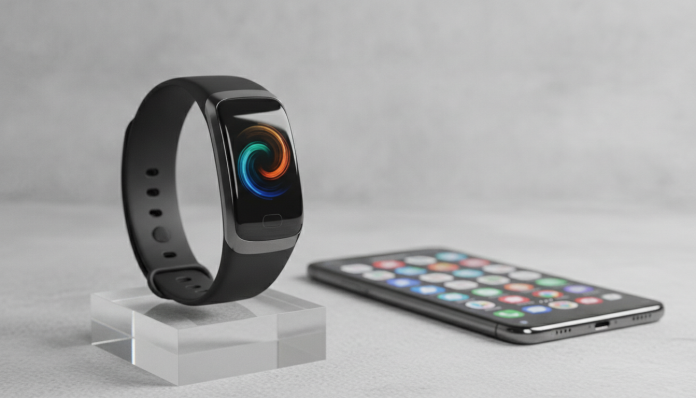

Xiaomi Smart Band 10 with iPhone: Real Compatibility or Marketing Promise?
Xiaomi has a complicated history with iPhone users. For years, their smartbands required the Mi Fitness app (or earlier versions of Zepp Life) with limited iOS functionality, delayed notifications, and syncing that depended on keeping Bluetooth active in specific ways. The Smart Band 10 changed part of that equation, and the question that comes up every day in the comments is straightforward: is it worth buying this band if you use iPhone?
The short answer is yes, with caveats. The Smart Band 10 works with iPhone quite satisfactorily for a product in its price range. You’ll monitor health, receive notifications, and use the main daily features without needing workarounds. What won’t work exactly like on Android are some quick-reply messaging features and Spotify music control with deeplink, but that’s an iOS limitation, not Xiaomi’s.
If you’re weighing the purchase and want to understand exactly what works, what doesn’t, and how to set everything up directly from your iPhone, this article covers every point.
Xiaomi Smart Band 10 Specifications
| Specification | Detail |
|---|---|
| Display | AMOLED 1.62 inches, 192 x 490 px |
| Band Material | Silicone (replaceable, 16 mm pin) |
| Sensors | Heart Rate (SpO2), accelerometer, gyroscope |
| GPS | Connected (uses smartphone GPS) |
| Water Resistance | 5 ATM (up to 50 meters) |
| Battery | 232 mAh |
| Declared Battery Life | Up to 21 days (typical use, according to manufacturer) |
| Charging | Proprietary Magnetic |
| Bluetooth | 5.3 |
| Required App (iOS) | Xiaomi Fitness (App Store) |
| Compatible Systems | iOS 13 or higher, Android 6.0 or higher |
| Weight | Approximately 27 g with band |
How Connection with iPhone Works in Practice
The pairing process follows the Bluetooth LE (Low Energy, low-consumption protocol used by wearables) standard, and doesn’t require a mandatory Xiaomi account for basic functions. You install Xiaomi Fitness from the App Store, open the app, tap “Add Device” and the app locates the band automatically.
The app asks for notification access on your iPhone during initial setup. This is where many people stumble: iOS requires you to enable notification sharing in Settings > Xiaomi Fitness > Notifications, then individually select which apps can send alerts to the band within the app itself. It’s an extra step, but done once, it works stably.
Syncing health data with Apple Health is also possible. Within Xiaomi Fitness, there’s an integrations section where you authorize the app to write and read data from HealthKit (iOS health repository). Steps, heart rate, and sleep appear in the Apple Health app after syncing.
What Works and What Doesn’t on iPhone
This is the section that matters most for the purchase decision. See the honest list:
Works normally on iPhone:
- Receiving notifications from any app (WhatsApp, Gmail, iMessage, Instagram, etc.)
- Continuous heart rate monitoring
- Pulse oximetry (SpO2)
- Sleep monitoring with phases (light, deep, REM)
- Step counting and calorie tracking
- Over 150 sports modes, according to Xiaomi
- Alarms and timers configured via app
- iPhone camera control from the band
- Synchronization with Apple Health
Works with limitations:
- Music control: you can pause, skip and rewind tracks, but can’t change playlists directly from the band in apps like Spotify on iOS due to Apple restrictions
- GPS: it’s connected, meaning it depends on the iPhone being nearby to record routes; there’s no standalone GPS on the band
Doesn’t work on iPhone:
- Quick replies to messages from the band (iOS limitation for third-party apps)
- Making calls from the band (the Band 10 has no speaker or microphone)
The lack of quick message replies bothers more those coming from Apple Watch. If you’ve never used this feature, you probably won’t even miss it.
Battery and Autonomy: The Band 10’s Strongest Point
With 232 mAh and an efficient AMOLED panel, Xiaomi claims up to 21 days of autonomy in typical use and up to 14 days with continuous heart rate monitoring enabled. These numbers consider a usage pattern that the manufacturer describes as moderate, with notifications and without GPS active all the time.
In real life with iPhone, the Bluetooth LE connection is very economical, so there’s no significant battery penalty for being paired with iOS instead of Android. The point to watch is the always-on display: when activated, autonomy drops considerably, according to the specifications. If you want to get close to 21 days, set the display to turn on only when you raise your wrist.
The charger is proprietary magnetic, meaning you need to keep the cable safe. It’s not USB-C, not wireless Qi. It’s the weakest point in the accessories ecosystem.
Display and Customization: Where the Band 10 Impresses
The 1.62-inch AMOLED panel is the largest in Xiaomi’s Band line so far, according to manufacturer information. AMOLED technology ensures that black pixels are literally turned off, resulting in excellent contrast and battery savings with dark watchfaces (those with black background and colored elements).
Xiaomi offers a watchface repository within the app, with free and some paid options. In Brazil, the availability of paid watchfaces may vary depending on the account used in the app store. Free options are already sufficient for most users.
The band uses a 16 mm pin connection, compatible with third-party accessories sold on sites like Mercado Livre and Amazon Brazil, which is a real maintenance cost advantage.
Brazilian Context: Price, Homologation and Where to Buy
The Smart Band 10 was launched globally in 2025. In Brazil, you can find the product at stores like Amazon Brazil, Mercado Livre, and some physical electronics stores. The launch price in the United States was around US$ 40 to US$ 50, and in the Brazilian market the range practiced is around R$ 250 to R$ 350, depending on the seller and exchange rate at the time.
As for Anatel homologation (mandatory process for a device with radio transmission, like Bluetooth, to be legally sold in Brazil): verify if the model you’re buying has the Anatel homologation number on the packaging or in the product technical sheet on the seller’s website. Imported products without homologation don’t have legal warranty in the country and may be detained at customs.
Xiaomi’s official warranty in Brazil covers 12 months for products purchased through authorized channels. Direct import purchases don’t have this coverage, and technical support in case of defect becomes complicated.
If you’re evaluating other options in the same price range, the guide on which is the best smartwatch up to R$ 500 in 2026 compares the Band 10 with direct competitors like Amazfit Band 7 and Honor Band 9, with cost-benefit analysis by user profile.
Competitors and Alternatives in Brazil
| Model | Approximate Price (BR) | Own GPS | Works Well with iPhone | Highlight |
|---|---|---|---|---|
| Xiaomi Smart Band 10 | R$ 250 to R$ 350 | No (connected) | Yes | Larger display, long battery life |
| Amazfit Band 7 | R$ 200 to R$ 300 | No (connected) | Yes | Well-rated Zepp app on iOS |
| Honor Band 9 | R$ 250 to R$ 380 | No (connected) | Partial | Compact design |
| Fitbit Inspire 3 | R$ 500 to R$ 700 | No (connected) | Excellent | Native integration with Google Fit and iOS |
| Apple Watch SE (2nd generation) | From R$ 2,200 | Yes | Native | Complete Apple ecosystem |
For those wanting standalone GPS and total integration with iPhone without giving up the Apple ecosystem, the Apple Watch SE remains the reference, but the price difference is brutal. If budget is the main criterion, the Band 10 delivers much more than the price suggests.
Frequently Asked Questions About Xiaomi Smart Band 10 with iPhone
Does the Xiaomi Smart Band 10 Need a Xiaomi Account to Work on iPhone?
The Xiaomi Fitness app asks to create an account to sync data to the cloud and access complete features. According to the app’s own information, it’s possible to use some functions without login, but the complete experience, including health history and additional watchfaces, requires registration.
Do WhatsApp Notifications Arrive Normally on Band 10 with iPhone?
Yes, as long as you configure notification permissions correctly on iOS and within the Xiaomi Fitness app. The message text appears on the band, but you can’t reply directly from the band due to iOS limitations with third-party apps.
Can I Use the Band 10 for Swimming?
The band has 5 ATM certification, which according to Xiaomi is equivalent to resistance for swimming in pools and shallow water. The manufacturer doesn’t recommend diving with equipment or high-pressure water sports. Check the manufacturer’s instructions for use in saltwater, as salt can accelerate seal wear.
Is the Xiaomi Fitness App Available in Portuguese on iPhone?
Yes. Xiaomi Fitness is available on the Brazilian App Store with a Portuguese (Brazil) interface. The translation quality is good for main functions, with some health technical terms still in English depending on the app version.
Who the Smart Band 10 Makes Sense For (And Who It Doesn’t)

The Smart Band 10 is one of the best smartband options for iPhone users who want reliable health monitoring, good battery life, and a readable display without spending more than R$ 400. Integration with Apple Health works, notifications arrive, and the learning curve to set everything up is low.
Recommended for:
- iPhone users who want basic to advanced health monitoring without paying Apple Watch prices
- Those who practice sports and need activity tracking with water resistance
- Those who want long battery autonomy without daily charging
- Beginners with wearables who don’t need message replies from the band
Not recommended for:
- Those who need to reply to messages from the band (iOS limitation, not Xiaomi’s)
- Those who want standalone GPS for runs without their phone
- Those who prioritize total integration with the Apple ecosystem above all else
Price range: R$ 250 to R$ 350 in the Brazilian market, with variations according to exchange rate and seller. Launch reference price in the US around US$ 40 to US$ 50. Check the current price at major stores before buying.