

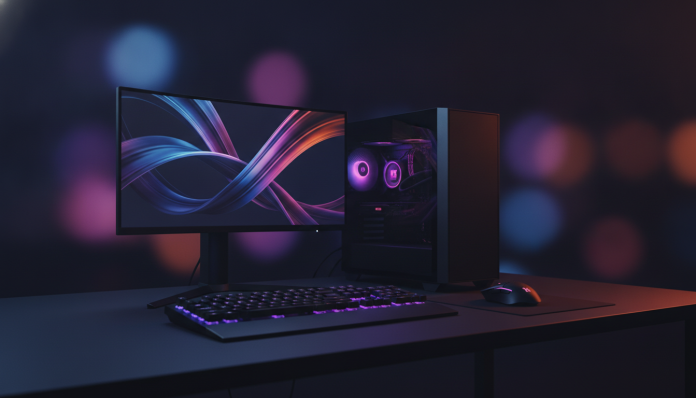

What you need to know before building your 1440p 144Hz gaming PC
Building a gaming PC with a defined budget is always a balancing act. With R$ 7,000 in 2026, you enter an interesting price bracket: you can run most modern games in 1440p (2560×1440 pixels, double the pixels of Full HD) with a refresh rate of 144Hz (144 frames per second on screen) comfortably, without needing cutting-edge graphics cards or paying import premiums for the latest generation components.
The goal of this guide is simple: show which components make sense in this price range, which pitfalls to avoid, and how the Brazilian market imposes restrictions that don’t appear in American guides. PC component prices in Brazil fluctuate considerably due to exchange rates and import taxes on international purchases, so all price ranges mentioned here are approximate and you should confirm with national retailers at the time of purchase.
For those who don’t want to read everything now: if you already have a monitor, keyboard, and mouse, R$ 7,000 is enough for a desktop that delivers 1440p at 144Hz in most popular 2026 games, without needing to increase the budget. If you still need to buy the monitor, reserve between R$ 1,200 and R$ 2,000 within that ceiling and adjust internal components as needed.
Why 1440p 144Hz is the ideal sweet spot in 2026
Full HD at 60Hz became outdated as a gaming standard long ago. The jump to 1440p delivers noticeably sharper images without the absurd hardware cost that 4K (3840×2160 pixels) still demands. Meanwhile, 144Hz makes a real and visible difference: camera movements are smoother, your input response feels more immediate. It’s the type of improvement you feel on day one and won’t want to give up after.
4K at 144Hz still requires graphics cards above R$ 5,000 to run demanding games comfortably. 1440p, on the other hand, is already well served by cards in the R$ 2,000 to R$ 3,000 range available in Brazil in 2026. This frees up budget for the rest of the system, which is often neglected by first-time PC builders.
Recommended configuration table up to R$ 7,000
The table below represents a balanced build for the proposed objective. Prices are estimated ranges for the national market in 2026 and should be confirmed at retailers.
| Component | Category Suggestion | Price Range (R$) |
|---|---|---|
| Processor | Current generation Ryzen 5 or Core i5 | R$ 900 – R$ 1.300 |
| Graphics Card | Mid-to-high tier GPU (see section below) | R$ 2.000 – R$ 2.800 |
| Motherboard | ATX or mATX with compatible chipset | R$ 500 – R$ 800 |
| RAM Memory | 32 GB DDR5 dual channel | R$ 400 – R$ 600 |
| Storage | 1 TB NVMe SSD PCIe 4.0 | R$ 300 – R$ 500 |
| Power Supply | 650W–750W 80 Plus Gold | R$ 400 – R$ 600 |
| Case | Mid tower with good ventilation | R$ 200 – R$ 400 |
| CPU Cooler | Simple tower or 240 mm AIO liquid cooler | R$ 150 – R$ 300 |
| Monitor (optional) | 27″ 1440p 144Hz IPS or VA | R$ 1.200 – R$ 1.800 |
| Total without monitor | ~R$ 4.850 – R$ 7.300 | |
| Total with monitor | ~R$ 6.050 – R$ 9.100 |
If you need to include the monitor, the recommendation is to adjust the graphics card to a slightly lower range and compensate with a quality monitor. A good panel makes more difference in visual experience than the jump from one GPU to another within the same generation.
Processor: where it doesn’t pay to cut corners
For 1440p at 144Hz, the processor isn’t the main bottleneck in most games, but that doesn’t mean any CPU will do. You need something that won’t limit the graphics card, especially in titles that use cores well, like simulations, MMOs, and open-world games.
AMD Ryzen 5 current generation
Ryzen 5 models with recent architecture (check the generation available in stores in 2026) deliver excellent performance in the proposed price range. According to AMD, the Ryzen 5 series is designed for mixed workloads, which covers gaming and simultaneous streaming well. Check the technical specifications to see if your chosen model has TDP compatible with the cooler you plan to use.
Intel Core i5 current generation
Intel maintains competitiveness in this range with Core i5 models. The historical advantage of Intel processors in single-core (single-task performance, which many games still prioritize) makes them legitimate candidates. Verify that your chosen motherboard supports the correct socket, as Intel has changed platforms in recent generations.
Practical tip: avoid spending more than R$ 1,300 on the processor in this build. Extra money goes much further in the GPU.
Graphics Card: the most important component of the build
The GPU (graphics processing unit) is the heart of any gaming PC, and at 1440p it needs to work harder than at Full HD because it processes more pixels per frame. This is the component where you concentrate the largest chunk of your budget.
What to look for in the specifications
When evaluating a GPU for 1440p 144Hz, the most relevant points are: amount of VRAM (dedicated video memory used for textures and graphics data), memory bandwidth (width in bits, larger is generally better), and support for upscaling technologies like DLSS (from NVIDIA) or FSR (from AMD). These technologies render the game at lower resolution and reconstruct the final image, allowing you to achieve more frames per second without significant visual loss.
In 2026, GPUs with at least 12 GB of VRAM are recommended for 1440p in games with high-resolution textures. Check this data in the manufacturer’s official specifications before purchasing.
Availability in Brazil and Anatel certification
Graphics cards don’t require Anatel (National Telecommunications Agency, which certifies wireless-enabled equipment in Brazil) certification on their own, but invoice and national warranty make a difference. Cards sold by authorized national resellers like Kabum, Pichau, and Terabyte Shop offer local one to two-year warranties, which avoids the bureaucratic process of international RMA. Importing directly may seem cheaper on paper, but any issue becomes an expensive and time-consuming process.
RAM and storage: the minimum you shouldn’t cut
32 GB of DDR5 RAM in dual channel (two 16 GB sticks each, running in parallel like two lanes on a highway rather than one) is the new standard in 2026 for worry-free gaming. 16 GB still works in most games, but modern titles consume more, and 32 GB ensures build longevity.
For the SSD, a PCIe 4.0 NVMe model with 1 TB works well. The speed difference to PCIe 5.0 exists in synthetic benchmarks, but in everyday gaming use, load times are practically identical. Check the technical specifications for the chosen model’s sequential read and write speeds; values above 5,000 MB/s read are more than sufficient.
1440p 144Hz Monitor: how to choose the right panel
If you don’t have a monitor yet, this choice deserves attention. The two most common panel types at this resolution are IPS (better viewing angles and more accurate colors) and VA (higher contrast, deeper blacks, but more limited viewing angles). TN panels still exist, but have lost relevance in this segment.
For competitive gaming in first-person shooters, pixel response time (measured in milliseconds, lower is better) matters more. For RPGs and adventure games, color quality and contrast of IPS or VA compensates. Check the GTG (gray-to-gray) response time in the technical specifications: values from 1 ms to 4 ms are adequate.
Another important point is support for G-Sync or FreeSync. These technologies sync the monitor’s refresh rate with frames delivered by the GPU, eliminating the “tearing” effect on screen. FreeSync is an open AMD technology and works with AMD GPUs and, in practice, with many NVIDIA cards too. Check compatibility before purchasing.
If you’re setting up your setup thinking about longevity, it’s worth researching a good headset to complete the immersion experience. Just as you research monitor specifications, when looking for workout earbuds 2026 that don’t fall the same reasoning about specifications and practical use applies.
Power Supply, Case, and Cooler: the trio most people ignore
The power supply is the most underestimated component in any build. A mid-to-high-performance GPU can consume peaks of 200W to 250W on its own; adding the processor and rest of system, 650W to 750W with 80 Plus Gold certification (efficiency of at least 87% in power conversion, reducing heat and electricity bills) is the minimum recommended. Never buy power supply from an unknown brand to save R$ 100; a voltage spike can destroy much more expensive components.
The case directly influences airflow and, consequently, system temperature. A mid tower with at least two front intake coolers and one rear exhaust already solves it. Brands like Cooler Master, NZXT, and Cougar have national models with good ventilation in the R$ 200 to R$ 400 range.
For the CPU cooler, a tower model with two heatpipes or a 240 mm AIO (all-in-one, closed liquid cooler) is sufficient for the processors recommended in this build. The cooler included in the processor box is rarely adequate for gaming use over long periods.
Connectivity and peripherals: what not to forget
If your case will be far from the router, consider an internal PCIe Wi-Fi network card or a USB Wi-Fi 6 or higher adapter. Wired connection via Ethernet is still superior for gaming, but it’s not always feasible. In fact, if you have signal problems in parts of your house, there’s a practical guide on how to resolve weak Wi-Fi on the second floor without needing mesh that can save headaches before even turning on the new PC.
Keyboard and mouse are too personal to have a single recommendation, but reserve at least R$ 300 to R$ 500 for a quality optical sensor mouse and an entry-level mechanical keyboard. These peripherals directly affect gaming experience and don’t age as quickly as internal components.
Frequently asked questions about 1440p 144Hz gaming PCs
Is it worth buying a pre-built kit or better to assemble piece by piece?
Pre-assembled kits from national retailers like Pichau and Kabum often have competitive pricing and unified warranty, which simplifies support. The disadvantage is less flexibility in choosing specific components. If you have no assembly experience, a pre-built kit from a trusted retailer is a legitimate option in this price range.
Do I need licensed Windows? How much does this affect the budget?
Windows 11 Home official license costs around R$ 400 to R$ 600 at Brazilian retailers. Some retailers include the license with the hardware kit. It’s not recommended to use unofficial activators for security and system stability reasons.
What’s the real difference between DDR4 and DDR5 for gaming?
DDR5 offers greater bandwidth than DDR4, but the noticeable difference in gaming is still small in most titles. The most important is ensuring dual channel (two sticks) and adequate speed. Check which modules are supported by your chosen motherboard before purchasing.
GPU or CPU: where to concentrate the budget in this build?
GPU without question. For 1440p at 144Hz, the graphics card is the performance bottleneck in most scenarios. A mid-tier processor with a good GPU far exceeds a top processor with a mid-tier GPU.
How to build your shopping list without regrets
With R$ 7,000, you have room for a solid build, but not for waste. First define whether the monitor is in your budget or not, because this changes the proportion you allocate to the GPU. Prioritize buying graphics card, power supply, and RAM from national retailers with invoices to ensure local support without bureaucracy.
Research prices in at least three stores before finalizing any component, as variations of R$ 200 to R$ 300 on the same item are common between resellers. Price comparison tools like Zoom and Buscapé help identify the best time to buy. Build your list on PC Part Picker (American site, but useful for checking component compatibility) and then locate available equivalents in Brazil.
The final result will be a PC capable of running major 2026 releases comfortably at 1440p with high refresh rates, with enough longevity for the next two to three years without needing significant upgrades.