

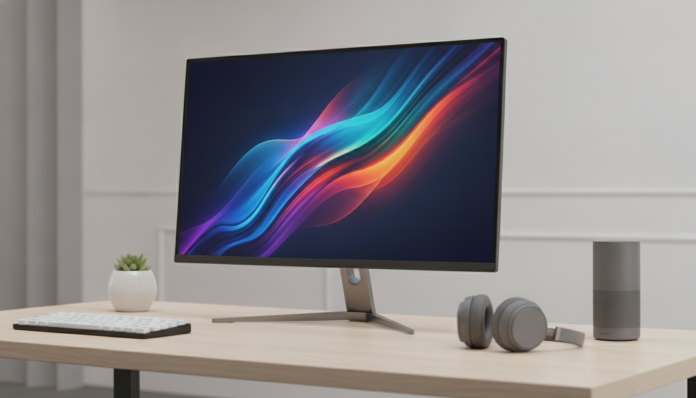

Is a 144Hz monitor worth it for non-gamers?
The short answer is: yes, it’s worth it, but it depends on what you do in front of your computer. A 144Hz monitor means the screen redraws the image 144 times per second, compared to 60 times on a standard monitor. It sounds like niche gaming jargon, but this difference shows up in very everyday situations, like scrolling long pages, moving windows, editing videos, or simply navigating with your cursor across the desktop. People who try a high refresh rate screen for a few weeks and go back to a 60Hz monitor usually feel the difference immediately, especially in fast movements.
The point is that “not gaming” is not synonymous with “not benefiting.” The 144Hz monitor today is no longer an exclusive item at specialty gaming hardware stores with outrageous prices and mediocre panels. In 2026, the 144Hz range has dropped significantly in the market, with decent options reaching prices very close to 60Hz monitors. The real question shifted from “do I need 144Hz?” to “what type of panel and resolution make the most sense for my use?”
This article doesn’t focus on a specific model, but on a real market overview. The idea is to help you decide whether to put the price difference in your pocket or in the monitor.
What refresh rate changes in everyday use
When you move a window in Windows or macOS across a desktop background, the system redraws that scene several times per second. At 60Hz, each frame is visible for about 16.7 milliseconds. At 144Hz, that time drops to approximately 6.9 milliseconds. Movement becomes noticeably smoother, without ghosting or a “dragged” sensation.
For text and spreadsheet work, the gain is subtle. You won’t read an email faster on a 144Hz monitor. But when you scroll a long page or move your cursor to select a large block of text, the fluidity is noticeable. Users sensitive to this type of movement, especially those with tired eyes at the end of the day, report less visual discomfort, although there’s no broad scientific consensus on the topic.
For video editing, the story changes. Watching the timeline move, playing a clip at normal speed, or simply dragging a cut point becomes more responsive. This doesn’t make editing faster in terms of export, but it improves the working experience, which, accumulated over hours, makes a difference.
Panel types: IPS, VA, or TN, and which matters most for non-gamers
Refresh rate is just one of the parameters that matter in a monitor purchase. The panel type determines color quality, viewing angle, and response time. For non-gamers, this choice usually weighs as much as Hz.
- IPS (In-Plane Switching): better color reproduction and wide viewing angles, around 178 degrees horizontal and vertical. Ideal for design, photography, video, and any work that depends on accurate colors. IPS panels tend to have slightly grayish black compared to VA panels.
- VA (Vertical Alignment): better native contrast, in the range of 3000:1 to 5000:1, which makes blacks deeper. Good for those who consume films and series. It can have ghosting (image trail in motion) more noticeable in certain configurations.
- TN (Twisted Nematic): the fastest in response, but with inferior colors and poor viewing angle. It was dominant in cheap gaming monitors; today, for non-gamers, there’s no reason to choose TN.
For productive use, market recommendation converges on IPS or variants like Fast IPS and Nano IPS (technologies that combine faster response times without compromising color coverage). For consuming media with lots of dark content, a good VA can be interesting.
Resolution: Full HD, QHD, or 4K at 144Hz
Here’s the variable that most affects the price. A Full HD (1920×1080) 144Hz monitor is the most accessible entry point. A QHD (2560×1440) offers more screen space, which is valuable for working with multiple windows or editing content. 4K (3840×2160) at 144Hz still requires robust graphics hardware and costs significantly more.
For those who use computers primarily for productivity, QHD resolution on a 24 to 27 inch panel is the ideal value-for-money point in 2026. You get pixel density sufficient for sharp text without needing to scale the interface, and the price is already much more palatable than it was two or three years ago.
4K monitors at 144Hz make more sense for those with a powerful dedicated GPU or for those who edit high-resolution content. If you’re building or upgrading a more complete setup and want to understand how processor and GPU impact this equation, it’s worth reading about the relationship between Snapdragon or MediaTek: which processor to choose in 2026, because the logic of component hierarchy is similar to the reasoning you’ll use to build or calibrate a PC for creative work.
Price range in Brazil and how to navigate the local market
In 2026, 144Hz monitors with IPS panels and Full HD resolution from known brands like AOC, LG, Samsung, and Dell can be found in Brazil in ranges starting from approximately R$ 900 to R$ 1,400 on 24-inch models, depending on sales and retailers. QHD 27-inch models typically start from R$ 1,600 to R$ 2,200 in this segment. These ranges vary with exchange rate, taxes, and availability, so always check the main national retailers before buying.
Monitors imported without Anatel homologation (National Telecommunications Agency) may have warranty and technical support issues. In the case of monitors, regulation mainly involves communication interfaces like USB and embedded wireless when present. Check for the Anatel certificate on the packaging or the product page on the retailer’s website, especially for parallel imports.
Standard warranty in the Brazilian market for monitors is usually 12 months under the Consumer Protection Code, but brands like LG, Samsung, and Dell typically offer 24 to 36 months depending on the model and sales channel. Buying from authorized resellers is the safest way to access full warranty and national support.
Pros and Cons
Pros:
- Interface movement and scrolling are noticeably smoother, benefits any user
- Entry-level prices dropped significantly in 2026, with competitive Full HD options
- Improves experience in video editing, design, and heavy multi-window use
- Technologies like Fast IPS offer high refresh rates with good color accuracy
- Works normally even if your computer doesn’t render 144 fps; the screen simply operates at a lower rate
Cons:
- For exclusive text and spreadsheet use, perceived gain can be minimal
- 4K 144Hz monitors still require dedicated GPU to take full advantage
- 144Hz VA panels may have more noticeable ghosting than equivalent IPS
- The price difference over 60Hz monitors, even if smaller in 2026, still exists
- Imports without Anatel certificate complicate warranty and support
Competitors and alternatives in Brazil
| Model | Panel | Resolution | Rate | Size | Price Range (BR) |
|---|---|---|---|---|---|
| LG 27GN800-B | IPS | QHD | 144Hz | 27″ | R$ 1,700 to R$ 2,100 |
| Samsung Odyssey G5 (LS27AG5) | VA | QHD | 144Hz | 27″ | R$ 1,500 to R$ 1,900 |
| AOC 24G2 | IPS | Full HD | 144Hz | 24″ | R$ 900 to R$ 1,300 |
| Dell S2722DGM | VA | QHD | 165Hz | 27″ | R$ 1,800 to R$ 2,300 |
| Philips 272E1GAJ | VA | Full HD | 144Hz | 27″ | R$ 1,100 to R$ 1,400 |
Approximate prices consulted at national retailers; subject to variation. Check availability and version with Anatel certification before purchasing.
The models above are widely available in Brazil through major retailers like Magazine Luiza, Kabum, Amazon Brasil, and Pichau. The LG 27GN800-B is frequently cited by design and content production users for the IPS panel’s color accuracy. The Samsung Odyssey G5 appeals to those who watch lots of content in low-light environments, thanks to the VA’s superior contrast.
Frequently asked questions about 144Hz monitors for non-gaming use
Does a 144Hz monitor work on any computer, including notebooks?
Yes, with limitations. Most 144Hz monitors connect via HDMI or DisplayPort. Older notebooks may have HDMI 1.4, which limits output to 60Hz in Full HD or less at higher resolutions. Check your notebook’s technical specs for what HDMI or DisplayPort version it offers before buying the monitor.
Do you need a dedicated graphics card to take advantage of 144Hz?
Not necessarily. For productive use and browsing, modern integrated graphics can display the operating system interface at 144Hz without issues. A dedicated graphics card becomes essential when you want to render content or run heavy graphics applications above 60 fps.
Does a 144Hz monitor consume more power than a 60Hz one?
Refresh rate has a marginal impact on monitor power consumption. What impacts more is panel size, configured brightness, and backlight type. Panels with Energy Star certification or efficient LED backlighting tend to consume similar values regardless of refresh rate, within the same size category.
Is it worth buying a 144Hz monitor in 24 or 27 inches?
It depends on viewing distance and your preferred resolution. At 24 inches with Full HD, pixel density is adequate for use at a distance of 50 to 70 cm. At 27 inches, Full HD may look slightly grainy up close; the ideal at this size is QHD. If your budget is limited, 24 inches in Full HD is the most balanced choice.
Is it worth it?

For most people who use their computer intensively, whether for creative work, development, media consumption, or simply spending many hours in front of the screen, a 144Hz monitor with an IPS panel represents a real improvement in experience. It’s not magic, but it’s noticeable. If you’re still unsure about how to balance this investment with other setup peripherals, it might be useful to check a complete guide like how to build a complete gaming PC within a realistic budget, which helps you understand where each real makes the most difference in the overall setup.
Recommended for: creative professionals, developers, students who spend many hours on the computer, users who consume lots of video, and anyone who already experiences visual discomfort with 60Hz monitors.
Not recommended for: those who use their computer sporadically for very simple tasks, those on a tight budget who already have a 60Hz monitor in good condition, or those who prioritize absolute color accuracy above everything else (in that case, a professional colorimetry monitor with a 4K panel may be more relevant than refresh rate).
Price range: R$ 900 to R$ 1,400 for 24″ Full HD in IPS; R$ 1,600 to R$ 2,300 for 27″ QHD in IPS or VA. Prices vary according to exchange rate and availability in 2026.