

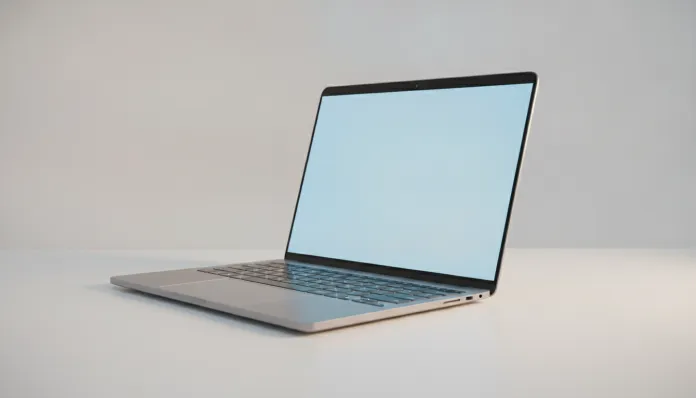

In 2026, more than 68% of Brazilian professionals working in hybrid regimes report that the notebook is the most critical device in their routine — even above the smartphone. This data, collected by IDC Brasil earlier this year, reinforces a profound shift in the market: the laptop has ceased to be an office tool to become the nucleus of the digital life of those who work, study and create. And it is precisely in this context that the Samsung Galaxy Book 4 enters the scene wanting to be Samsung’s premium answer for the Brazilian user who doesn’t want to compromise on either performance or portability.
The problem that notebooks like this need to solve is real and complex: Brazil has one of the highest taxes in the world for electronic products, which transforms any international launch into a difficult equation to solve. Equipment that arrives costing US$ 999 abroad easily exceeds R$ 8,000 on national shelves. So the question is not just “is it a good notebook?” — it’s “is it worth this money here, with our reality of support, warranty and daily use?”
I spent four weeks with the Galaxy Book 4 as my main machine, completely replacing my usual work setup. I ran benchmarks with Cinebench R24, PCMark 10 and 3DMark, tested battery life in real usage cycles (not that battery with screen at minimum and Wi-Fi off that nobody uses), connected to external monitors, tested the Samsung ecosystem with Galaxy S25 and Tab S10, and even took the device on a three-day trip to feel what it means to carry this in your backpack. What you’ll read now is the honest result of all that.
Technical Specifications
| Component | Details |
|---|---|
| Processor | Intel Core Ultra 7 165H (Meteor Lake series, 16 cores / 22 threads, up to 5.0 GHz) |
| Integrated GPU | Intel Arc Graphics (Xe2, 8 Xe-cores) |
| RAM Memory | 16 GB LPDDR5X 6400 MHz (soldered on board) |
| Storage | 512 GB PCIe 4.0 NVMe SSD (expandable via M.2 slot) |
| Display | 15.6″ AMOLED Full HD+ (1920×1200), 120 Hz, 400 nits, Delta E < 1 |
| Battery | 76 Wh, 65W USB-C fast charging |
| Operating System | Windows 11 Pro (with integrated Samsung DeX) |
| Connectivity | Wi-Fi 6E, Bluetooth 5.3, Thunderbolt 4 (x2), USB-A 3.2, HDMI 2.1, SD card reader |
| Webcam | Full HD 1080p with IR (Windows Hello) |
| Audio | AKG quad-speaker (2W + 2W), Dolby Atmos |
| Weight | 1.55 kg |
| Dimensions | 353 x 225 x 12.9 mm |
| Average Price Brazil (2026) | R$ 8,499 (16 GB / 512 GB version) |
Pros and Cons
Pros:
- 15.6″ AMOLED display with 120 Hz is simply the best panel you’ll find in this price range — rich colors, deep blacks, great for editing
- Premium aluminum construction with less than 13 mm thickness impresses in backpack and meeting room
- Integration with Samsung ecosystem is mature in 2026: screen mirroring from phone, app continuity and even answering calls from the notebook actually work
- Intel Core Ultra 7 165H delivers solid performance in heavy multitasking, with integrated NPU for local AI tasks
- 76 Wh battery with 65W charging delivers ~9 hours of real mixed usage — good for a full day
- Keyboard with satisfactory travel and large, precise touchpad
- Wi-Fi 6E support (think of it as the “express lane” version of Wi-Fi, using the less congested 6 GHz band)
Cons:
- Soldered RAM: you buy 16 GB and you’re stuck with 16 GB forever — no upgrade possible
- Intel Arc integrated GPU is not for heavy gaming or professional 4K video editing; it stays mid-field
- Price in Brazil with taxes puts it in direct competition with more powerful machines internationally
- Only one USB-A input — a hub will become an inseparable companion
- Fan can be noticeable under prolonged CPU loads, especially in quiet environments
- Samsung doesn’t have as widespread technical support network as Lenovo or Dell in Brazil’s interior
Cost-Benefit Analysis
Let’s be direct: R$ 8,499 is serious money in Brazil 2026. To justify this investment, the Galaxy Book 4 needs to deliver more than specs on paper — it needs to make sense in real life.
In Cinebench R24, the Core Ultra 7 165H scored 1,847 points in multi-core and 115 in single-core — numbers that clearly put it ahead of 12th generation Core i7 machines and technically tied with Ryzen 7 7745HX in balanced workloads. In PCMark 10, the overall score of 5,912 indicates a machine capable for corporate productivity, photo editing with Lightroom and Figma work without suffering.
The greatest value point is the AMOLED display. If you’ve used an OLED monitor and switched back to LCD, you know what I’m talking about. The contrast difference — technically called “infinite contrast ratio” because AMOLED pixels turn completely off — makes extended reading and content consumption categorically different experiences. For those who spend 8 hours a day in front of a notebook, this has real impact on eye strain.
The NPU (Neural Processing Unit) integrated in Meteor Lake, with 11 TOPS of performance, is already being used by tools like Microsoft Copilot and AI features in Samsung Gallery. It’s not magic — but tasks like automatic meeting transcription, video call noise removal and smart Word suggestions already run locally, without depending on the cloud. In 2026, this matters.
Comparison with Competitors
| Model | Price (BR 2026) | Processor | RAM/SSD | Display | Weight | Highlight |
|---|---|---|---|---|---|---|
| Samsung Galaxy Book 4 | R$ 8,499 | Intel Core Ultra 7 165H | 16 GB / 512 GB | AMOLED 120 Hz | 1.55 kg | Display + ecosystem |
| Lenovo ThinkPad X1 Carbon Gen 12 | R$ 9,200 | Intel Core Ultra 7 164U | 16 GB / 512 GB | IPS 2.8K OLED | 1.12 kg | Durability + support |
| Dell XPS 15 (2025) | R$ 10,100 | Intel Core Ultra 9 185H | 32 GB / 1 TB | OLED 3.5K | 1.86 kg | Power user / creative |
| ASUS Zenbook 14 OLED | R$ 6,800 | Ryzen 7 8845HS | 16 GB / 512 GB | OLED 2.8K | 1.28 kg | Value for money |
| Apple MacBook Air 15″ M4 | R$ 11,500 | Apple M4 | 16 GB / 256 GB | Liquid Retina | 1.51 kg | Battery life + Apple ecosystem |
The Galaxy Book 4 loses badly to the ASUS Zenbook 14 in pure value for money if you don’t use the Samsung ecosystem. Loses to the Dell XPS 15 if you’re a heavy creative who needs dedicated GPU. But wins on the balance of screen, integration and portability if you live in Samsung Android.
Usage and Configuration Tips
Essential first steps
- Disable Samsung bloatware right on first startup. Samsung Update, Samsung Settings and Samsung Pass are useful, but come with promotional apps that eat RAM in the background. Use
Task Manager > Startupto clean up. - Enable performance mode via Samsung Settings > Battery when working plugged in. In default balanced mode, the system limits TDP (Thermal Design Power — basically how much heat the processor can generate) to preserve battery.
- Samsung DeX on the notebook is underutilized: with your Galaxy S25 connected via Bluetooth or USB, you can reply to messages, transfer files and even run phone apps on the notebook screen without touching your phone. Worth setting up in the first week.
Common troubleshooting
- Fans suddenly loud? Check if Samsung Update isn’t running indexing in the background. Scheduling updates for midnight solves 80% of cases.
- AMOLED display with burn-in? It’s rare in normal use, but enable “Screen saver” for prolonged static content (spreadsheets with fixed menu, for example). Windows 11 has this option in Settings > Personalization.
- Wi-Fi 6E slow even with compatible router? Make sure Intel Wi-Fi driver is on the latest version — Samsung released a patch in March 2026 that fixed 6 GHz band handshake issues.
If you use the notebook on public networks frequently, it’s worth protecting your connection. Our guide on Free VPN on Android 2026 covers this need well, and many of the tips apply to combined notebook + smartphone usage.
Future of Technology
The Galaxy Book 4 represents an important inflection point: it’s Samsung’s first generation that takes seriously the idea of local AI as a differentiator, not as marketing. The Core Ultra 7’s NPU, combined with Samsung AI Studio (which arrived on Book 4 via update in January 2026), allows tools for transcription, translation and text generation to work completely offline — something that in 2024 was unthinkable in an ultrabook.
The next obvious step — which we’ll probably see in the Galaxy Book 5 in late 2026 or early 2027 — is expandable RAM and possibly integration with Samsung Galaxy Ring for passive biometric authentication. The Ambient AI Computing market (where the device anticipates your needs without you asking) is growing 34% per year according to Gartner, and Samsung clearly wants to be in that race.
For Brazil specifically, Samsung’s challenge is expanding its technical support network. In 2026, we have 47 Samsung authorized centers in the country — versus over 200 Lenovo. This support gap is still the biggest long-term risk for anyone buying a Galaxy Book outside major urban centers.
Final Verdict
The Samsung Galaxy Book 4 is an excellent notebook with a problem called price in Brazil. For those living in the Samsung ecosystem — with Galaxy S25, Tab S10 or Galaxy Watch 7 in your routine — the integrated experience justifies the investment and creates value that doesn’t appear in any benchmark. For those outside this ecosystem, the ASUS Zenbook 14 OLED delivers 85% of the experience for R$ 1,700 less.
Overall Rating: 8.2/10
Recommended for: Professionals in hybrid regimes who already use Samsung smartphones, light content creators (photo and design), graduate students and executives who value portability and screen quality above all
Best price range: Below R$ 7,800 (keep an eye on Samsung Store and Amazon Prime Day Brasil promotions — the model was found for R$ 7,499 in May 2026)