


Where to Start Building a Smart Home on a Limited Budget
Building a smart home seems expensive, but you can get started quite reasonably if you know what to buy first. With up to $500 in 2026, it’s possible to automate at least two or three areas of your home and already feel the difference in comfort and convenience in your daily life.
The secret is choosing an ecosystem (a set of devices and applications that work together) before going out to buy everything separately. Buying a smart bulb from one brand, a plug from another, and a motion sensor from a third can work, but it becomes a mess of apps on your phone and you’ll lose the most interesting automations, which happen when devices communicate with each other.
This guide is for those who have never built anything like this before, but also for those who tried, got confused, and want to start over with a clearer strategy. If you already have a defined ecosystem, some sections may confirm what you already know, or show you where you can save money.
Define Your Ecosystem Before Spending Any Money
The first decision is more strategic than technical: which platform will centralize everything. The three most present in Brazil today are Google Home, Amazon Alexa, and Apple HomeKit. Each has different advantages.
Google Home is the most accessible choice to get started: compatible devices are easy to find, prices are usually lower, and integration with Android (the system on most Brazilian smartphones) is natural. Amazon Alexa has an equally broad catalog and works well with the Echo line, which already has versions sold officially in Brazil. Apple HomeKit is the most restricted because it requires you to have an iPhone or iPad to set everything up, which already eliminates much of the audience.
For a $500 budget, Google Home or Alexa are the practical choices. Pick one, make a note of it, and only buy devices that explicitly say they are compatible with that platform on the package or in the technical specifications.
What You Can Build with $500 in 2026
Before listing products, it’s useful to think in categories. With $500, you can cover two or three of the following areas:
- Smart lighting: bulbs or switches that you control via your phone or voice
- Smart plugs: turns any device “smart” by monitoring consumption and turning on/off remotely
- Voice assistant: speaker with microphone to give commands and connect devices
- Basic security: door/window sensor or indoor entry camera
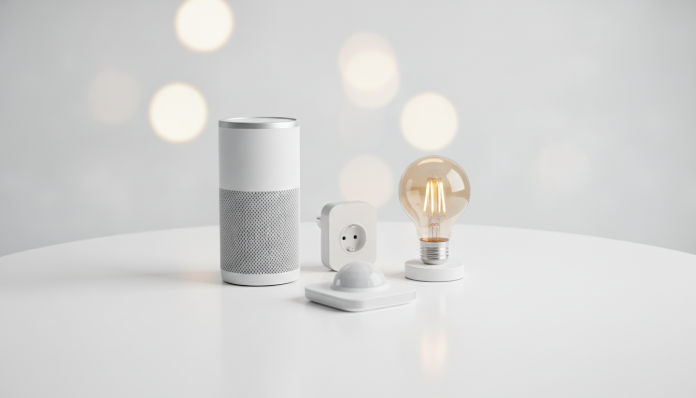
The most common combination for beginners is: one voice assistant + two smart bulbs + one smart plug. This already covers the living room, bedroom, and the possibility of automating a fan or desk lamp.
Voice Assistant: The Central Piece of Your Kit
The voice assistant functions as the “hub” (control center, like a router, but for smart devices) of your home. It receives voice commands, executes automations, and serves as a link between devices.
In Brazil in 2026, the most affordable options are the Amazon Echo Dot line and devices with Google Nest Mini or similar. The entry-level Echo Dot (4th or 5th generation, depending on availability at the time of purchase) usually costs around $40-50 USD (approximately 200-250 Brazilian reals) in national stores, sometimes less during promotions like Prime Day. Always confirm that the product has Anatel approval, which is the mandatory seal for wireless communication devices sold legally in Brazil. Without it, you may have warranty issues and the product can be confiscated if imported without declaration.
If the budget gets tight, you can use your own smartphone as a hub temporarily, but the experience of speaking out loud to a room without picking up your phone makes a difference in daily use.
Smart Bulbs: The Most Impactful Item for the Price
The smart bulb is the device that impresses beginners the most because the transformation is immediate and visible. You change your room’s color, dim the lights without installing anything on the wall, and program automatic shutdown.
The brands most found in Brazil with good availability in 2026 are Intelbras, Positivo Smart Home, and Multilaser. Intelbras has the advantage of being a Brazilian company with local support and easier warranty claims. Devices from these brands typically operate on the 2.4 GHz frequency via Wi-Fi, without needing an extra hub, which simplifies installation.
Pay attention to frequency: bulbs that operate on Zigbee (another wireless protocol, more efficient, but requires a specific gateway) are cheaper individually, but require an additional hub, which increases the initial cost. To get started, prefer those that connect directly to your home Wi-Fi.
An entry-level color bulb, such as those from the Positivo or Intelbras line, costs between $10-18 USD (approximately 50-90 reals depending on the version and retailer). With two units, you use about $20-36 USD (100-180 reals) of your budget.
Smart Plugs: The Shortcut to Automate What You Already Have
The smart plug (or smart outlet) is the most underestimated device for beginners. It sits between the wall outlet and the device you want to control, and allows you to turn it on/off remotely, create schedules, and on some models, monitor energy consumption in kWh (kilowatt-hours).
This means you can program your fan to turn off after you fall asleep, or check if you left the iron on before leaving home. For those already thinking about saving energy, consumption monitoring is a real differentiator.
National brands like Intelbras and Positivo have options between $12-24 USD (60-120 reals). Check the maximum supported power (usually indicated in watts on the package) before using with high-power devices like shower heaters or air conditioners; most entry-level smart plugs are not rated for this.
Entry Security: Door Sensor as the Fourth Step
If you have money left after building the basic kit, a door or window sensor is the natural next step. It consists of two magnetic pieces: one on the door and one on the frame. When the door opens, the magnetic field breaks and the sensor triggers a notification on your phone or activates an automation (for example, turning on an entry light).
Sensors from brands like Intelbras or Multilaser cost between $12-20 USD (60-100 reals). Don’t expect professional alarm system features, but for knowing if someone entered your home while you’re at work, it works well.
Suggested Kit Within Budget
| Item | Suggested Brand | Price Range (USD) |
|---|---|---|
| Voice Assistant (Echo Dot or similar) | Amazon / Google | 36-50 |
| Smart Wi-Fi Color Bulb (2 units) | Intelbras / Positivo | 20-34 |
| Smart Plug with Monitoring | Intelbras / Positivo | 14-24 |
| Door Sensor (optional) | Intelbras / Multilaser | 12-20 |
| Estimated Total | 82-108 |
The prices above are approximate ranges practiced by national retailers in 2026 and may vary depending on promotions, region, and stock availability. Always confirm before purchasing.
Important Points to Check Before Buying
Before finalizing your purchase, a few precautions make a difference:
- Anatel Approval: mandatory for wireless communication devices in Brazil. Look for the approval number on the package or on the Anatel website.
- Wi-Fi Frequency Compatibility: most entry-level smart devices use 2.4 GHz. If your router emits both 2.4 and 5 GHz networks with the same name (SSID), some devices may have difficulty connecting. Separate the networks with different names during installation.
- Warranty: products sold by parallel importers may not have valid warranty in Brazil. Prefer to buy from stores with national CNPJ and a receipt.
- Privacy: voice assistants and connected cameras transmit data to external servers. Read the manufacturer’s privacy policy and, if this is a concern, prefer brands with a clear track record of data handling.
Frequently Asked Questions About Smart Home Kits
Do I Need Internet to Make It Work?
Most smart devices depend on Wi-Fi and cloud servers to work remotely. Without internet, you usually lose remote control and automations, but some devices allow local control (via an app on the same network) even without external access. Check this information in the technical specifications before buying.
Can I Mix Different Brands in the Same Kit?
Technically yes, but with caveats. Devices certified as Matter (an open standard launched in 2022 and expanded in subsequent years for greater compatibility between platforms) allow integration between different ecosystems. Outside of Matter, mixing brands usually means using separate apps, which reduces the convenience of automations.
Is It Safe to Import These Products from the US?
Importing smart devices without Anatel approval is technically irregular and can result in customs seizure. Beyond that, US-approved devices operate on the correct frequency, but support in case of defects becomes complicated. If the price seems very tempting, it’s worth reading a guide on importing before deciding, as you would with any electronics, just as you would evaluate, for example, whether it’s worth importing the Steam Deck OLED in 2026.
Will My Kit Become Outdated Quickly?
Less than you’d think. Bulbs, plugs, and sensors using established protocols (Wi-Fi and Zigbee) continue to receive support for years. The biggest obsolescence risk is with the voice assistant, if the manufacturer discontinues the app or service. Large brands like Amazon and Google have a long support history, but no guarantee is forever.
How to Expand Your Kit After the First Few Months
After familiarizing yourself with the basics, the natural next steps are a smart switch (replaces the physical wall switch and works with any bulb, not just smart ones) and an indoor security camera with cloud recording or local memory card storage.
For those thinking about evolving their home office alongside their smart home, the ecosystem you choose now can facilitate (or complicate) integration with notebooks and monitors in the future. It’s worth thinking about the big picture. Just as a notebook purchase requires compatibility analysis, as shown in the comparison of Lenovo IdeaPad 1 vs Acer Aspire 5, choosing your smart ecosystem requires the same care.
Start small, learn how each device behaves in your routine, and only expand once you feel what you have is already well-configured. A good smart home isn’t one that has the most devices; it’s one that you actually use every day.