

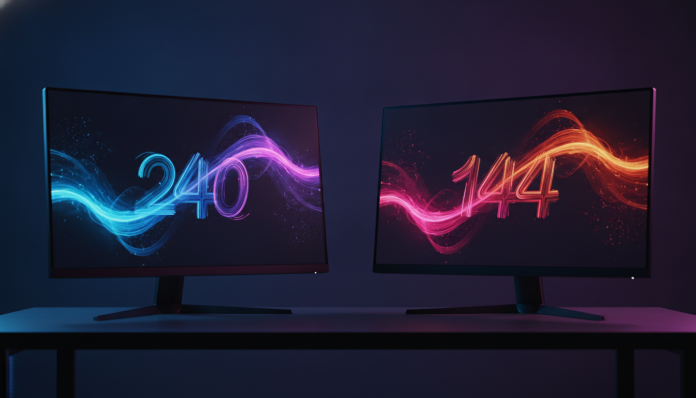

Why refresh rate matters more than you think
The difference between a 144Hz and a 240Hz monitor isn’t just a number on a product box. It’s the number of times per second the image on screen is redrawn — think of a flip book: the more pages per second you flip, the smoother the movement appears. In competitive games, this translates directly to how quickly you can see an enemy appear on screen and react to them.
The short answer for anyone in 2026 evaluating this purchase: 144Hz is still sufficient for the vast majority of players, and monitors in this range have improved significantly in panel quality. Meanwhile, 240Hz makes a real difference, but only if the rest of your setup is up to the task, particularly your GPU. If your graphics card can’t consistently deliver 240 frames per second in the game you play most, a 240Hz monitor will function like a 144Hz one — costing twice as much.
This article will help you understand when each option makes sense, which specifications to look at beyond refresh rate, and what you’ll find on the Brazilian market in 2026.
Technical comparison: 144Hz vs 240Hz
| Feature | 144Hz | 240Hz |
|---|---|---|
| Frames per second needed to maximize | 144+ fps stable | 240+ fps stable |
| Response time between frames (typical) | ~6.9 ms | ~4.2 ms |
| Price range in Brazil (1080p/1440p monitor) | R$ 900 to R$ 2,200 | R$ 1,800 to R$ 5,500+ |
| Average launch price in the US (reference) | US$ 200 to US$ 500 | US$ 350 to US$ 900+ |
| Predominant panel type in segment | IPS, VA, TN | IPS, OLED |
| Common available resolution | 1080p, 1440p, 4K | 1080p, 1440p |
| Adaptive synchronization | G-Sync / FreeSync | G-Sync / FreeSync |
| Ideal profile | Casual to competitive gamers | High-level competitive |
Prices checked in Brazilian stores in the first half of 2026. Values vary according to exchange rate, promotions, and retailer.
What really changes from 144Hz to 240Hz in practice
The noticeable difference between 60Hz and 144Hz is immediate. Anyone who has never used a gaming monitor notices it right away. The difference between 144Hz and 240Hz is more subtle — perceptible, but requires context.
In fast-paced games like CS2, Valorant, or Apex Legends, where milliseconds between seeing and acting decide the match, the transition from 144Hz to 240Hz can reduce display latency by a few milliseconds. This matters for players competing at high levels, where your opponent already plays at this configuration. For RPG, adventure, or strategy game players, this difference is essentially invisible.
The concept of input lag also comes into play here. A 240Hz monitor has less time between receiving the signal and displaying the frame, which can make the game more responsive to your mouse commands. But this gain is marginal compared to jumping from 60Hz to 144Hz.
The bottleneck nobody talks about: your GPU
It’s pointless to have 240Hz if your graphics card can’t deliver 240 frames per second in the game you use most. In CS2 at 1080p with low settings, mid-to-high-end GPUs can achieve this. In Valorant, too. But in heavier titles like Black Myth: Wukong or Alan Wake 2, you’ll rarely exceed 144fps at high quality, even with a top-tier GPU.
The logic is simple: buy the 240Hz monitor only if your GPU already delivers or will deliver sufficient frames. Otherwise, invest the money in a better GPU or a 144Hz monitor with a superior panel (IPS or OLED).
Panel quality: where the real magic happens
Refresh rate isn’t everything. A 144Hz monitor with an IPS panel (In-Plane Switching — a panel type that balances response time, color, and viewing angle) will look much better than a 240Hz one with a TN panel (Twisted Nematic — faster, but with inferior colors and viewing angles).
In 2026, OLED panels arrived with strength in the gaming monitor segment. Models like the LG 27GR95QE and newer variants from manufacturers like Asus (ROG Swift) and Samsung (Odyssey OLED) offer 240Hz with extremely low response time and exceptional image quality. If you want to understand this segment better, it’s worth checking our analysis on 4K OLED gaming monitor in 2026.
Other points that weigh more than refresh rate:
- Response time (GTG): aim for 1ms to 4ms for competitive games
- Real HDR or marketing: HDR400 is basically cosmetic; HDR1000 starts making real difference
- Color coverage: sRGB above 95% for gaming; DCI-P3 matters more for editing
- Adaptive synchronization: G-Sync (Nvidia) or FreeSync (AMD) reduces tearing even below max refresh rate
Price and availability in Brazil in 2026
The Brazilian market has become more competitive in the gaming monitor segment, with brands like LG, Samsung, Asus, MSI, AOC, and Gigabyte selling directly through national distributors. This means official warranty, Brazilian invoice, and access to technical support — critical points that self-imported monitors don’t guarantee.
144Hz monitors with IPS panel and 1440p sit, in 2026, between R$ 1,200 and R$ 2,200 in stores like Kabum, Pichau, and Amazon Brasil, depending on the model and promotion. Those with 240Hz start at around R$ 1,800 for basic 1080p versions and reach R$ 5,000 or more in OLED models with 1440p resolution.
The question of Anatel homologation is relevant for those thinking about importing. Non-homologated monitors can be held at customs, and the manufacturer’s warranty typically doesn’t cover the product outside the country of origin. If you’re tempted to import a model not available here, check the list of homologated products on the Anatel website before finalizing your purchase. The same reasoning applies to other devices — the topic comes up a lot in products like the Steam Deck OLED imported in 2026, where import implications weigh heavily on the decision.
What to check on the technical sheet before buying
- Native refresh rate (not “overclocked”)
- If G-Sync or FreeSync is certified or just compatible
- Number of HDMI and DisplayPort ports (240Hz sometimes requires DisplayPort 1.4 or 2.0)
- Ergonomics: height, tilt, and rotation adjustments make a difference in daily use
- Warranty in Brazil: confirm with the retailer if it’s local warranty or from the manufacturer abroad
Which to choose: recommendation by profile
If you regularly play competitive titles like CS2, Valorant, or Overwatch 2, have a GPU that sustains 200+ fps in these games, and are at the level where your opponent already plays at 240Hz, the investment makes sense. It’s the scenario where every frame matters.
If you play varied titles, including single-player games, RPGs, or anything that doesn’t require split-second reactions, 144Hz with a good IPS or OLED panel will give you much more satisfaction per real spent. The color richness, viewing angle, and contrast of a good 144Hz IPS panel beat the overall experience of a 240Hz TN panel.
Summarizing by profile:
- Competitive CS2/Valorant player with high-end GPU: 240Hz makes sense
- Casual player or varied titles: 144Hz IPS or OLED is best value for money
- Budget up to R$ 1,500: 144Hz with good panel is the only real path
- Those seeking image quality above all: 144Hz or 240Hz OLED, confirm panel in specs
Frequently asked questions about 144Hz and 240Hz monitors
My PC doesn’t reach 144fps. Does it make sense to buy a 144Hz monitor?
Yes, it makes sense. With adaptive synchronization (G-Sync or FreeSync), the monitor adjusts the refresh rate to the number of frames your GPU delivers, eliminating visual stuttering even below 144fps. You’ll notice a smoother experience than on a 60Hz monitor, even if your PC delivers 80 or 100fps.
Does a 240Hz monitor work on consoles like PS5 or Xbox Series X?
The PS5 and Xbox Series X support up to 120Hz via HDMI 2.1. Therefore, a 240Hz monitor will operate at a maximum of 120Hz on these consoles — the extra refresh rate isn’t used. For console-only use, 144Hz is more than enough and more economical.
Is 1ms response time better than 5ms for gaming?
In theory, yes. But in practice, the difference between 1ms and 5ms is imperceptible to the vast majority of players. What matters more is that response time is low enough not to cause ghosting (visible trails on moving objects). Modern IPS panels with 4ms GTG are perfectly adequate for competitive games.
Is it worth paying more for 240Hz OLED instead of 144Hz IPS?
It depends on the use case. If you want the best of both worlds — high refresh rate and exceptional image quality — 240Hz OLED is the technical answer. But the cost is significantly higher. For those prioritizing competitive gameplay without overspending, 144Hz IPS remains the smartest choice in 2026.
The real decision depends on your setup, not the number on the box
A 240Hz monitor won’t make you play better if your GPU doesn’t feed the refresh rate, and a poor panel will frustrate regardless of how many Hz it displays. Before deciding on refresh rate, confirm what your GPU delivers in the titles you play most, evaluate panel quality, and calculate whether the price difference justifies your usage profile.
For most Brazilian gamers in 2026, a 144Hz with quality IPS panel, between R$ 1,200 and R$ 2,000, will be the smartest purchase. Those at competitive level, with GPU and internet to match, have reason to look at 240Hz — but with attention to panel, available ports, and national warranty.