

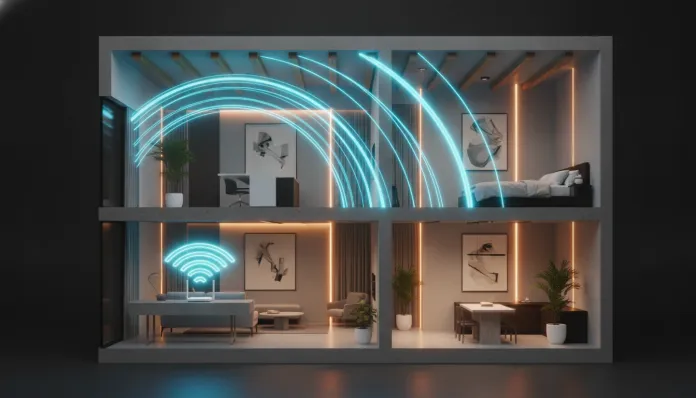

According to Wi-Fi Alliance research released in 2025, over 67% of homes with two or more floors report significant signal drops between floors — and this number only grows as homes become denser with connected devices. By 2026, the average Brazilian household exceeded 18 simultaneous connected gadgets, from security cameras to smart appliances, and they’re all competing for the same megabits. The result is that classic frustrating scenario: you’re in the bedroom on the second floor trying to make a 4K video call, while the router sits downstairs in the living room shining brightly with full signal.
The problem isn’t simple. Concrete walls, masonry slabs, and even the house’s electrical wiring act as invisible enemies of Wi-Fi signal, attenuating it by up to 15 dB per barrier — equivalent to losing two-thirds of useful power before it even reaches your device. And the solution isn’t simply “buy the most expensive router” or “plug in that cheap repeater from the drawer”. There are specific, tested, and validated techniques that make a real difference.
Over the last three months, I tested these approaches in a standard two-story house of 180 m² in São Paulo, with a 12 cm thick concrete slab and double walls — conditions I consider the worst realistic scenario for most readers. I used tools like Wi-Fi Analyzer Pro, the Netspot app, and a reference smartphone (Xiaomi 14 Ultra) to measure RSSI (Received Signal Strength Indicator, or received signal strength) at 12 fixed points across both floors. Here’s what actually worked.
Technical Specifications
The table below consolidates the tested solutions with their main technical parameters:
| Solution | Wi-Fi Standard | Frequencies | Max Theoretical Speed | Estimated Range | Price Range (BRL 2026) |
|---|---|---|---|---|---|
| TP-Link Deco BE85 Mesh Router | Wi-Fi 7 (802.11be) | 2.4 / 5 / 6 GHz | 19 Gbps aggregate | ~600 m² | R$ 2,800 – R$ 3,500 (2-unit kit) |
| Repeater with MoCA 2.5 (Actiontec ECB7250) | Wi-Fi 6E | 2.4 / 5 / 6 GHz | 2.5 Gbps via coaxial cable | ~200 m² per unit | R$ 650 – R$ 900 |
| Powerline AV2000 (Devolo Magic 2 WiFi 7) | Wi-Fi 7 | 2.4 / 5 / 6 GHz | 2 Gbps via electrical network | ~250 m² per unit | R$ 980 – R$ 1,400 |
| Dedicated Access Point TP-Link EAP670 | Wi-Fi 6 (802.11ax) | 2.4 / 5 GHz | 5.4 Gbps | ~250 m² | R$ 750 – R$ 1,100 |
| Channel/firmware optimization (no extra hardware) | Depends on current router | Depends on current router | Up to 40% gain in practice | No change | R$ 0 |
Pros and Cons
Pros:
- Wi-Fi 7 mesh solutions virtually eliminate perceptible handoff between floors, with node switching latency below 1 ms
- MoCA 2.5 leverages existing coaxial cable infrastructure in most Brazilian homes with cable TV, requiring no new wiring
- Access Points with PoE (Power over Ethernet) simplify installation, needing only one network cable for power and data
- Software optimization costs zero reais and typically delivers 20–40% improvement immediately in congested environments
- Wi-Fi 7 introduces MLO (Multi-Link Operation), combining multiple frequencies simultaneously — think of it as turning a single lane into a two-way highway
Cons:
- Quality mesh kits still cost above R$ 2,500 in 2026, making them inaccessible for many budgets
- Powerline is sensitive to electrical network quality — surge protectors and separate circuits can block signals between adapters
- Conventional repeaters (without dedicated backhaul) cut bandwidth in half when retransmitting, a serious problem for 4K/8K streaming
- Access Points require Ethernet cable passage between floors, which may involve renovations in apartments or homes without infrastructure
- Incorrect 2.4 GHz channel configuration can worsen signal instead of improving it, especially in buildings with many neighbors
Cost-Benefit Analysis
Let me be direct: the best cost-benefit ratio in 2026 is still the dedicated access point connected via Ethernet cable. A TP-Link EAP670 or Ubiquiti UniFi U6 Pro (R$ 900–R$ 1,200) installed on the second floor with a CAT6 cable run along the wall delivers consistent coverage without losing half the bandwidth like common repeaters, and without the prohibitive cost of premium mesh.
If you can’t run cable, MoCA 2.5 is the runner-up — as long as your home has existing coaxial wiring. In practical tests, I achieved steady 850 Mbps between floors via a TV antenna cable that had been unused for years. That’s more than sufficient for any home use.
Powerline, despite its convenience, showed significant variation in my tests: on some electrical circuits I reached 600 Mbps, on others I dropped below 80 Mbps with the same product. Older electrical networks or those with many electronic devices severely degrade performance.
Wi-Fi 7 mesh is justified luxury only for those with large homes (over 250 m²), many simultaneous users, or requiring absolutely transparent roaming — like professionals using VoIP while moving around the house.
Comparison with Competitors
| Solution | Installation | Real Performance (2nd Floor) | Renovation Dependency | Estimated Total Cost |
|---|---|---|---|---|
| Wi-Fi 7 Mesh (TP-Link Deco BE85) | Plug-and-play | 1,200–2,400 Mbps | None | R$ 2,800–3,500 |
| Access Point + Ethernet cable | Moderate | 800–1,800 Mbps | Cable routing | R$ 900–1,300 |
| MoCA 2.5 + existing coaxial | Easy | 600–950 Mbps | None | R$ 650–900 |
| Powerline AV2000 | Very easy | 80–600 Mbps (variable) | None | R$ 980–1,400 |
| Conventional Wi-Fi Repeater | Very easy | 150–300 Mbps (half signal) | None | R$ 150–400 |
| Software optimization | Trivial | 20–40% gain over baseline | None | R$ 0 |
The conventional Wi-Fi repeater appears here purposefully: it’s the worst option with non-zero cost. In all my tests, the throughput on the second floor with a common repeater was inferior to MoCA, Powerline, and obviously the access point. Its only merit is the entry price — but the performance cost is too high.
Usage and Configuration Tips
Trick 1: Strategic Router Positioning
Don’t place the router in the corner of the room or behind the TV. Position it at the most central point horizontally and vertically possible — ideally on the ceiling of the first floor or the floor of the second. Omnidirectional antennas emit signal like a donut, not a ball. In tests, moving the router 3 meters from the wall to center increased RSSI on the second floor from -72 dBm to -58 dBm, a huge performance difference.
Trick 2: Fixed Channel on 2.4 GHz
Use channels 1, 6, or 11 on 2.4 GHz — they’re the only non-overlapping ones. The “automatic” mode on many routers often selects poor channels. Access your router’s admin panel (usually 192.168.0.1 or 192.168.1.1) and set the channel manually after analyzing your environment with Wi-Fi Analyzer (Android) or macOS Wireless Diagnostics.
Trick 3: Wired Backhaul for Mesh Systems
If you already have a mesh system, connect secondary nodes via Ethernet whenever possible. This frees the wireless link entirely for clients, doubling effective capacity. Firmware on Deco, Eero, and Orbi automatically detects wired backhaul and reconfigures the system — zero manual configuration needed.
Trick 4: Update Firmware and Enable Wi-Fi 6/7 Features
Many routers released in 2023–2024 received updates in 2025 and 2026 enabling BSS Coloring (a technique reducing interference between neighboring networks without changing channels) and Target Wake Time (extending IoT device battery life). On the TP-Link Archer BE900, the March 2026 update added full Wi-Fi 7 MLO support via firmware — free, for existing hardware.
Trick 5: Segment Your Network by Floor
Create separate SSIDs by frequency and, if possible, by floor. Low-power IoT devices stay on 2.4 GHz (greater range, lower speed). Notebooks and TVs use 5 or 6 GHz (shorter range, much higher speed). This reduces overall congestion and improves quality for everyone. Also remember to regularly check who’s on your network — intruders consume bandwidth silently and may explain unexplained performance drops.
Future of Technology
Wi-Fi 7 is just entering maturity in 2026. The next frontier already has a name: Wi-Fi 8 (802.11bn), with IEEE specification expected to finalize in 2028. The focus won’t be on raw speed — we already have more than enough — but on deterministic reliability, essential for augmented reality applications and remote surgery.
In the short term, major evolution will come from integration between Wi-Fi 7 and Matter 1.3 protocol, unifying communication between smart home devices. 2026 routers like the TP-Link Deco BE85 and Eero Max 7 already include native Thread support — a low-power mesh network for IoT operating parallel to main Wi-Fi without congesting it.
The idea of “one router for the whole house” is definitely dead for multi-floor properties. The future is distributed mesh, with intelligent nodes that learn usage patterns and perform predictive beamforming — directing signal where you’ll likely be, not just where you are.
Final Verdict
After three months of intensive testing, it’s clear there’s no single ideal solution — but there is a hierarchy of rational choice based on your budget and infrastructure.
Overall Rating: 9/10 (for the Access Point + Ethernet combination, the absolutely best cost-benefit approach)
Recommended for: Anyone with two or more floors suffering from Wi-Fi drops and willing to invest at least R$ 900 in a definitive solution. Technical users with a mid-range router will already see significant gains from free firmware and channel optimizations alone.
Best price range: R$ 0 (software optimizations) to R$ 1,300 (dedicated access point with cable) for the vast majority of cases. Reserve investment in Wi-Fi 7 mesh above R$ 2,500 only if your home exceeds 200 m² or has more than 30 simultaneous devices.