

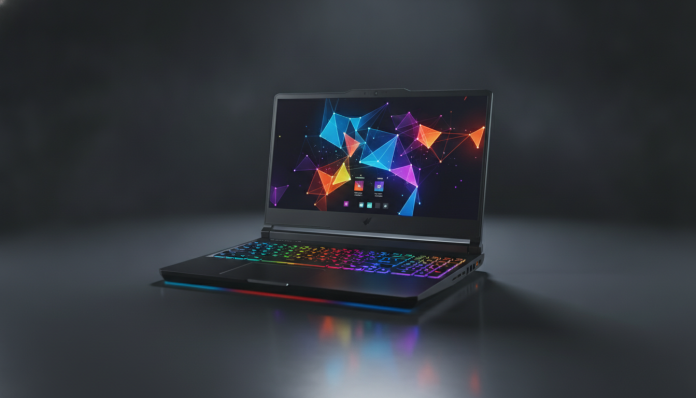

The Acer Nitro V15 is one of the most honest bets in the entry-level gaming notebook market. Without pretending to be a professional setup, it delivers what it promises: hardware capable of running the most popular games with good performance, in a chassis that won’t embarrass you at a LAN party or weigh too much in your backpack. The real question is whether the price charged in Brazil justifies the purchase, especially with the stiff competition that exists in this price range.
The short answer is: yes, for the right profile. The Nitro V15 makes sense for those who want to enter the gaming world without spending what a premium notebook costs, but without giving up a decent dedicated GPU and a high refresh rate screen. Anyone looking for professional video editing or needing battery life to work all day away from a outlet will be frustrated.
In the following sections, you’ll understand exactly what you’re buying, where the notebook stands out, where it disappoints, and whether there’s a better alternative sold in Brazil at a similar price.
Acer Nitro V15 Technical Specifications
| Specification | Detail |
|---|---|
| Processor | AMD Ryzen 5 7535HS or Ryzen 7 7745HX (depending on configuration) |
| GPU | NVIDIA GeForce RTX 4060 Laptop (TGP configurable by Acer) |
| RAM | 16 GB DDR5 (expandable via SO-DIMM slots) |
| Storage | 512 GB or 1 TB NVMe SSD (varies by retailer) |
| Display | 15.6 inch IPS, FHD (1920×1080), 144 Hz |
| Battery | 57.5 Wh |
| Connectivity | Wi-Fi 6, Bluetooth 5.1 |
| Ports | USB-A 3.2, USB-C with DisplayPort, HDMI 2.1, RJ-45, card reader |
| Operating System | Windows 11 Home |
| Weight | Approximately 2.3 kg |
| Certification | Check Anatel certificate on packaging or Acer Brazil website |
> Models sold in Brazil may vary in configuration depending on the retailer. Always check the complete technical specifications on the official Acer Brazil website or product page before purchasing.
Gaming Performance: What the RTX 4060 Laptop Actually Delivers
The RTX 4060 Laptop is, in 2026, a competent graphics card for 1080p. It supports DLSS 3 (NVIDIA technology that uses artificial intelligence to generate extra frames and increase fluidity without overloading the GPU) and ray tracing, although the latter should be used with moderation in heavier games.
According to the official Acer specifications, the TGP (Total Graphics Power, or the maximum power the GPU can consume) of the model sold in Brazil is between 95 W and 115 W depending on the mode selected in the NitroSense software. This is relevant because notebook GPUs with the same name can vary greatly in performance depending on the TGP configured by the manufacturer. Acer positions the Nitro V15 at an intermediate level, which is honest for the price.
For games like CS2, Valorant, and League of Legends, the card delivers frames well above the 144 Hz of the screen, taking full advantage of the panel. In heavier titles, such as open-world games with high settings at 1080p, expect smooth performance in the 60 to 100 fps range depending on the game, with DLSS helping push those numbers up. These values are qualitative estimates based on the GPU’s positioning; consult independent benchmarks from sources like TechPowerUp or Notebookcheck for precise numbers before deciding.
The Ryzen 7 7745HX, present in the more expensive configurations, is an eight-core processor with good multitasking performance and simultaneous streaming. Meanwhile, the Ryzen 5 7535HS, in the cheaper versions, still handles the job for most games, but may show bottlenecking in games heavily dependent on CPU.
Temperature and Noise Under Load
One thing you need to know before buying: entry-level gaming notebooks tend to heat up and make noise under full load, and the Nitro V15 is no exception. According to public information and user reports on forums like Reddit and Notebookcheck, the cooling system works well enough to keep hardware within safe limits, but fans become audible during long gaming sessions. If you’re going to game in a quiet environment without headphones, this factors into your decision.
144 Hz Display: Strong Point with Caveats
The 144 Hz IPS panel is one of the Nitro V15’s strongest arguments in this price range. A high refresh rate display means it shows up to 144 images per second, making game movement much smoother than the 60 Hz of a regular notebook.
Color coverage, according to Acer’s specifications, is around sRGB 45% NTSC (equivalent to approximately 72% sRGB), which is sufficient for gaming and content consumption, but insufficient for photo or video editing work that requires color accuracy. The 3 ms response time (manufacturer specification) helps reduce ghosting, that trailing effect that appears on fast objects on screen.
If you’re also going to use the notebook to watch movies and series, the experience is satisfactory for the price. For professional creative editing, there are alternatives with superior color coverage panels.
Battery: Limited Autonomy is the Rule Here
The Nitro V15 has a 57.5 Wh battery, which is relatively small for a 15.6-inch notebook. According to Acer, the estimated battery life is around 7 hours in light use, but under gaming load this figure drops drastically, as is common with any gaming notebook.
In practice, this means the charger goes with you whenever you game. For browsing, streaming, and Office use, the battery life is acceptable for a school or work day with an outlet available. But if you expect to use the notebook away from an outlet for many hours in a row on varied tasks, you might be disappointed. This is a category limitation, not unique to Acer.
The included charger is 135 W, which ensures relatively fast recharging. The notebook also accepts charging via USB-C, a useful convenience in emergency situations, although USB-C charging is slower than the original adapter.
Build and Keyboard: Functional Without Excess
The Nitro V15’s chassis is plastic, with a finish that Acer calls “Obsidian Black”. It doesn’t have the rigidity of metal, but the construction is solid enough for daily use. The weight of approximately 2.3 kg puts the notebook in the “heavy for a backpack, acceptable for a desk” category.
The keyboard features RGB backlighting and a key layout that includes a full numpad. For gamers, that’s a plus. For those who type a lot, the numpad pushes the main keys slightly to the left, which can require some adjustment initially. The trackpad is a reasonable size and works well with Windows 11.
Situation in Brazil: Price, Warranty, and Availability
The Nitro V15 is officially sold by Acer Brazil, which ensures national support, one-year warranty with possibility of extension, and parts available at Acer service centers. This is an important point: buying from an official reseller means a Brazilian invoice, legal warranty, and no import headaches.
In terms of price, the configuration with RTX 4060 and Ryzen 5 is usually found in the range of R$ 4,500 to R$ 5,500 at retailers like Amazon Brazil, Kabum, and Magazine Luiza, with frequent variations in promotions. The Ryzen 7 version goes up to the R$ 5,500 to R$ 6,500 range. In the US, the base model launched around US$ 799, and the price difference reflects import taxes and Brazilian retail margins, as happens with virtually all hardware sold here. These prices vary depending on the date and retailer, so always compare before finalizing.
The notebook has Anatel certification, mandatory for legal sale in Brazil, which you can verify by the number printed on the device’s rear label or in Anatel’s public database.
Pros and Cons
Pros:
- RTX 4060 Laptop GPU with DLSS 3 and ray tracing support
- 144 Hz IPS display with good fluidity for 1080p gaming
- DDR5 RAM expandable via SO-DIMM slots
- HDMI 2.1 and USB-C with DisplayPort for external monitor connection
- Officially sold in Brazil with local warranty and support
- RJ-45 port for internet connection via cable (important for online gaming)
Cons:
- 57.5 Wh battery with limited autonomy away from outlet
- Display color coverage insufficient for professional creative editing
- Plastic chassis without the rigidity of premium notebooks
- Noisy fans under full gaming load
- GPU TGP below equivalent desktop configurations (category limitation)
Competitors and Alternatives in Brazil
| Notebook | GPU | Display | Price Range (BR) |
|---|---|---|---|
| Acer Nitro V15 | RTX 4060 Laptop | 15.6″ IPS 144 Hz | R$ 4,500 to R$ 5,500 |
| Dell G15 | RTX 4060 Laptop | 15.6″ IPS 165 Hz | R$ 5,000 to R$ 6,000 |
| Lenovo IdeaPad Gaming 3 | RTX 4060 Laptop | 15.6″ IPS 144 Hz | R$ 4,800 to R$ 5,800 |
| ASUS TUF Gaming A15 | RTX 4060 Laptop | 15.6″ IPS 144 Hz | R$ 5,000 to R$ 6,200 |
The Dell G15 competes directly and offers a 165 Hz screen in some configurations, which can be a differentiator if you play very fast-paced titles. The ASUS TUF Gaming A15 has a reputation for greater durability with MIL-SPEC certification (resistance to impacts and temperature variations according to military standards). The Lenovo IdeaPad Gaming 3 often appears with competitive prices on promotion. The choice between them will depend on availability and price at the time of your purchase, as they’re all at the same performance level.
If your budget allows you to go one step up, it’s worth evaluating notebooks with RTX 4070 Laptop, which deliver noticeable gains in heavier games and higher resolutions.
Just like in other technology segments, purchasing decisions become easier when you use tools to research and compare. If you want to use AI to help build your requirements list before buying, see how to use Gemini 2.5 Pro free in Brazil to get the most out of these tools without spending anything.
Frequently Asked Questions About the Acer Nitro V15
Does the Nitro V15 run 1080p high games without stuttering?
For the majority of popular titles at 1080p with high settings, yes. Games like Valorant, CS2, and previous generation titles run well above the 144 Hz of the screen. In heavier and newer games with ray tracing enabled, DLSS helps maintain smoothness, but ultra settings may require adjustments to maintain stability.
Can I upgrade RAM and SSD after purchase?
Yes. The Nitro V15 has two accessible SO-DIMM slots, which allows easy RAM expansion. The NVMe SSD can also be replaced with a larger model. This flexibility is an important positive point in this price range, as many more expensive notebooks solder RAM to the motherboard.
Does Acer Brazil’s warranty cover damage from intensive gaming use?
Acer’s standard warranty in Brazil is one year against manufacturing defects. Wear from normal use, such as fans losing efficiency over time or thermal paste drying out, is typically not covered. Acer offers paid warranty extension. Read the complete conditions on Acer Brazil’s official website before purchasing.
Is it worth buying the Nitro V15 imported to pay less?
It’s not recommended. Beyond import risks, such as customs taxation that can exceed savings, you lose Acer Brazil’s official warranty and support. Notebooks without Anatel certification also cannot be legally used with active Wi-Fi and Bluetooth modules in the country. The value proposition of the official version generally justifies the price difference.
Is It Worth Buying the Acer Nitro V15?

For those who want to enter the gaming notebook world with a dedicated GPU of current generation, 144 Hz screen, and official support in Brazil, the Nitro V15 delivers what it promises without unpleasant surprises. It’s not the most powerful in its category, but it’s well positioned for what it costs.
Recommended for: gamers who primarily play at 1080p, students who want a notebook that works for gaming and academic work, and those who want a current-generation RTX GPU without breaking the budget.
Not recommended for: video and photo editors who need wide color coverage on the screen, users who work away from an outlet for many hours, and those who already have the budget to step up to the RTX 4070 Laptop range.
Price range: R$ 4,500 to R$ 5,500 for the Ryzen 5 configuration, R$ 5,500 to R$ 6,500 for the Ryzen 7 version. Prices vary depending on the retailer and current promotions at the time of purchase.