

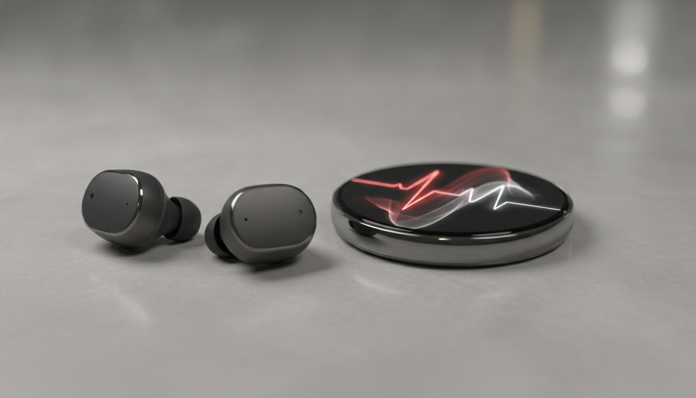

AirPods Pro 3 arrive with heart rate monitoring: what it is and how to use it
The AirPods Pro 3 brought one of the most anticipated updates to the line: the ability to measure heart rate directly from the earbuds, without needing a watch or any other device. The feature uses optical sensors built into the earbuds, similar to those already available in the Apple Watch, but adapted to work in the ear canal, where blood circulation allows for consistent readings according to Apple.
For those who already use AirPods Pro and want to monitor health without buying a smartwatch, this functionality changes the equation quite a bit. But activating the feature requires specific steps, updated software version, and some settings that not everyone finds on their first try.
This tutorial shows exactly how to activate heart rate measurement on AirPods Pro 3, what the prerequisites are, what to expect from the experience, and how to resolve the most common issues.
What you need before you start
Before looking for the activation button, confirm that your setup meets the minimum requirements. The feature is not available on earlier AirPods models, regardless of firmware update.
Required requirements:
- AirPods Pro 3 (released in 2025)
- iPhone with iOS 19 or higher (check version in Settings > General > About)
- AirPods Pro 3 firmware updated to the latest version (update happens automatically when earbuds are in the case, connected to iPhone and charging)
- Apple Health app installed and configured with your profile (date of birth and biological sex, which influence reference ranges)
- Health app privacy settings allowing access to heart rate data
If you use Android, forget about it: the health feature of AirPods Pro 3 depends on integration with the Apple ecosystem and does not work outside of it.
How to activate heart rate measurement on AirPods Pro 3
The process has two parts: enabling the feature in device settings and initiating a measurement whenever you want. Follow the steps in order.
Enabling the feature in settings
- Put the AirPods Pro 3 in your ears and make sure they’re connected to your iPhone.
- Open the Settings app on your iPhone.
- Tap your AirPods Pro 3 name at the top of the screen (they appear just below your Apple ID profile when connected).
- Scroll until you find the Health section within AirPods settings.
- Tap Heart Rate and enable the Measure Heart Rate toggle.
- A Health app permission window will appear. Tap Allow so data is recorded automatically.
- Read and accept the terms of use related to health monitoring. Apple makes it clear that the feature is for general wellness and does not replace medical evaluation.
If the Health section doesn’t appear in AirPods settings, confirm that the firmware is on the latest version. With the earbuds in the case and the case connected to the charger near your iPhone, wait a few minutes and try again.
Taking a manual measurement
- Put the AirPods Pro 3 in your ears with the correct fit (proper fit is essential for optical sensor accuracy).
- Open the Health app on your iPhone.
- Tap Summary and then Heart Rate.
- Scroll down to the Measure Now button and tap it.
- Stay still for about 30 seconds. The sensor needs stability to calculate the reading, just like with the Apple Watch.
- The result appears on the screen and is automatically saved to the Health app history.
Enabling continuous monitoring during workouts
AirPods Pro 3 can also record heart rate continuously during workouts, integrated with Apple’s Fitness app.
- Open the Fitness app on your iPhone.
- Tap Start Workout and choose the activity (running, walking, functional training, among others).
- On the workout setup screen, make sure AirPods Pro 3 appear as the heart rate source. If you also use Apple Watch, you can choose which device to prioritize.
- Start the workout. Heart rate is visible in real-time in the app and is saved to history at the end of the session.
How to check if the sensor is calibrated correctly
The optical sensor in AirPods Pro 3 works by detecting variations in blood flow in the ear canal, the inner part of the ear. This region has good blood supply, which favors accurate readings, but the fit of the silicone makes all the difference. A loose earbud compromises sensor contact with skin and can result in inaccurate readings or measurement failures.
Apple includes an Ear Fit Test for exactly this reason. To access it, go to Settings > AirPods Pro 3 > Ear Fit and Noise Control. Follow the test and replace the silicone tip if the result indicates improper fit. AirPods Pro 3 come with four silicone tip sizes in the box, according to the manufacturer.
Understanding the data in the Health app
After a few measurements, the Health app starts building a history that allows you to identify patterns. Resting heart rate, for example, is calculated based on multiple readings throughout the day and is one of the cardiovascular conditioning indicators most closely followed by health professionals.
The app also shows heart rate variability (HRV), which measures the variation in the interval between heartbeats. The higher the HRV overall, the greater the capacity of your autonomic nervous system to adapt to stress, although clinical interpretation depends on individual context. Don’t make medical decisions based solely on this data: consult a doctor if you notice values outside the patterns indicated by the app itself.
If you use other health devices in the Apple ecosystem, all data is centralized in the Health app and can be shared with doctors via the Share with Doctor feature available in the app.
Availability in Brazil and import issues
AirPods Pro 3 were launched in the United States in 2025 at a launch price of $249. In Brazil, the product is sold by Apple with local warranty and Anatel certification, which is important: informally imported devices may not have the necessary certification and face usage restrictions and technical support limitations.
For those who import on their own, in addition to warranty risks, there’s a possibility that a unit’s firmware purchased in another country may take longer to receive regional updates. Some health features went through separate regulatory approval processes in different markets, so it’s worth confirming that heart rate monitoring is active on the unit you acquired before finalizing a purchase abroad.
In authorized Brazilian stores and major retailers, the price range is around R$ 2,200 to R$ 2,600, and may vary depending on exchange rates and promotions. Confirm the updated price directly on the Apple Brazil website or with authorized retailers.
Frequently asked questions about AirPods Pro 3 and heart rate measurement
Does the heart rate feature work with iPad or Mac?
No. According to Apple, AirPods Pro 3 health monitoring is exclusive to iPhone with iOS 19 or higher. Even if the earbuds are paired with an iPad or Mac, health features are only available via iPhone.
Will AirPods Pro 2 get this feature through an update?
No. Heart rate measurement depends on specific hardware, the optical sensors present only in AirPods Pro 3. No firmware or software update can add this sensor to earlier models.
Is the measurement as accurate as Apple Watch?
Apple has not released direct accuracy comparisons between the two devices. The ear canal offers good conditions for optical reading, but factors such as excessive movement and improper fit can affect measurement quality. For clinical monitoring, the use of certified medical devices is always recommended.
Does the feature drain more AirPods battery?
According to Apple, the heart rate sensor is activated only when a measurement is in progress or during workouts recorded in the Fitness app, not running continuously in passive operation. The impact on overall battery life should be minimal outside these situations, but the full technical specifications with battery data in different usage modes are available on Apple’s official website.
What to do if nothing works

If you’ve followed all the steps and the heart rate feature still doesn’t appear in AirPods settings, here are the points to check:
- Outdated firmware: Leave the earbuds in the case charging for at least 30 minutes near your iPhone connected to Wi-Fi and try again.
- Health app without complete profile: Date of birth and biological sex are required. Go to Health > your name > Health Details.
- Screen Time restrictions: If your iPhone has content restrictions enabled for health apps, the feature may be blocked. Check in Settings > Screen Time.
- Unit with hardware issue: If no solution works, contact Apple support or an authorized reseller. Products with Anatel warranty are entitled to repair or replacement.
If you’re thinking about building a health and productivity setup with other smart devices, it’s worth considering how different products integrate into your daily life. Just like configuring a smart speaker requires attention to permissions and ecosystem, as shown in the complete Echo Dot Max review, the health features of AirPods Pro 3 depend on a well-configured setup to deliver what they promise.
The feature works well for those already in the Apple ecosystem who want a layer of heart rate monitoring without carrying another device on their wrist. Those who use Android or don’t have an iPhone with iOS 19 have no way to take advantage of this functionality, and in that case it makes more sense to look at smartwatches with heart rate monitoring compatible with Android.