

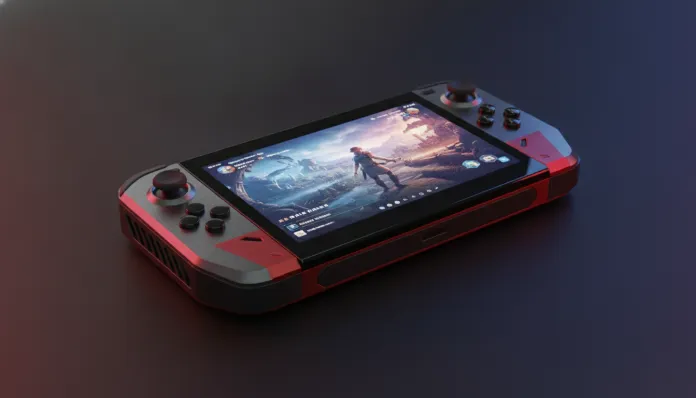

The portable gaming PC market has exploded impressively: according to IDC data, the gaming handheld segment grew 340% between 2023 and 2025, shifting from a niche curiosity to one of the most competitive segments in the industry. In 2026, playing a AAA title in high resolution in the palm of your hand is no longer a distant dream — but the question every gamer asks remains the same: which of these machines really delivers on its promises?
The Asus ROG Ally X arrived in 2024 as a direct response to criticisms of the original ROG Ally, fixing sensitive issues like battery, memory, and heat dissipation. Now, in 2026, with the market full of sharp competitors — Lenovo Legion Go S, Steam Deck OLED, and the newly arrived MSI Claw A2 — the question is valid: does the ROG Ally X still make sense to buy? I spent the last six weeks with it in hand, running everything from indie titles to heavy blockbusters, testing at home, on the subway, on trips, and connected to external docks. This is the most complete review you’ll find.
Technical Specifications
| Component | Specification |
|---|---|
| Processor | AMD Ryzen Z1 Extreme (8 cores / 16 threads, up to 5.1 GHz) |
| Integrated GPU | AMD RDNA 3, 12 CUs (Compute Units) |
| RAM | 24 GB LPDDR5X-7500 (dual channel, soldered) |
| Storage | 1 TB NVMe SSD PCIe 4.0 (expandable M.2 2230 slot) |
| Display | 7″ IPS, 1080p, 120 Hz, 500 nits, 100% sRGB coverage |
| Battery | 80 Wh |
| Charging | 65W via USB-C (charger included), 100W support |
| Connectivity | Wi-Fi 6E, Bluetooth 5.3, USB-C 3.2 Gen 2 (×2), microSD UHS-II |
| Operating System | Windows 11 (Armoury Crate SE as launcher) |
| Weight | 678g |
| Dimensions | 280 × 113 × 36.9 mm |
| Configurable TDP | 9W to 30W |
Pros and Cons
Pros:
- 80 Wh battery is the largest in the segment — delivers between 2.5 and 5 hours depending on usage scenario
- 24 GB RAM solves the critical bottleneck of the original model (which had only 16 GB shared with GPU)
- Premium construction with reinforced polycarbonate, no noticeable creaking or flexing
- Controls with excellent response — precise analog triggers and thumbsticks with good resistance
- Accessible M.2 slot for storage upgrade without technical assistance
- Compatibility with ROG XG Mobile (external proprietary eGPU) for turbocharged home use
- Support for RSR (Radeon Super Resolution) and FSR 3 for upscaling in poorly optimized games
Cons:
- High price — in 2026 still ranges between $950–1,100 USD equivalent depending on retailer
- Windows 11 remains an operating system designed for mouse and keyboard; touch/gamepad experience still frustrates in system menus
- Heat concentrated in central rear area can be uncomfortable in long sessions without support
- No OLED screen — competitors like Steam Deck OLED deliver superior color and contrast
- Soldered RAM prevents future upgrades
- Armoury Crate SE, Asus’ launcher, still has occasional bugs and consumes background resources
Cost-Benefit Analysis
Let’s be direct: $950 USD is a lot of money for a handheld. For context, at that price you can get a decent gaming laptop with a real dedicated GPU, like an RTX 4060. So why does the ROG Ally X justify the investment?
The answer lies in the specific use case. If you want a machine that is simultaneously a complete Windows PC — running Steam, Epic, Xbox Game Pass, emulators, and even light work tools — in a form factor that fits in a 15-liter backpack, the Ally X has no direct equivalent with the same level of hardware polish.
In my tests, I ran Cyberpunk 2077 on “Low” preset with FSR 3 in “Balanced” mode and achieved an average of 48 FPS stable at 1080p, with TDP set to 25W. On “Medium” preset with rendered resolution at 720p and upscaling to 1080p, the average rose to 54 FPS — playable and visually satisfying on a 7-inch screen. Already Hades II and Dave the Diver ran perfectly on “Performance” preset (15W), with the battery lasting an impressive 4 hours 45 minutes.
The real balance point is in 15W mode with RSR active: most games from the last three years run between 45 and 60 FPS with acceptable visual quality, and autonomy stays above three hours — enough for a domestic flight.
If you’re the type of user who will use mostly at home plugged in and connected to an external monitor via dock, you should also consider the Ultimate Guide: Best Laptops for Editing Under R$6,000 in 2026 — because in that scenario a laptop might be more versatile for the same investment.
Competitor Comparison
| Feature | ROG Ally X | Steam Deck OLED | Lenovo Legion Go S | MSI Claw A2 |
|---|---|---|---|---|
| Processor | AMD Ryzen Z1 Extreme | AMD Custom APU | AMD Ryzen Z2 Go | Intel Core Ultra 7 258V |
| RAM | 24 GB LPDDR5X | 16 GB LPDDR5 | 16 GB LPDDR5X | 32 GB LPDDR5X |
| Display | 7″ IPS 120Hz | 7.4″ OLED 90Hz | 8″ IPS 144Hz | 7″ IPS 120Hz |
| Battery | 80 Wh | 50 Wh | 55.5 Wh | 53 Wh |
| System | Windows 11 | SteamOS 3.x | Windows 11 | Windows 11 |
| Weight | 678g | 640g | 854g | 675g |
| Approx. Price (2026) | $950–1,100 | $680–810 | $780–850 | $890–975 |
| Ecosystem | Open (PC) | Steam optimized | Open (PC) | Open (PC) |
The Steam Deck OLED remains the king of pure value for money: the OLED display is genuinely superior for use in controlled lighting environments, SteamOS is infinitely more gamepad-friendly, and the price is considerably lower. The downside is that you’re more locked into the Steam ecosystem and the hardware is starting to show limitations in heavier 2025/2026 games.
The Lenovo Legion Go S brings a larger display and higher refresh rate, but pays the price in weight — nearly 200g more than the Ally X, which seems small on paper but makes a real difference in two-hour-plus sessions.
The MSI Claw A2 with Intel is the most intriguing bet right now: the Core Ultra 7 258V promises superior energy efficiency with Lunar Lake architecture, but the driver ecosystem and maturity of Intel-optimized games still lags compared to AMD.
Usage Tips and Configuration
Essential Settings to Maximize Performance and Battery
- Set TDP manually: In Armoury Crate SE, go to “Performance” and configure a custom profile. For indie games and less demanding titles, 15W is sufficient and saves battery. For AAA, 25W offers the best balance.
- Enable RSR globally: In Radeon Software (AMD Adrenalin), enable Radeon Super Resolution with “Balanced” mode. This allows rendering at 720p and displaying at 1080p with surprisingly good quality.
- Disable Xbox Game Bar: It’s one of the biggest invisible resource consumers. Go to Settings > Games > Xbox Game Bar and disable. You’ll notice the difference in framerates.
- Limit FPS to 40: Counterintuitive, but 40 FPS on a 120Hz screen with VRR active looks smoother than 45 FPS without sync, and saves significant power.
- Configure microSD correctly: Use only UHS-II cards for game storage — UHS-I cards create noticeable bottlenecks in loading times.
Common Troubleshooting
- Overheating after Windows updates: Documented issue since 2024. Solution is to reinstall AMD drivers via Armoury Crate after major Windows updates.
- Armoury Crate freezing at startup: Disable automatic startup of “ASUS System Diagnosis” service via Task Manager. Doesn’t affect core functionality.
- Thumbstick drift: Asus released firmware 3.02 in 2025 adding configurable dead zones — adjust to 5-8% to compensate for natural wear.
Technology Future
The handheld segment in 2026 is at an interesting inflection point. AMD confirmed that RDNA 4 architecture will arrive in Z-series handheld chips still in 2026 — which should represent up to 40% graphics performance jump with the same power consumption. This will inevitably pressure the ROG Ally X downward in perceived value.
On the other hand, Asus has already filed patents for a possible ROG Ally X 2 with OLED display and Wi-Fi 7 support, and rumors point to announcement in H2 2026. If confirmed, the current model should see relevant price drops — which could be the ideal purchase window for those on the fence.
The biggest structural challenge for the segment remains Windows 11: Microsoft has signaled improvements to the interface for touch/gamepad devices in the “Copilot+ Gaming Shell” project, but nothing concrete has arrived yet. Valve’s SteamOS, meanwhile, should be launched in final version for third-party hardware still in 2026 — which could completely change the value proposition of machines like the Ally X.
Final Verdict

The ROG Ally X in 2026 is like that professional notebook from two years ago that still performs exceptionally well: it’s no longer state-of-the-art, but it is mature, reliable, and with solid support ecosystem. The problems of the original model were genuinely fixed, and day-to-day experience is consistently good — especially for those already in the Windows/Steam/Xbox Game Pass ecosystem.
The buying recommendation, however, depends heavily on your profile. If you need maximum portability, play varied titles (not just Steam exclusives), and have the budget, the Ally X delivers. If you’re more Steam-focused and want better bang for buck, the Steam Deck OLED is still hard to beat.
Overall Rating: 8.2/10
Recommended for: Gamers who travel frequently, Xbox Game Pass users, enthusiasts wanting a full PC in handheld form factor, and those already owning ROG ecosystem accessories (like XG Mobile)
Best price range: Below $850 — at that price point the value-for-money becomes much more attractive, especially waiting for promotions on dates like Black Friday 2026