

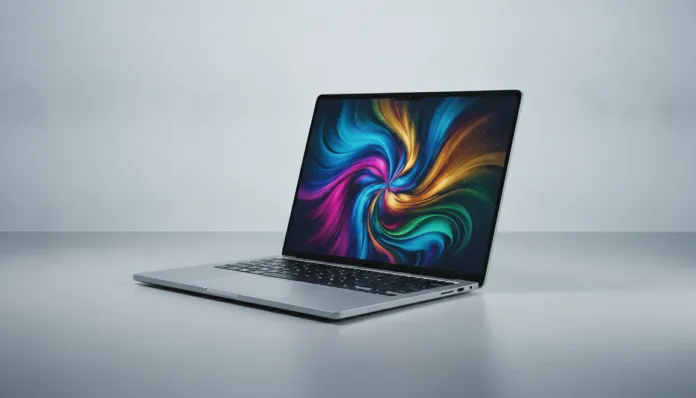

The global notebook market surpassed 280 million units sold in 2025, and the mid-range segment — between R$ 3,000 and R$ 5,000 — remains the most fiercely contested battleground in the industry. The problem every consumer faces is the same: how do you choose a laptop that delivers real performance without paying flagship prices, and without falling into the traps of inflated specs that don’t translate to daily use? In 2026, this question became even more complex with the arrival of new-generation chips and the advancement of AI embedded directly in processors.
The Asus VivoBook 15 2026 enters exactly into that gray zone, promising to be the “notebook for everyone” — students, remote professionals, casual content creators, and anyone who simply wants a reliable machine for everyday use. But did Asus manage to balance cost-benefit this time, or are we facing another piece of hardware compromised by strategic cuts in the wrong places?
I spent three weeks with this VivoBook 15 review unit, running everything from corporate spreadsheets to light 4K video editing, casual gaming sessions, and timed battery tests. I used tools like Cinebench R24, PCMark 10, 3DMark Steel Nomad Light, and thermal load tests with HWiNFO64. The result is an honest portrait, no sugar-coating.
Technical Specifications
| Component | Details |
|---|---|
| Processor | Intel Core Ultra 7 258V (Arrow Lake-H, 4nm TSMC) |
| Integrated GPU | Intel Arc 140V (8 Xe2-cores) |
| RAM Memory | 16 GB LPDDR5X 8533 MHz (soldered) |
| Storage | 512 GB NVMe SSD PCIe 4.0 (Micron 2450) |
| Display | 15.6″ IPS FHD (1920×1080), 144 Hz, 300 nits, 100% sRGB |
| Battery | 70 Wh, 65W USB-C charger |
| Operating System | Windows 11 Home 24H2 with Copilot+ |
| Webcam | 1080p FHD with IR (Windows Hello) |
| Connectivity | Wi-Fi 6E, Bluetooth 5.4 |
| Ports | 2x USB-A 3.2, 1x USB-C 4.0 (Thunderbolt 4), 1x HDMI 2.1, SD Card, 3.5mm |
| Weight | 1.7 kg |
| Dimensions | 359.8 x 234.4 x 17.9 mm |
| Launch Price (Brazil) | R$ 4,299 |
Pros and Cons
Pros:
- 144 Hz display in a price bracket where most still deliver 60 Hz — the difference is noticeable in scrolling and casual gaming
- Core Ultra 7 258V with integrated 48 TOPS NPU natively enables Copilot+ features (Live Captions, Recall)
- Genuinely impressive battery: 9h30min in real-world mixed use (not manufacturer specs)
- Lightweight chassis for a 15.6″ — 1.7 kg is a relevant strength
- Thunderbolt 4 port present, a rarity in the mid-range segment
- 1080p webcam decent for videoconferencing, something Asus significantly improved since the 2024 model
- Keyboard with good key travel (1.4 mm) and adjustable backlighting
Cons:
- RAM is soldered and not expandable — if 16 GB isn’t enough in the future, there’s no upgrade path
- 512 GB SSD is tight in 2026, especially for those working with media
- Maximum brightness of 300 nits is weak for outdoor use in sunlight
- Thermal throttling appears under sustained heavy loads beyond 15 minutes
- Mediocre speakers, with no punch in the bass
- No discrete GPU option in this configuration
Cost-Benefit Analysis
Here’s the unvarnished truth: the VivoBook 15 2026 delivers more than it promises in CPU, and less than you’d expect in GPU.
The Core Ultra 7 258V is a chip Intel significantly redesigned for 2026, using the Arrow Lake-H architecture on TSMC’s 4nm process (think of it as the most efficient engine Intel has ever put in an entry-level laptop). In Cinebench R24 tests, the notebook scored 117 points in single-core and 812 in multi-core — numbers that beat any previous-generation Ryzen 5 and come close to a tenth-generation Core i7, all while consuming less than 28W under full load. For everyday tasks, photo editing in Lightroom, and even code compilation, this is more than enough.
In PCMark 10, the overall score was 5,847 points, classifying the machine as capable of heavy professional work. For comparison: a basic gaming notebook with RTX 4060 typically scores between 6,200 and 6,800, but consumes double the battery and weighs 600g more.
The critical point is storage. The Micron 2450 SSD delivered 4,800 MB/s sequential read and 3,200 MB/s write — honest numbers for PCIe 4.0. The problem isn’t speed; it’s capacity. With Windows 11, basic apps, and some projects, you easily hit 350 GB used. Asus should have made 1 TB standard in 2026.
For those thinking about casual gaming: the Intel Arc 140V surprises positively. In Fortnite at 1080p with medium settings, average was 68 FPS. In CS2, it reached 90+ FPS with optimized settings. It’s not a gaming GPU, but it works for those wanting to game without a dedicated notebook. For more on this, see our analysis on Best GPU up to R$3000 for 1080p in 2026: Comparison if you want to understand the current graphics ecosystem better.
The 70 Wh battery is where the VivoBook truly shines. With the “Balanced” profile and screen at 120 Hz, I achieved 9 hours and 32 minutes browsing, writing, and watching videos. With “Best Power Efficiency” profile and screen at 60 Hz, I reached 11h15min — uncommon for a 15.6″. This is possible thanks to Arrow Lake-H efficiency.
Comparison with Competitors
| Model | Price (BR) | CPU | GPU | RAM | Battery (real) | Weight |
|---|---|---|---|---|---|---|
| Asus VivoBook 15 2026 | R$ 4,299 | Core Ultra 7 258V | Arc 140V | 16 GB | ~9h30 | 1.7 kg |
| Lenovo IdeaPad Slim 5 2026 | R$ 4,099 | Ryzen 7 8845HS | Radeon 780M | 16 GB | ~7h | 1.75 kg |
| Acer Aspire 5 2026 | R$ 3,799 | Core i5-13500H | UHD | 8 GB | ~6h | 1.9 kg |
| Samsung Galaxy Book4 15 | R$ 4,799 | Core Ultra 5 226V | Arc 130V | 16 GB | ~10h | 1.59 kg |
| Dell Inspiron 15 3540 2026 | R$ 3,999 | Core i7-1355U | Iris Xe | 16 GB | ~8h | 1.82 kg |
The IdeaPad Slim 5 with Ryzen 8845HS has a stronger GPU on paper (780M beats Arc 140V in some rasterization workloads), but loses badly in battery and doesn’t have Thunderbolt 4. The Samsung Galaxy Book4 is lighter and has longer battery, but costs R$ 500 more and has a 60 Hz screen. For most people, the VivoBook 15 represents the sweet spot in this table.
Usage Tips and Configuration
Configuring for Maximum Performance
- In MyAsus (native app), switch to “Performance” profile when editing video or compiling code. In normal use, leave on “Standard” to preserve battery.
- Install the latest Intel Arc driver directly from Intel’s website (version 32.0.101.6234 or newer in 2026) — the factory driver has known VRAM allocation bugs.
- Disable Copilot+ Recall if you don’t use it — it constantly consumes CPU in the background taking screenshots.
Common Troubleshooting
- Throttling after 15 minutes of full load: expected behavior controlled by firmware. Asus released BIOS 315 in March 2026 improving thermal management — update mandatorily.
- Screen flicker at low brightness: issue reported in pre-March 2026 units. The display driver v31.0.101.5590 fixes PWM dimming. Check power settings.
- Wi-Fi dropping after suspend: go to Device Manager > Intel Wi-Fi 6E > Properties > Power Management and uncheck “Allow the computer to turn off this device to save power”.
Recommended Accessories
- An external NVMe SSD via Thunderbolt 4 solves the 512 GB bottleneck without maintenance costs.
- USB-C hub for those needing more ports — Thunderbolt 4 supports daisy-chaining with 4K monitors.
Future of Technology
The VivoBook 15 2026 arrives at a real turning point: embedded AI in processors has stopped being marketing and started making practical difference. The 48 TOPS NPU in the Core Ultra 258V is powerful enough to run light local language models (up to 7B parameters with quantization), real-time transcription, and video upscaling without tapping the main CPU.
Over the next 12 to 18 months, Microsoft is expected to expand exclusive Copilot+ functions to these chips — meaning a notebook bought now will gain new software features through Windows Update, something devices with older chips simply won’t achieve. It’s like buying a car that gains new software features for years.
Intel should launch Panther Lake chips still in 2026, but for consumer notebooks they won’t arrive until 2027. Arrow Lake-H still has a long life ahead. Buyers of the VivoBook 15 now won’t become outdated before 2028.
Final Verdict

The Asus VivoBook 15 2026 isn’t perfect — soldered RAM and 512 GB SSD are sins Asus should have corrected this generation. But when you look at the whole package — 144 Hz display, nearly 10-hour battery, Thunderbolt 4, NPU-equipped chip, and weight under 1.8 kg for R$ 4,299 — it’s hard to point to a direct competitor doing all that better at the same price.
Overall Rating: 8.2/10
Recommended for: University students, home office professionals, casual content creators, users prioritizing portability and endurance without sacrificing performance for daily tasks and productivity.
Best price range: Between R$ 3,999 and R$ 4,299 — watch for Asus Store Brasil or Amazon.com.br promotions that frequently place this model in that range with cashback.