

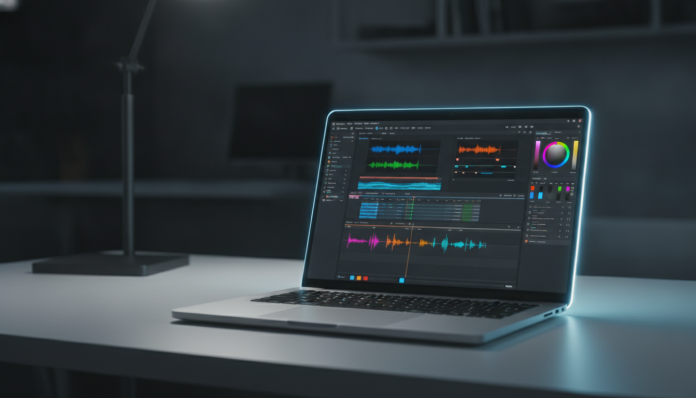

Laptop for video editing under 6,000 reais: what really matters when buying
Video editing demands far more from a laptop than browsing the internet or running spreadsheets. You’re asking the machine to move heavy files, decode complex codecs, render layers of effects and still display accurate colors on screen, all at the same time. Those who underestimate this end up with a laptop that freezes on the timeline, overheats or delivers a render that takes hours longer than it should.
The good news is that in 2026, a budget of up to 6,000 reais puts very competitive options within reach of the Brazilian editor, whether you’re editing social media content in 1080p or moving up to simpler 4K projects. The challenge is knowing exactly where to look in the specs and not being fooled by specifications that look impressive on paper but don’t deliver in practice for editing.
This comparison covers models available in Brazil in 2026, with prices practiced in the national retail market. Prices vary by store, promotion and exchange rate, so use the values here as a price range reference, not a fixed price.
What video editing software really demands from a laptop
Before talking about products, it’s worth understanding what editing software actually uses, because this completely changes your buying decision.
CPU (processor) is still the heart of editing. It handles most timeline operations, cuts, basic color adjustments and export in codecs that aren’t accelerated by hardware. The more performance cores and higher frequency, the better. In 2026, Intel’s hybrid architectures (2nd generation Core Ultra series, codename “Lunar Lake” and “Arrow Lake-H”) and AMD Ryzen AI 300 series CPUs compete in this space with performance very close to editing workloads.
GPU (graphics card) comes into play especially for hardware acceleration, which is when the graphics chip takes on specific tasks like decoding H.265 (HEVC) or AV1, applying visual effects and rendering real-time preview. In DaVinci Resolve, for example, the GPU is a star player. Having a dedicated card, like an NVIDIA RTX 4060 Laptop or AMD Radeon RX 7600M, makes a real difference over integrated graphics.
RAM for video editing has a higher floor than for other tasks. Sixteen gigabytes still works for 1080p with few layers, but 32 GB is the number that makes your workflow smoother, especially if you keep Premiere or Resolve open along with Chrome, Lightroom and Spotify. Keep an eye on memory speed too: newer chips with LPDDR5X memory integrated into the processor can outperform configurations with dedicated DDR5 RAM at lower frequencies.
NVMe SSD storage (a type of SSD that communicates directly with the processor via a high-speed path, much faster than old SSDs connected by SATA) is essential. For editing, sequential read speeds above 3,000 MB/s are sufficient for most workflows. Capacity also matters: 512 GB disappears quickly with video projects; 1 TB is the minimum comfortable.
Comparison table: laptops up to 6,000 reais for video editing
| Model | CPU | GPU | RAM | SSD | Display | Price Range (BR) |
|---|---|---|---|---|---|---|
| Dell Inspiron 16 Plus (2025) | Intel Core Ultra 7 155H | Intel Arc / no dedicated | 16-32 GB DDR5 | 512 GB-1 TB NVMe | 16″ IPS 2560×1600, 120 Hz | R$ 4,500 – R$ 5,800 |
| Lenovo IdeaPad Pro 5i Gen 10 | Intel Core Ultra 5/7 | Intel Arc integrated | 16-32 GB LPDDR5 | 512 GB-1 TB NVMe | 16″ OLED or IPS, 120 Hz | R$ 4,800 – R$ 6,000 |
| ASUS Vivobook 16X (M3606) | AMD Ryzen 7 8845HS | AMD Radeon 780M (integrated) | 16-32 GB DDR5 | 512 GB-1 TB NVMe | 16″ IPS 1920×1200, 60-120 Hz | R$ 3,800 – R$ 5,200 |
| Acer Swift X 14 (2025) | AMD Ryzen AI 7 360 | NVIDIA RTX 4050 Laptop | 16 GB LPDDR5 | 512 GB NVMe | 14″ OLED 2880×1800, 120 Hz | R$ 5,500 – R$ 6,500* |
| Lenovo Legion Slim 5 Gen 9 (14″) | AMD Ryzen 7 8745H | NVIDIA RTX 4060 Laptop | 16 GB DDR5 | 512 GB NVMe | 14″ 2560×1600, 165 Hz | R$ 5,500 – R$ 6,500* |
*These models may slightly exceed the 6,000 reais ceiling depending on the store and period. Check current pricing before buying.
CPU and GPU performance: where each model stands out
Intel Core Ultra with Arc graphics
Intel made a leap with integrated Arc graphics in the 2nd generation Core Ultra series. For 1080p and 4K editing with H.265, the Arc hardware acceleration is competent and recognized by software like DaVinci Resolve and Premiere Pro. The Dell Inspiron 16 Plus and IdeaPad Pro 5i reach configurations with 32 GB of RAM in this price range, which is a strong point. The absence of a dedicated GPU can limit work with heavy effects or intensive Color Grading in Resolve, where the dedicated card has clear advantage.
AMD Ryzen with integrated Radeon
The Ryzen 7 8845HS, present in the ASUS Vivobook 16X, brings the integrated Radeon 780M graphics, which according to AMD is the most powerful iGPU (integrated graphics processing unit, i.e., no separate graphics chip) in the category. It handles 1080p editing well and supports hardware acceleration for AV1 and H.265. For 4K projects with multiple layers, the limitation starts to appear. The good news is that the Vivobook 16X usually appears below R$ 5,200 with 32 GB of RAM, leaving money in your pocket.
Dedicated GPU: the differentiator in the R$ 5,500 to R$ 6,000 range
The Acer Swift X 14 with RTX 4050 and the Lenovo Legion Slim 5 with RTX 4060 are the closest to a portable workstation in this range. The RTX 4060 Laptop has more VRAM (dedicated GPU memory) and more CUDA cores, which DaVinci Resolve uses for rendering acceleration. If you work with 4K frequently, apply LUTs (color adjustment tables), or use heavier visual effects, the difference is noticeable. The Legion Slim 5, however, is heavier and the battery lasts less, which is the price of extra performance.
Display: a point editors cannot ignore
For video editing, screen quality matters as much as the processor. You don’t want to deliver a project with wrong colors just because your laptop screen was lying to you.
In the models on this list, the OLED screens on the IdeaPad Pro 5i and Acer Swift X 14 offer practically infinite contrast and DCI-P3 color coverage above 90%, which is close to what cinemas and streaming platforms use as reference. The IPS screens on the Dell and ASUS are competent, but check the spec sheet to see if they cover at least 100% of sRGB and 72% of NTSC, which is the minimum acceptable for video work.
Resolution also matters: screens at 1920×1200 or 2560×1600 at 16 inches already allow you to see the timeline with more space. Avoid laptops with Full HD (1920×1080) screens in this price range; the market already offers something better for that money.
Battery, weight and use away from home
Video editing is one of the tasks that drain battery the most on any laptop. With the GPU working, the processor at its limit and the screen bright, expect 2 to 4 hours of real autonomy in active editing on models with dedicated GPU. Models with integrated graphics fare better in this regard, reaching 5 or 6 hours with moderate use.
The Acer Swift X 14 is the lightest on the list, at around 1.4 kg according to specs, making it more suitable for those who edit on the go. The Legion Slim 5, despite its “Slim” name, weighs over 1.7 kg and needs the charger to deliver best performance. If mobility is a priority, the Swift X or IdeaPad Pro 5i make more sense.
Brazilian context: certification, warranty and availability
All models mentioned here have or should have Anatel certification for legal sale in Brazil, which is mandatory for any device with a radio transmitter (Wi-Fi and Bluetooth). Before buying on parallel import sites like Shopee or AliExpress, verify if the specific model has the Anatel certification number, because international versions may not have technical support or valid warranty in the country.
The standard warranty in Brazil is 12 months from the supplier, plus 90 days of statutory warranty under the Consumer Protection Code. Dell, Lenovo, ASUS and Acer have authorized technical support in major capitals. If you work with video professionally, consider extended warranty plans that these brands offer, because a laptop down for a week has real cost.
For those who want a laptop focused on programming in the same budget range, it’s worth checking the laptop for programming up to 5,000 reais, which covers different but complementary criteria when choosing hardware.
Which to choose: recommendation by profile and budget
You edit in 1080p, create content for social media and want the best value for money
The ASUS Vivobook 16X with Ryzen 7 8845HS and 32 GB of RAM is the right choice. It delivers what you need for editing in Premiere or CapCut for desktop, has a screen large enough and stays well below R$ 5,500. Money left over for an external SSD, which will be needed soon.
You want screen quality and work with color grading even if basic
The Lenovo IdeaPad Pro 5i Gen 10 with OLED screen is the choice. The screen makes a real difference when you’re adjusting colors. Check if the version available at the store has 32 GB of RAM; some configurations come with 16 GB and the upgrade may not be possible later, depending on the model.
You work with 4K, use DaVinci Resolve and want the most powerful dedicated GPU in this range
The Lenovo Legion Slim 5 Gen 9 with RTX 4060 is the most technically capable. Accept the weight and charger dependence as compensation. If the price is slightly above R$ 6,000, it’s worth looking for deals or waiting, because this model varies a lot in price throughout the year.
You travel a lot and need lightweight with dedicated GPU
The Acer Swift X 14 with RTX 4050 is the only one on the list that combines low weight with a dedicated card. The 16 GB RAM limit on some configurations is a point of attention; verify if the available version allows expansion or already comes with 32 GB.
Frequently asked questions about video editing laptops
Is 16 GB of RAM enough to edit video in 2026?
For 1080p with one or two video layers and few effects, 16 GB still works, but you’ll feel slowness if you leave other programs open. For 4K or more complex projects, 32 GB is the number that gives real comfort. If possible, prioritize laptops that already come with 32 GB or that allow later expansion.
Does integrated GPU work for video editing or is a dedicated card required?
Modern integrated GPUs, like Intel Arc in Core Ultra and Radeon 780M in Ryzen 8000, already support hardware acceleration for the most common codecs. For 1080p and simple 4K, they work. For projects with a lot of Color Grading in DaVinci Resolve or heavy visual effects, the dedicated GPU delivers a noticeably smoother experience.
Can I buy these laptops on import sites to save money?
You can, but with risks. American or European versions may not have Anatel certification, which technically prevents legal use of Wi-Fi and Bluetooth in Brazil. Also, the warranty normally doesn’t cover Brazil, and you bear the import cost (IOF, import fee and possible taxation by the Federal Revenue Service). For work items, the risk rarely justifies the savings.
Does the editing software influence hardware choice?
Yes, very much. DaVinci Resolve uses GPU heavily, especially CUDA (NVIDIA) or OpenCL (AMD and Intel). Premiere Pro balances more between CPU and GPU. If you use Resolve exclusively in a heavy way, the RTX 4060 in the Legion Slim makes more difference. If Premiere is your main tool, investment in more RAM and fast CPU can be more efficient.
What to do before closing the purchase

Always check the exact version of the model available at the store, because manufacturers like Lenovo and Dell often sell different configurations with the same line name, varying in RAM, SSD and even GPU. Read the full spec sheet, not just the product title. Look for the model number (SKU) and search for the official specification on the manufacturer’s website.
If you’re at a moment of putting together a complete production setup, don’t forget to think about peripherals along with the laptop. A good calibrated monitor, for example, can be more useful for color grading than spending everything on the most expensive laptop. And if you usually record and edit on the go, accessories that stay in the right place help concentration, just as the workout headphones that don’t fall make a difference when you’re on the move and want to monitor audio without interruption.
The laptop market in 2026 is more generous than it was three years ago in this price range. With research and attention to the right specs, R$ 6,000 buys a machine that will handle serious projects for at least two or three years without showing critical limitations.