

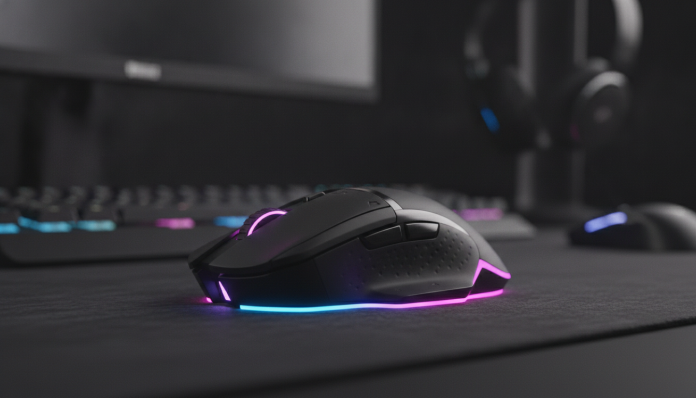

Wireless gaming mouse under R$ 400: what’s really worth buying in 2026
Finding a good wireless gaming mouse for less than R$ 400 in Brazil was almost impossible a few years ago. Today the scenario has changed: manufacturers like Logitech, Razer and even more accessible brands like Redragon have put cutting-edge technology into products that fit in your pocket. The challenge now is to separate what has real performance from what just looks good in the ad photo.
This guide covers the best models available on the Brazilian market in 2026, with prices ranging from approximately R$ 180 to R$ 400. The selection criteria takes into account sensor, wireless connection latency, weight, battery life and national availability with invoice, warranty and Anatel homologation, which is the mandatory registration from the regulatory agency for a radiofrequency device to be sold legally in Brazil.
Quick comparison: the main models in this price range
Before diving into the details of each one, see the summary with the main specs. Prices are approximate and can vary greatly between retailers.
| Model | Sensor | Max DPI | Wireless Connection | Weight approx. | Battery | Price Range (BR) |
|---|---|---|---|---|---|---|
| Logitech G305 | HERO 12K | 12,000 | Lightspeed (2.4 GHz) | 99 g | Up to 250 h (AA) | R$ 190 – R$ 250 |
| Logitech G304 | HERO 12K | 12,000 | Lightspeed (2.4 GHz) | 99 g | Up to 250 h (AA) | R$ 170 – R$ 220 |
| Razer Orochi V2 | Razer 5G Advanced | 18,000 | 2.4 GHz + Bluetooth | 60 g | Up to 950 h (AA) | R$ 280 – R$ 370 |
| Redragon M913 Impact Elite | PMW3335 | 16,000 | 2.4 GHz | 97 g | Up to 45 h | R$ 180 – R$ 280 |
| Logitech G435 Lightspeed | N/A (not gaming) | — | Lightspeed + Bluetooth | — | — | Out of scope |
> Note: always check the product datasheet on the official website or with the retailer before buying, as regional versions may have different specs.
Logitech G305 and G304: the category standard
The G305 and G304 are practically twin brothers, and the difference between them usually comes down to regional availability and minor variations in external design. Both use the HERO 12K sensor, which according to Logitech offers tracking of up to 12,000 DPI with much better energy efficiency than the previous generation. DPI, or dots per inch, indicates sensor sensitivity: the higher the number, the more the cursor moves on screen for the same physical mouse movement.
The big differentiator for these two is the Lightspeed technology, Logitech’s proprietary wireless communication protocol that operates at 2.4 GHz. According to the manufacturer, latency stays below 1 ms, which in practice means the response is equivalent to or better than most common wired mice. For competitive gaming, this eliminates the historical argument that “wireless is slower.”
Battery life of up to 250 hours with a single AA battery is a noteworthy feature. Of course, this number is obtained under controlled conditions by Logitech, with the mouse in power-saving mode, so under intensive gaming the number drops, but it’s still excellent. The weight of 99 grams is reasonable for the segment, without being too heavy. For those looking for direct value for money and play on PC, the G305 is the safest recommendation under R$ 250.
Razer Orochi V2: extreme lightness and versatility
The Razer Orochi V2 is the lightest option on this list, at about 60 grams according to Razer’s datasheet. For players who prefer light mice, this makes a real difference in long gaming sessions, when wrist fatigue starts to appear. The Razer 5G Advanced sensor with up to 18,000 DPI puts the Orochi V2 at a technical level above the G305 on paper, although in practice the difference in sensors for regular use is almost imperceptible.
What makes the Orochi V2 especially interesting is the dual connectivity: 2.4 GHz for gaming and Bluetooth for everyday use on your laptop or tablet. You don’t need to carry two mice. The battery life declared by Razer reaches 950 hours in Bluetooth mode with an AA battery, which is an impressive number, but remember that at 2.4 GHz with high polling rate (the computer’s consultation rate to the mouse, usually 125 Hz or 1,000 Hz), the battery lasts much less.
The price of the Orochi V2 in Brazil ranges between R$ 280 and R$ 370 depending on the retailer, and the mouse was launched in the US for around US$ 70. Razer has official distribution in Brazil, which facilitates warranty and Anatel homologation. For those who use the computer for both gaming and work and don’t want to compromise on lightness, the Orochi V2 is the most balanced choice in this price range.
Redragon M913 Impact Elite: value for money for those on a tighter budget
Redragon is a Chinese brand that has gained ground in Brazil in recent years by offering competitive specs at lower prices. The M913 Impact Elite uses the PMW3335 sensor, an optical sensor considered reliable for gaming up to semi-professional level. Unlike the proprietary sensors from Logitech and Razer, the PMW3335 is supplied by PixArt, a Taiwanese company that supplies much of the industry.
The M913’s wireless connection operates at 2.4 GHz with an included USB adapter. The declared battery life is up to 45 hours, much lower than its Logitech and Razer competitors, which means you’ll charge the mouse more frequently. Fortunately, the M913 uses a micro-USB connection for charging, so it doesn’t sit unused while charging, unlike models that depend on batteries.
The price range between R$ 180 and R$ 280 makes the M913 the most accessible entry on this list with a decent sensor and functional wireless. The point to watch is warranty and support: Redragon has a presence in Brazil, but after-sales service can be more troublesome than with Logitech or Razer. If your budget is limited and you understand you may have less support, the M913 delivers well for the price asked.
What to evaluate before buying
Beyond the specs in the table, some factors make a difference in the final decision:
- Shape and grip: gaming mice come in palm (you rest your whole hand), claw (your fingers are arched) and fingertip (only finger tips touch the mouse) shapes. Test, if possible, before buying.
- Configuration software: Logitech uses G HUB, Razer uses Synapse. Both allow you to adjust DPI, program buttons and create profiles. Redragon has its own less refined software.
- Anatel homologation: products sold through official channels in Brazil must have the homologation number. Check on the Anatel website (anatel.gov.br) by model or by the code printed on the packaging before buying from unauthorized importers.
- Warranty: Logitech and Razer offer 2-year warranty on products purchased in Brazil through authorized resellers. Redragon typically offers 1 year.
- Import: if you find one of these models at a price well below the indicated range on direct import sites, research if there is warranty and if the product has already gone through the homologation process. Buying wireless mice from import without homologation is technically irregular in Brazil.
Which to choose by profile and budget
The right choice depends on what you value:
If you want the absolute best value for money under R$ 250 and play mainly on PC, the Logitech G305 is hard to beat. The HERO 12K sensor is proven, Lightspeed technology solves the latency problem, and the battery lasts so long you’ll forget the mouse needs a battery.
If you use the computer for work and gaming and want a single mouse for everything with the least weight possible, the Razer Orochi V2 makes sense. Bluetooth for the laptop and 2.4 GHz for gaming is a practical combination that the other models don’t offer in this price range.
If budget is the primary factor and you can give up longer battery life and robust after-sales support, the Redragon M913 delivers an honest sensor and functional wireless at less money.
For those evaluating other peripherals beyond the mouse, such as noise-canceling headphones to use with your setup, the article about AirPods Pro 3 vs AirPods 4 ANC: which is better value can help complete your purchase decision.
Frequently asked questions about wireless gaming mice
Does a wireless mouse have higher latency than a wired mouse?
It depends on the technology. Mice with quality 2.4 GHz connection, like Logitech’s Lightspeed, have latency below 1 ms according to the manufacturer, equivalent to or better than many wired mice. Bluetooth, on the other hand, has higher latency and is not recommended for competitive gaming. For casual use, the difference is imperceptible.
Do I need more than 12,000 DPI to play well?
Not necessarily. Most professional players use sensitivities corresponding to relatively low DPIs, between 400 and 1,600. High DPI is useful on 4K monitors or multi-monitor setups. For standard use at 1080p or 1440p, 12,000 DPI is more than enough.
Does a wireless gaming mouse need Anatel homologation in Brazil?
Yes. Every device that emits radiofrequency, including wireless mice, needs Anatel homologation to be sold legally in Brazil. Products sold by official brand distributors come pre-homologated. When buying from direct import sites, verify that the product has the homologation code printed on the packaging.
Is it worth spending R$ 400 on a mouse if there’s an option for R$ 200?
It depends on your use. In the range up to R$ 400, the differences are more about comfort, lightness, battery life and extra features than about raw performance in terms of sensor. If you play a few hours a week, the G305 for R$ 220 works well. If you spend hours daily on your setup and want the best in the range, considering the Orochi V2 or waiting for premium model sales makes sense.
How to track prices and avoid overpaying

Peripheral prices in Brazil fluctuate quite a bit, especially with dollar variations. Tools like Zoom and Buscapé allow you to track the price history of a specific product, which helps identify whether that “promotion” is actually a real discount or just the usual price with a switched tag.
Large retailers like Amazon Brasil, Kabum, Pichau and Terabyte usually have the mentioned models in stock with invoice and manufacturer warranty. Buying on these platforms reduces the risk of products without homologation or without after-sales support. If you’re considering other tech items to assemble or complement your setup, the same care applies when researching smartwatches and wearables, which go through the same homologation process, as you can check in this comparison between the Redmi Watch 5 Active and Band 10.
The wireless mouse market in 2026 is mature enough that you don’t need to spend a fortune to have a quality wireless peripheral. With R$ 200 to R$ 400, the available technology delivers low latency, long battery life and comfortable use. The decision comes down to which combination of weight, battery life and brand makes the most sense for your profile.