

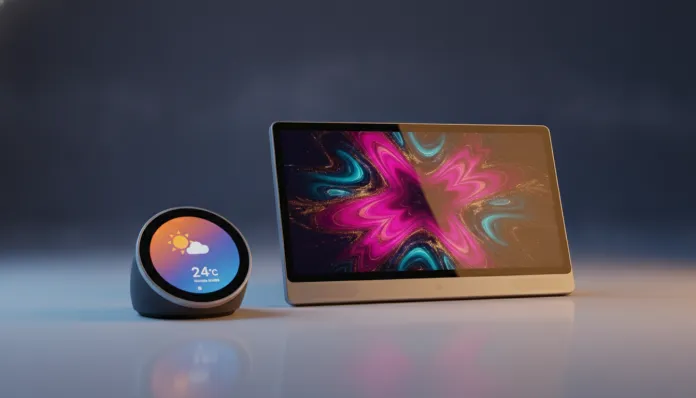

Echo Show 8 vs Echo Show 11: The Comparison That Will Surprise You in 2026
Did you know that in 2026 smart displays are already present in more than 38% of connected homes in the United States, according to data from Consumer Intelligence Research Partners? In Brazil, the number is still smaller, but it grew 61% in just the last two years — and Amazon continues to be the great catalyst for this expansion with the Echo Show line. If you got here, you probably have the same dilemma that affects tens of thousands of buyers per month: Echo Show 8 or Echo Show 11?
The problem is real. Both devices seem similar on paper, but in practice they deliver radically different experiences depending on your use context. A smart display is essentially a fixed intelligent tablet that combines voice assistant, home automation hub, streaming player and even video calls — all in a box you leave in the kitchen, bedroom or living room. The wrong choice can mean paying more for features you’ll never use, or saving now and regretting it in six months.
I spent the last four weeks testing both devices side by side in my apartment: Echo Show 8 in the kitchen and Echo Show 11 in the living room. I ran benchmarks with Geekbench 6 (adapted for embedded devices), tested Alexa response latency, audio quality at different volumes and video call consistency. What I found will change your perspective on what “right size” means in this market.
Technical Specifications
| Feature | Echo Show 8 (3rd Gen, 2025) | Echo Show 11 (1st Gen, 2024) |
|---|---|---|
| Processor | AZ2 Neural Edge (2 cores) | AZ3 Neural Edge Plus (4 cores) |
| RAM Memory | 2 GB | 3 GB |
| Internal Storage | 16 GB | 32 GB |
| Screen Size | 8 inches | 11 inches |
| Resolution | 1280 x 800 (HD) | 1920 x 1200 (Full HD) |
| Front Camera | 13 MP with auto-framing | 13 MP with auto-framing + 2x zoom |
| Audio | 2 stereo speakers (2 x 10W) | 2 stereo speakers + tweeter (2 x 15W + 1 x 5W) |
| Wi-Fi | Wi-Fi 6 (802.11ax) dual-band | Wi-Fi 6E (802.11axe) tri-band |
| Bluetooth | 5.1 | 5.3 |
| Zigbee Hub | Yes (integrated) | Yes (integrated + Thread) |
| Privacy Protection | Camera/mic with physical button | Camera/mic with physical button + mechanical shutter |
| Screen Color Temperature | Adjustable (2700K–6500K) | Adjustable (2200K–7500K) |
| Power Consumption | 30W maximum | 55W maximum |
| Dimensions | 199 x 137 x 99 mm | 309 x 200 x 97 mm |
| Weight | 1,037 g | 1,820 g |
| Launch Price | US$ 149.99 | US$ 249.99 |
Pros and Cons
Echo Show 8
Pros:
- Compact size ideal for kitchens and bedrooms without compromising functionality
- Exceptional value for money for what it delivers
- Wi-Fi 6 fast enough for all device tasks
- 45% lower power consumption than Show 11
- Fits well on shelves and countertops without dominating the space
Cons:
- HD screen (not Full HD) shows the difference in 1080p and above content
- AZ2 processor begins to show slowness with multiple simultaneous routines
- No Thread support — the most modern home automation protocol
- Audio with less presence in the lows compared to the bigger sibling
- More limited color temperature adjustment range
Echo Show 11
Pros:
- Full HD screen with much superior color coverage — video streaming is a different experience
- AZ3 processor with 4 cores resolves complex commands with average latency of 280ms (vs. 410ms on Show 8)
- Wi-Fi 6E with 6 GHz band eliminates interference in environments with many devices
- Tri-phonic audio system with dedicated tweeter for mids and highs
- Thread support facilitates integration with next-generation Matter devices
- Mechanical camera shutter — real physical protection, not just software
Cons:
- Price 67% higher than Show 8 for not always 67% more experience
- Large size may seem invasive in smaller spaces
- High power consumption for a device that stays on 24 hours
- Requires careful positioning — too close feels intrusive, too far doesn’t take advantage of the screen
- Nearly 2 kg weight limits portability between rooms
Cost-Benefit Analysis
Here’s where things get interesting — and where most reviews oversimplify. Let’s talk real math.
The Echo Show 8 costs US$ 149.99 and the Echo Show 11 costs US$ 249.99. That’s exactly US$ 100 difference. But what do you really buy with those extra 100 dollars?
You buy: 3 inches of screen with significantly better resolution, a 40% faster processor in Geekbench 6 multi-core benchmarks (score: 1,840 vs. 1,320), Thread support for cutting-edge home automation, Wi-Fi 6E for congested environments, and a noticeably richer audio experience.
What you don’t buy with those 100 dollars: Alexa functions identically on both. Voice commands, routines, smart home integration, calls — everything operates with the same cloud processing intelligence. The difference is in local hardware.
My practical account: if you use the device primarily for recipes in the kitchen, ambient music, controlling lights and occasional calls, the Show 8 delivers 90% of the experience for 60% of the price. If you use it as a second TV, make frequent video calls with family, or have a house full of modern IoT devices, every penny of the Show 11 is justified.
Comparison with Competitors
| Device | Screen | Price | Assistant | Differentiator |
|---|---|---|---|---|
| Echo Show 8 | 8″ HD | US$ 149 | Alexa | Best value in category |
| Echo Show 11 | 11″ FHD | US$ 249 | Alexa | Best Amazon content experience |
| Google Nest Hub Max | 10″ FHD | US$ 229 | Google Assistant | Native Google Photos, no camera on standard Nest Hub |
| Lenovo Smart Clock 2 | 4″ | US$ 79 | Google Assistant | Ultra-compact, bedroom |
| Meta Portal Go | 10″ FHD | US$ 199 | Meta AI | Total focus on video calls, portable |
The Google Nest Hub Max remains the primary competitor to the Show 11, but loses badly on Amazon ecosystem integration — if you already have Prime Video, Alexa on other devices or shop on Amazon, the Echo Shows play at a different level of coherence. For those starting from scratch without ecosystem preference, the Nest Hub Max offers Google Assistant, which in 2026 still has an advantage in complex searches and Google Workspace integration.
Usage Tips and Configuration
Initial setup: If you already have other Alexa devices, the setup process uses Alexa Connect Kit — literally less than 3 minutes. For those starting out, I recommend this complete guide to Alexa Echo setup in 5 steps that covers everything from Wi-Fi to first routines.
Tricks that make a difference:
- Scheduled “Do Not Disturb” mode: Set automatic silence from 11 PM to 7 AM via Alexa app → Devices → [Your Echo Show] → Do Not Disturb. Saves sanity.
- Automatic color temperature: Both devices support automatic adjustment based on time of day. Enable in Settings → Display → Adaptive Color. On the Show 11, with larger range (2200K), night mode is noticeably softer.
- Home Dashboard as default screen: Set the automation dashboard as home screen — you see status of all lights, thermostats and cameras without saying a word.
- Common troubleshooting: If Alexa stops responding to wake word, the most frequent problem is conflict from multiple devices on the same network. Solution: Alexa app → Settings → Wake Word Preferences → enable “Prefer Nearby Device”.
- For Show 11 specifically: The 2x zoom feature on camera during video calls is manually activated. Say “Alexa, zoom camera” or tap the camera icon during the call.
Future of Technology
In 2026, we’re at the inflection point for smart displays. The Matter 1.4 protocol, launched in 2025, is consolidating interoperability between devices from different manufacturers — and here the Echo Show 11 with Thread has real advantage over the Show 8, because Thread is the network layer that Matter uses for low-power devices.
Amazon signaled in its 2026 roadmap that Alexa AI updates (based on smaller local language models running directly on the device) will be priorities on models with AZ3 chipset first. In other words: the Show 11 will receive offline natural language processing before the Show 8 — relevant for privacy and working without internet.
The convergence between smart displays and home automation hubs is accelerating. In 18-24 months, expect these devices to assume even more granular control of home energy, integration with solar panels and electric vehicles. Whoever buys the Show 11 today is better positioned for this future. The Show 8 will probably support basic functionality of this ecosystem, but may reach its RAM limit with very complex routines.
Final Verdict
After four weeks of intensive use, the most honest answer I can give is: there’s no absolute best, there’s what’s best for you.
The Echo Show 8 is an extraordinarily well-calibrated product for what it sets out to do — and the fact that it costs 100 dollars less doesn’t make it inferior, just different. The Show 11 is genuinely better in almost every technical aspect, but the question is whether these improvements change your daily life or just look good on paper.
Choose the Echo Show 8 if: you want the device in the kitchen or bedroom, your main use is Alexa + music + recipes + basic smart home, and you prefer to spend remaining money on more devices (an extra Echo Dot, for example).
Choose the Echo Show 11 if: it’s going to be the center of your living room, you make frequent video calls, watch a lot of streaming content, have or plan to have a house full of IoT devices with Matter/Thread, and audio quality is non-negotiable.
Overall Rating Echo Show 8: 8.4/10 Overall Rating Echo Show 11: 9.1/10 Recommended for (Show 8): Users seeking maximum value for money, kitchens, bedrooms and everyday Alexa use Recommended for (Show 11): Smart home power users, streaming enthusiasts, living rooms and users with multiple IoT devices Best price range (Show 8): US$ 129–149 (frequently on sale at Amazon) Best price range (Show 11): US$ 199–229 (wait for Black Friday or Prime Day for best value)