

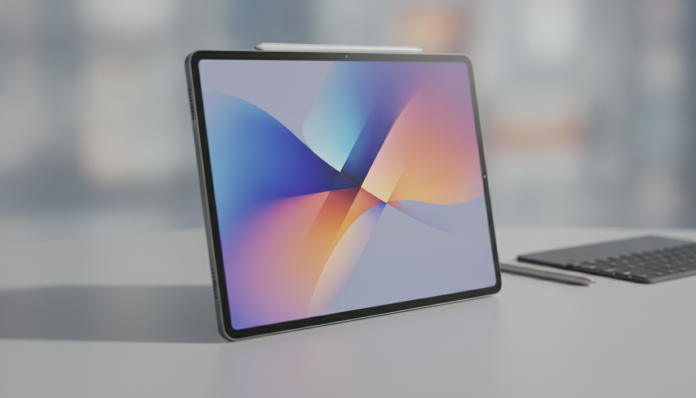

Galaxy Tab S10 FE 2026 Review: Is It a Good Tablet for the Price?
The Galaxy Tab S10 FE has arrived on the market as the most affordable version of Samsung’s Tab S10 line, following the FE (Fan Edition) tradition of delivering much of the premium experience at a lower price point. The proposition is straightforward: take what works well in the more expensive models and make calculated compromises to fit a more reasonable budget. But does the equation really hold up in 2026, with the mid-range tablet market more competitive than ever?
The short answer is: yes, with caveats. The Tab S10 FE is a solid tablet for content consumption, studying, and light productivity, especially if you already live in the Samsung ecosystem. It won’t impress those who want the best available performance or cutting-edge cameras, but it delivers a large screen, S Pen support, and well-maintained software at a more honest price point than its pricier siblings.
For those still evaluating whether a tablet makes sense or if a notebook would be more useful, the comparison is worth making. Check out our guide to the best notebooks up to R$ 4,000 in 2026 for a complete overview before deciding.
Galaxy Tab S10 FE Specifications
| Specification | Details |
|---|---|
| Display | 10.9-inch, LCD TFT, 2304 x 1440 resolution, 60 Hz |
| Processor | Exynos 1580 (4nm fabrication) |
| RAM | 6 GB or 8 GB, depending on version |
| Storage | 128 GB or 256 GB, with microSD slot |
| Rear Camera | 13 MP |
| Front Camera | 10 MP |
| Battery | 10,090 mAh |
| Charging | 45 W wired (charger not included in box) |
| Connectivity | Wi-Fi 6, Bluetooth 5.3, USB-C 3.2 Gen 1 |
| Operating System | Android 15 with One UI 7 |
| S Pen | Included in box |
| Dimensions and Weight | Approximately 258 x 168 x 6.1 mm, around 523 g |
| Color Options | Available in at least three color options |
Prices vary considerably depending on retailer and version. At US launch, the Tab S10 FE was positioned in the $450 to $500 range. In Brazil, depending on the sales channel, expect to find it between R$ 2,500 and R$ 3,200 in the Wi-Fi version. Always check current prices at authorized retailers, as promotions and exchange rate fluctuations heavily impact this number.
Display: Good for Daily Use, But with Clear Limitations
The 10.9-inch panel delivers a comfortable experience for watching series, reading, and browsing. The 2304 x 1440 pixel resolution ensures sharp images with no visible pixelation at this screen size. Pixel density comes in above 250 ppi (pixels per inch), which is the minimum threshold for images that appear “clean” at normal viewing distances.
The point that differentiates the Tab S10 FE from pricier models in the line is the panel type: this uses LCD TFT, not AMOLED. In practice, this means blacks aren’t as deep, contrast is lower, and display in dark environments loses some of the visual drama you’d get from a Tab S10 or S10+. For use in lit environments, the difference is less noticeable.
The 60 Hz refresh rate also falls short of the 120 Hz on pricier siblings. Screen scrolling and animations are slightly less fluid. It’s not something that will bother you in most tasks, but those already accustomed to high refresh rate displays will notice.
Performance and S Pen: Where the Tab S10 FE Shines
The Exynos 1580 is a processor manufactured using a 4-nanometer process, which means decent power efficiency and sufficient performance for the tasks a tablet FE is designed to do. According to Samsung’s spec sheet, the combination with 6 GB or 8 GB of RAM enables smooth multitasking, productivity app use, and photo editing without stuttering.
More demanding games run, but not necessarily at maximum graphics. For casual titles, streaming, and typical professional use (presentations, spreadsheets, video conferencing), performance is adequate. Those seeking cutting-edge performance for demanding games will need to look at the Tab S10 Ultra or tablets from other brands with more powerful chips.
The included S Pen is, honestly, one of the best selling points. In competing tablets in the same price bracket, the stylus is usually sold separately or simply doesn’t exist. The Tab S10 FE’s S Pen supports 4,096 pressure levels, making it useful for note-taking, sketches, and document signing with a natural feel. For students and professionals who take handwritten notes, this inclusion significantly changes the value proposition.
Battery and Autonomy: Strong Point on Paper
The 10,090 mAh battery is generous and, according to Samsung, designed to support a full day of use. Tablets with this capacity typically last between 10 and 14 hours with moderate use, varying based on screen brightness, content type, and active network connection. Since we haven’t conducted lab testing, we recommend consulting user reviews on specialized forums for a more practical sense of real-world battery life.
The 45 W charging is good for the category, but there’s an annoying detail: the charger isn’t included in the box. You need to purchase one separately or use one you already have that meets the power requirements. This has become common practice in the market, but it’s worth factoring into your budget.
Software, Updates, and Brazilian Context
The Tab S10 FE comes with Android 15 and Samsung’s One UI 7 interface, which is polished, feature-rich, and well-adapted for large screens. Samsung promises, according to public company information, six years of security updates and four generations of Android updates for the Tab S10 line. This is a significant commitment if you plan to use the tablet for several years.
In Brazil, the availability of the Tab S10 FE depends on approval from Anatel (National Telecommunications Agency), which is mandatory for communication devices sold legally in the country. Verify that the model you’re purchasing has the Anatel seal, especially for parallel imports. Samsung’s official warranty in Brazil covers 12 months for products purchased through authorized channels.
Those importing the device from the US or Europe save on price but lose local warranty coverage and may face issues with LTE cellular network frequencies if choosing that model. For Wi-Fi use only, importing is technically simpler, though still without official warranty.
Pros and Cons
Pros:
- S Pen included in the box, a real differentiator at this price point
- 10.9-inch display with good resolution for its size
- 10,090 mAh battery with generous autonomy
- Six years of security updates promised by Samsung
- MicroSD slot allows expandable storage
- One UI 7 well-adapted for tablets with productivity features
- Support for 45 W charging
Cons:
- LCD panel without AMOLED, with lower contrast than pricier models
- 60 Hz refresh rate, while competitors and pricier siblings offer 120 Hz
- Charger not included in the box
- 13 MP rear camera handles basics but isn’t a strong point
- Performance isn’t for those prioritizing demanding games
Competitors and Alternatives in Brazil
| Tablet | Display | Processor | S Pen | Price Range (BRL approx.) |
|---|---|---|---|---|
| Samsung Galaxy Tab S10 FE | 10.9″ LCD 60 Hz | Exynos 1580 | Included | R$ 2,500 to R$ 3,200 |
| Samsung Galaxy Tab S9 FE | 10.9″ LCD 90 Hz | Exynos 1380 | Included | R$ 2,000 to R$ 2,600 (previous generation) |
| Xiaomi Pad 7 | 11.2″ LCD 144 Hz | Snapdragon 7+ Gen 3 | Not included | R$ 2,200 to R$ 2,800 (subject to availability) |
| Apple iPad (recent generation) | 10.9″ LCD 60 Hz | A-series chip | Not included | R$ 3,500 to R$ 4,000 |
| Motorola Moto Tab G85 | 10.5″ LCD 90 Hz | Snapdragon 6s Gen 3 | Not included | R$ 1,400 to R$ 1,800 |
The Xiaomi Pad 7 deserves special attention as an alternative: it offers superior refresh rate and a powerful processor, but without an included stylus and with more irregular availability in Brazil. The Tab S9 FE from the previous generation can be found at lower prices and still delivers a very similar experience. For those in the Apple ecosystem, the entry-level iPad is the most direct alternative, but with a higher total cost when considering the Apple Pencil separately.
If your interest is more in a device for content consumption and you’re considering a budget-friendly Android smartphone for portable tasks, the combination of smartphone + streaming services might make more sense than an mid-range tablet.
Frequently Asked Questions About the Galaxy Tab S10 FE
Is the S Pen on the Tab S10 FE the same as on pricier models?
The S Pen included with the Tab S10 FE is functional and supports 4,096 pressure levels, but lacks the advanced Bluetooth connectivity features present on versions that accompany the Tab S10 Ultra, for example. For note-taking, drawing, and document signing, it works very well.
Does the Tab S10 FE have a 5G chip version available in Brazil?
Samsung markets Wi-Fi and LTE versions of its FE tablets, but the availability of each configuration in Brazil depends on local distribution channels. Check with Samsung Brasil or authorized resellers to confirm which SKUs (specific versions) are available with Anatel approval.
Is it worth buying the previous generation, the Tab S9 FE, for the lower price?
It depends on your budget. The Tab S9 FE is still a good tablet and can be found at significantly lower prices in 2026. The main difference lies in the Tab S10 FE’s newer processor and extended update support. If the savings are significant and you don’t plan to use the tablet for more than three years, the S9 FE is a valid option.
Does the 45 W charger need to be from Samsung?
Not necessarily. The tablet uses USB-C input with support for the PD (Power Delivery) protocol, a standard compatible with chargers from other brands as long as the power and protocol match. Check the specifications of the charger you already own before buying a new one.
Is the Galaxy Tab S10 FE Worth Buying?
The Tab S10 FE delivers on what it promises: it’s an honest entry point into the Galaxy Tab line with mature software and an S Pen that truly adds value. It doesn’t compete with pricier models in display or raw performance, and it doesn’t need to justify its price.
Recommended for: students who want to take handwritten notes on a large tablet, users who consume content (streaming, reading, browsing) daily, professionals who need basic Android productivity and already use other Samsung devices.
It’s not the best choice for those who play demanding titles, want the best available display in their price range, or prioritize raw performance over the Samsung ecosystem.
Price Range: approximately R$ 2,500 to R$ 3,200 in Brazil through authorized channels (Wi-Fi 128 GB version). Prices vary by retailer, promotion, and storage version. Always check current prices with Samsung Brasil and warranty-backed resellers before finalizing your purchase.