

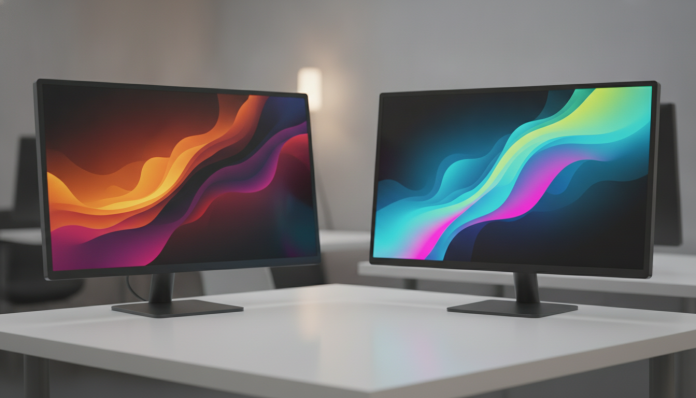

IPS or VA: the panel difference that can change your workday
You spend eight hours or more in front of a monitor and, when it comes time to buy, you see those acronyms in the ad: IPS, VA, TN. Most people ignore this detail and choose by screen size or price. It’s a mistake that costs dearly, because the panel type determines how you see colors, how much your eyes tire at the end of the day, and whether you can use the monitor in a room with a window nearby.
Direct answer: for work, the IPS panel is the right choice for most people who deal with text, spreadsheets, design, video conferencing, and general use. The VA panel makes more sense for those working in controlled-light environments and dealing with highly visual high-contrast content, like video editing in a closed studio or viewing dashboards with a dark background. Neither is universally superior; the difference lies in what you do and where you work.
In the following sections you’ll understand how each technology works, where each excels and falls short, and which to choose based on your profile and budget. The idea is not to be technical for the sake of it, but to give you the right argument when finalizing your order.
How each technology works, without the fluff
Every LCD monitor works with a layer of liquid crystals between two polarizing filters. What changes from one panel to another is how these crystals are organized and manipulated to block or let light pass from the backlight (the panel’s rear illumination).
In IPS (In-Plane Switching), the crystals are aligned parallel to the panel and rotate in the horizontal plane when receiving electrical charge. This allows light to pass more uniformly at wide angles, which explains why colors don’t distort when you look at the monitor from the side. The simplest analogy: think of window blinds that open horizontally, letting light in at a much wider angle.
In VA (Vertical Alignment), the crystals are perpendicular to the panel at rest, blocking light almost completely when they’re “closed”. This results in much deeper blacks and a native contrast ratio far superior to IPS. Same analogy: blinds that close vertically, blocking almost all light when they need to show black. The price is that at wider angles, colors and contrast degrade more easily.
Viewing angle and colors: where IPS has a clear advantage
The viewing angle is the degree measure within which the panel’s colors and brightness remain stable. IPS panels are typically specified at 178 degrees horizontal and vertical, which in practice means you can look from almost any position without noticeable loss of quality.
VA panels usually have similar official specifications (178 degrees), but in practice degradation starts earlier, especially on the vertical axis. For those using a monitor in a more tilted position, or working with another person looking at the same screen, this makes a real difference in day-to-day use.
In color coverage, the best IPS panels on the market in 2026 can cover 99% of sRGB color space and a relevant portion of DCI-P3 (the color space used in video and cinema production). This is documented in the technical specifications of manufacturers like LG, Dell, and Samsung. Good quality VA panels also achieve high sRGB coverage, but color consistency across different points on the screen tends to be more irregular, which matters greatly in graphic design and photo editing.
Contrast and deep blacks: VA territory
Here VA dominates without question. The native contrast ratio of VA panels commonly falls between 3000:1 and 5000:1, while IPS panels typically stay between 1000:1 and 1500:1. Native contrast is the difference in brightness between the brightest white point and the darkest black point the panel can display simultaneously, without software tricks.
In practice: on a VA panel, dark areas of an image appear with real depth. On an IPS, the so-called IPS glow is common—a grayish brightness in the dark corners of the screen, especially visible in low-light environments. This effect is not a manufacturing defect; it’s a characteristic of the technology.
For those who edit video in a dark studio, work with data visualizations in dark mode, or simply prefer to work with a less-illuminated monitor at night, VA delivers a more comfortable and visually cleaner experience. The problem appears when the environment has a side window or intense lighting: VA reflects more and the reduced viewing angle becomes more evident.
Response time and prolonged use: what the spec sheet doesn’t tell you
Response time is the time it takes a pixel to change color, measured in milliseconds (ms). VA panels historically had problems with smearing (a blur that appears in rapid on-screen movements), caused by slower response times in dark tone transitions. Manufacturers use overdrive circuits to compensate, but the solution can introduce visual artifacts.
Modern IPS panels achieve response times of 1 ms GTG (grey-to-grey, the industry standard measure) in high-frequency models. For corporate work, this isn’t a critical factor, but if you alternate between work and a game at day’s end, IPS offers smoother transitions.
On visual comfort during prolonged use, technologies like Low Blue Light (blue light reduction) and Flicker-Free (no perceptible brightness variation) are available in both quality IPS and VA. Check the technical sheet whether the model you’re considering has TÜV Rheinland certification or similar, which attests to the presence of these features.
Just as comparing Snapdragon or MediaTek: which chip runs better in real use requires understanding the context before choosing by spec sheet numbers, choosing between IPS and VA also depends on your environment and task, not just isolated technical sheets.
Which monitor to choose: by usage profile and budget
For text work, spreadsheets, and video conferencing
IPS is the right choice. Color consistency and wide viewing angles ensure the screen is readable from any position, which is critical in home offices where ambient lighting varies throughout the day. IPS Full HD 24-inch monitors from brands like LG, Dell, and AOC are found in Brazil at price points usually starting from R$ 700 to R$ 1,200 in 2026, depending on resolution and extra features. QHD (2560×1440) models generally range between R$ 1,500 and R$ 2,800.
For graphic design and photo editing
High-end IPS with documented DCI-P3 coverage is the way to go. Look for models with factory calibration certification, such as those from Dell UltraSharp or LG UltraFine lines. Check the technical sheet for average Delta E (a measure of color accuracy; the smaller, the more accurate), which should ideally be less than 2. These models start around R$ 2,500 and can exceed R$ 5,000 in larger formats.
For video editing in a controlled environment
High-quality VA can be an interesting alternative for superior contrast, which helps identify shadow details. Check whether the chosen model has documented smearing issues in reviews from specialized sources like Rtings and DisplayNinja before buying.
For mixed use (work and entertainment)
IPS monitors with 144 Hz or higher refresh rates resolve both sides well. There are options in this category between R$ 1,800 and R$ 3,500 in the Brazilian market, with models from brands like Samsung, LG, and Gigabyte available in stores like Kabum, Pichau, and Amazon Brasil.
Buying in Brazil or importing: what to consider
Monitors sold in Brazil by official distributors must have Anatel homologation, which ensures the product was tested against local electromagnetic interference and electrical safety standards. When buying from physical stores or national e-commerce authorized resellers, you already have this guarantee built in.
Direct importing from the US may seem tempting for the dollar price, but requires attention. Monitors are subject to import taxes and international shipping for this size product is expensive. Add to this the warranty: manufacturers like Dell and LG have technical support in Brazil, but coverage may not extend to products purchased outside the country. Consult the warranty policy directly with the manufacturer before importing. Overall, for work monitors, national purchase with invoice and local warranty is the safest route.
Frequently asked questions about IPS and VA monitors
Is IPS always better than VA for work?
For most office uses, yes. IPS’s wide viewing angle and color consistency make daily work more comfortable in environments with varying lighting. VA makes more sense in specific scenarios, like video editing in a dark environment or viewing content with high contrast between light and dark areas.
Does IPS glow bother you much in daily use?
It depends on the environment. In well-lit rooms, IPS glow is practically invisible. In dark environments, especially with a black background on screen, it appears in the corners as a grayish brightness. If you work mainly at night with the monitor at low brightness, this point deserves attention when choosing.
Is it worth paying more for a factory-calibrated monitor?
For graphic design, photo editing, and any work where color accuracy is critical, yes. Factory-calibrated monitors guarantee lower Delta E right out of the box, without needing to buy an external colorimeter. For general corporate use, text, and spreadsheets, this extra accuracy rarely makes a practical difference.
Are OLED panels an alternative to IPS and VA in 2026?
OLEDs have arrived with force in the monitor segment in recent years and offer infinite contrast and extremely low response times. However, the price is still significantly higher, and the risk of burn-in (permanent marking of static interface elements on screen) is a real concern for those using the monitor eight hours a day with fixed interface. It’s a technology to watch, but with eyes open to the limitations.
What to do now with this information
If you’re making a purchase decision today, the logic is simple: map out where you work (bright or dark environment), what you do (text and meetings or visual editing), and how much you want to spend. With this defined, the panel type stops being a technical detail and becomes an elimination criterion that cuts your candidate list in half.
When researching models, always check the manufacturer’s official technical sheet for color coverage, native contrast ratio, and response time. For detailed comparisons of specific models, Rtings and DisplayNinja publish standardized measurements that help a lot in the final decision. And remember: the best monitor is the one that serves your use, in your environment, at a price that makes sense for your budget.