

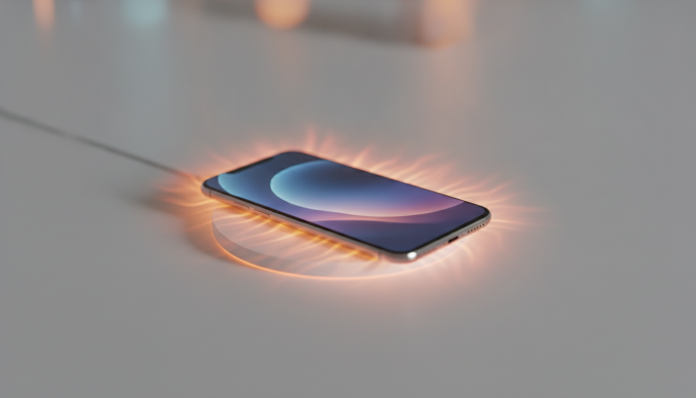

Phone Getting Hot While Charging: How to Fix It
That heat you feel when picking up your phone during charging isn’t always normal. Understanding the difference between acceptable warmth and excessive heat can save your battery and, in extreme cases, prevent serious accidents. This guide will help you identify the cause, apply the right solution, and know when the problem requires technical support.
What you’ll need: your phone itself, the original cable and charger (or models certified by Anatel), access to system settings, and about 10 minutes for initial tests. No app installation is necessary to get started.
Why your phone heats up during charging
Charging a battery is, at its core, an electrochemical process. Electric current enters through the charger, passes through the charge management circuit, and replenishes the lithium cells. Along this entire path, some energy converts to heat, which is completely normal. The problem starts when other factors amplify this heating beyond what the system can dissipate.
Acceptable temperature ranges around 35°C to 40°C on the back of the device. Above 45°C is already a warning sign. Above 50°C, the operating system itself typically reduces charging speed and may display alerts, because lithium cells suffer accelerated degradation at elevated temperatures. Think of the cells like ice cream: heat “melts” them gradually, and each hot cycle permanently reduces the battery’s total capacity.
Identify the cause before anything else
Before you start swapping cables or chargers, a quick diagnosis is worthwhile. The most common causes are:
- Uncertified charger or cable that delivers voltage or current outside your device’s specification
- Apps running in the background that keep the processor active during charging
- High ambient temperature, especially during Brazilian summer, when charging your phone in the sun or in closed, hot environments becomes routine
- Thick case or insulating material that prevents the device’s natural heat dissipation
- Aged battery with elevated internal resistance, which generates more heat for the same amount of charge
- Wireless charging (wireless) at high power levels, which is inherently less efficient than cable and generates more heat by design
Step-by-step guide to solve the problem
1. Test with the original charger and cable
Start with the basics. Connect your phone to the charger that came in the box or a replacement certified by Anatel (you can check the certification code printed on the adapter or on the agency’s website). Parallel chargers without certification often deliver unstable power, which makes the management chip work harder and, as a result, generate more heat.
2. Close apps before connecting
Before plugging in the cable, close open apps. On Android, use the recents button and clear the list. On iPhone, swipe apps up on the multitasking screen. This reduces the load on the processor during charging and makes a difference especially on mid-range devices, whose thermal management chips are less sophisticated.
3. Activate airplane mode or do not disturb
Your phone’s radio, responsible for 4G, 5G, and Wi-Fi, consumes constant power even when you’re not using the device. With airplane mode activated, the baseband processor (the chip that manages network connections) rests, and charging becomes faster and cooler. If you need to keep receiving notifications, at least disable 5G and use only Wi-Fi.
4. Remove the case during charging
Leather cases, thick silicone, or similar materials act like a blanket around the device. Remove the case and place your phone on a flat, hard surface, preferably wood or plastic, which dissipate heat better than fabric or foam. Avoid charging the device under a pillow or covered by anything.
5. Reduce wireless charging power
If you use a wireless charger (induction-based), know that the Qi 2 standard, launched in 2023 and widely adopted by manufacturers from 2024 onwards, improved efficiency compared to previous generations, but still generates more heat than cable. If your phone heats up a lot on a wireless charging pad, try a charger with lower power. For example: if your phone supports 15W wireless, testing with a 7.5W charger can reduce heating noticeably.
6. Don’t use your phone during heavy charging
Gaming, watching high-resolution video, or using GPS while charging is the most critical scenario for overheating. The processor generates heat, the battery generates heat to deliver energy to the system while simultaneously trying to absorb the charge. These two processes combined easily push temperature into harmful zones.
7. Check battery health
On iPhone, access Settings > Battery > Health and Charging. Below 80% of maximum capacity, Apple considers the battery at service level. On Android, the situation varies by manufacturer: Samsung has the section at Settings > Device Care > Battery; Xiaomi, Motorola, and others may require a diagnostic code or factory app. A degraded battery has higher internal resistance and heats up more to deliver the same current.
Common issues and how to fix them
Phone stops charging on its own because of heat
This is a protection feature, not a defect. When the system detects temperature above the safe limit, it interrupts or reduces charging to protect the cells. Place your phone in a cooler environment, let it cool naturally (don’t put it in the fridge—condensation can damage internal components) and resume charging.
The charger gets very hot even without the phone connected
A charger that heats up significantly at the power point, even without a device plugged in, is a sign of low-quality internal components or a defect. Discard that charger and replace it with one certified by Anatel. Uncertified chargers are the main vector for domestic electrical accidents in Brazil, according to Inmetro data.
Overheating only happens with fast charging
Fast charging technologies, such as Qualcomm Quick Charge, USB Power Delivery (PD), Oppo’s VOOC, or Xiaomi’s proprietary system, intentionally increase power to reduce charging time. Moderate heating in this context is expected. The problem is when it exceeds 45°C on the device’s surface or when the charger and cable used are not compatible with the protocol, generating inefficient power negotiation.
Device heats up even when powered off while charging
Rare, but it happens with severely degraded or internally defective batteries. If your phone heats up even when off, stop using it immediately while charging and take it to technical support. Swollen batteries (you notice when the screen or rear cover begins to separate slightly from the body) are an emergency and should not be charged.
Frequently asked questions about phone heating while charging
Is it normal for a phone to heat up during turbo charging?
Yes, within limits. Fast charging delivers more watts in less time, and part of that energy inevitably becomes heat. External device temperature below 43°C is considered acceptable by most manufacturers. Above that, especially consistently, investigate the charger, environment, and apps in use.
Does charging your phone overnight ruin the battery?
Devices launched from 2023 onwards practically all have adaptive charging, which learns your routine and holds the last percentage of charge to complete near when you usually wake up. On iPhone, it’s called Optimized Battery Charging; on Android, each manufacturer gives it a different name. Confirm the feature is active in your device’s battery settings.
Can I use any USB-C charger on my phone?
The USB-C connector is universal, but charging protocols are not. A generic USB-C charger without support for your phone’s protocol will charge at basic 5W power and may generate inefficient voltage negotiation. Always use chargers that explicitly declare support for your device’s standard (USB PD, Quick Charge, etc.) and that have Anatel certification.
How much does battery replacement cost in Brazil?
It varies greatly by manufacturer and model. At authorized service centers, replacing a mid-range smartphone battery typically costs between R$ 200 and R$ 500 in 2026, depending on the part and labor. iPhones and premium models from Samsung and Xiaomi can cost more. Always prioritize authorized services to maintain warranty coverage and use original parts.
When to seek technical support
If you’ve applied all the steps above and your phone continues to heat up above 45°C consistently, or if it shows physical swelling, strange odor, or sudden autonomy loss, it’s time to take it to a technician. Devices still under warranty (12 months in Brazil by law, may be extended by the manufacturer) should go to authorized service to not lose coverage. Keep the sales receipt, which is the document required to claim warranty.
A phone that heats up is a warning the system is giving. The sooner you identify the cause, the greater the chance of preserving the battery and extending your device’s lifespan. And that, in the end, is the best cost-benefit in mobile technology.