

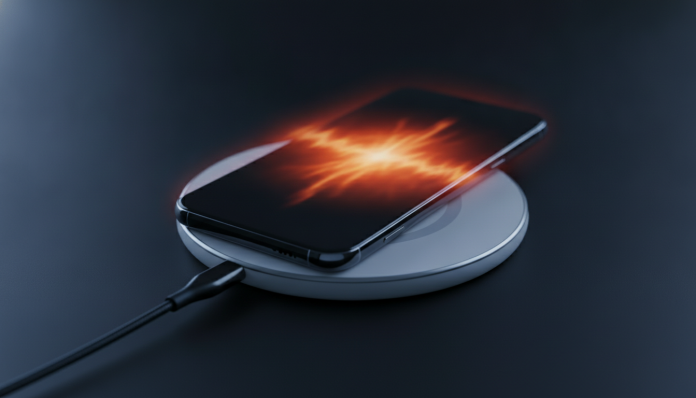

Phone Overheating While Charging: What to Do to Solve It
Does your phone get too hot while charging and you’re not sure if it’s normal or if something is wrong? The short answer is: slight warmth is expected, but intense heat that’s uncomfortable to touch is a sign that something needs investigation.
The charging process involves converting electrical energy into chemical energy inside the battery, and this conversion is never 100% efficient. Some energy is lost as heat. The problem starts when this heat is excessive, which can degrade the battery faster, freeze the device, or in extreme cases cause physical damage to the component. In 2026, with increasingly powerful chargers reaching 100W or more on mid-range devices, the topic has become even more relevant.
This guide will help you identify the cause of overheating and solve the problem step by step, without needing to rush to technical support the first time your phone gets hot.
What is Considered Normal and What is Concerning
First, let’s calibrate expectations. During charging, especially with fast charging technologies, a temperature between 35°C and 40°C on the back of the device is considered within the expected range by most manufacturers. You’ll feel the phone warm to the touch, but you won’t pull your hand away immediately.
The warning sign begins when the phone consistently exceeds 45°C, when it gets hot even with a slow charger, or when the system itself freezes, displays a temperature warning, or automatically stops charging. This self-protection behavior is a safety feature present in major operating systems: both Android and iOS reduce or stop charging when the battery detects overheating risk.
If the device displayed a temperature warning, turned off on its own, or went black while charging, the problem is already affecting functionality. Don’t ignore it.
Most Common Causes of Overheating During Charging
Understanding what causes the problem is half the solution. The causes fall into three categories: inadequate accessory, usage behavior, and internal problems.
Out-of-specification charger or cable is the most frequent cause and also the easiest to fix. Generic chargers, especially cheaper imported ones without certification, may not properly regulate voltage and current. The result is energy being wasted as heat inside the phone’s charging circuit. In Brazil, the attention point is the Anatel homologation seal: every charger sold legally in the country must have this registration. If the charger you use doesn’t have the homologation number printed on the label, it hasn’t passed the safety tests required for the Brazilian market.
Using the phone while it charges is another major culprit. Open applications, especially games, video streaming, or video calls, put the processor to work at the same time the battery receives charge. The heat generated by the processor adds to the charging heat and the temperature spikes. It’s not a myth: it’s basic physics.
Thick protective case or insulating material prevents heat dissipation. The phone needs to release heat from the sides and back. Very thick silicone cases, especially dual-layer ones with padding, function like a “blanket” around the device.
Degraded battery is a less obvious but important cause. A battery that has lost capacity over time has higher internal resistance, which generates more heat during the charge cycle. If your phone is over two or three years old with intensive use, this could be the main factor.
Software problems also cause overheating. An app with abnormal behavior that consumes processor power in the background will heat up the device even without you actively using it.
Step-by-Step Guide to Solve the Problem
Follow in order. Most cases are resolved in the first few steps.
- Replace the charger and cable with an original manufacturer accessory or certified accessory with Anatel homologation. If possible, use the charger that came in the device box.
- Remove the protective case before charging. Test for a few days without it and compare the temperature.
- Don’t use the phone during charging, especially for games or videos. If you need to use it, at least avoid heavy apps.
- Restart the device before connecting to the charger. A clean cycle closes processes stuck in the background.
- Check which apps are consuming excessive battery: on Android, go to Settings > Battery > Battery Usage. On iPhone, go to Settings > Battery. Uninstall or force close applications with abnormal consumption.
- Update the operating system. Manufacturers release fixes that optimize power management and can fix bugs that cause overheating.
- Charge in a cool environment. Avoid leaving the phone on surfaces that retain heat, like pillows, sofas, or direct sunlight. Use a hard, flat surface.
- Test with another certified charger to isolate whether the problem is with the accessory or the device.
- Check battery health: on iPhone, go to Settings > Battery > Battery Health. On Android, some manufacturers like Samsung and Xiaomi include this information in battery settings; in other cases, apps like AccuBattery (available on Play Store) show capacity estimates.
- If none of the previous steps solve it, take the device to authorized technical support. It could be a problem with the charging circuit or battery, requiring professional repair.
When the Situation Requires Technical Support
Some situations don’t have home solutions. If the phone overheats even with the original charger, without a case, without simultaneous use, and with an updated system, the problem is internal. Faulty battery management circuit, swollen battery (you’ll notice if the back of the device is slightly lifted or if the screen starts to separate from the body), or damage to the charging connector are problems that need professional attention.
In Brazil, devices purchased in the national retail have legal warranty of 90 days for non-durable products and at least 1 year for durable products, such as smartphones, according to the Consumer Protection Code. Many manufacturers offer 1 year warranty beyond that. Check if your device is still covered before paying for a repair.
An important point for those who imported the device: phones purchased abroad and without Anatel homologation may have warranty denied by authorized support in Brazil. Always check this detail before importing.
Preventive Measures to Avoid the Problem Again
After solving the overheating, some habits help keep the device healthy for longer.
- Avoid charging your phone to 100% every day. Keeping the battery between 20% and 80% extends the component’s lifespan, according to guidelines from major manufacturers.
- Use smart overnight charging, a feature available on iOS and recent Android versions, which learns your routine and holds charge at 80% until shortly before you wake up.
- Prefer chargers with protocol certification compatible with your device. Using a 65W charger on a device that supports a maximum of 25W won’t damage the phone immediately (the device itself limits energy input), but with non-certified accessories there’s a risk of control failure.
- Replace degraded batteries. If battery health is below 80%, considering replacement is a good idea for both performance and safety.
Like other devices that depend on good connectivity and power management, such as bluetooth headphones not connecting to notebook, the overheating problem almost always has an identifiable cause and a straightforward solution when you follow the diagnosis in the correct order.
Frequently Asked Questions About Phone Overheating While Charging
Is it Dangerous to Use the Phone While It’s Charging and Hot?
Yes, there is risk. The combined heat from processor use and charging can accelerate battery degradation and, in rare cases with already damaged batteries, increase the risk of swelling. The recommendation is to avoid intensive use during charging, especially in warm environments.
Can a Charger From Another Device Cause Overheating?
It can, depending on the protocol. Chargers with power much above or below what’s specified for your device, or that use incompatible protocols, can cause inefficient charging and more heat. Always prefer the original charger or a certified one compatible with your phone’s protocol.
Does Phone Overheating Damage the Battery?
Yes, over time. Excessive heat is one of the main factors in lithium-ion battery degradation, the type used in all modern smartphones. Frequent episodes of overheating reduce maximum battery capacity faster than normal use.
Do Phone Cooling Apps Work?
Not the way they promise. Apps that claim to “cool” the processor basically close background processes, something you can do manually in system settings. They have no control over the physical temperature of the hardware and some consume more resources than they save.
The Problem Has a Solution, But Requires the Right Diagnosis
Phone overheating while charging is one of the most reported problems by users, and also one of the most misdiagnosed. Most people replace the device or go straight to support without first testing the charger, removing the case, or checking applications. In most cases, one of these actions solves it.
If you’ve followed all the steps in this guide and the problem persists, then it’s time to seek authorized technical support, preferably still within the warranty period. Taking the device with a history of the problem described, including when it started and what has already been tested, speeds up the technician’s diagnosis and prevents you from paying for a diagnosis you’ve already done yourself.