

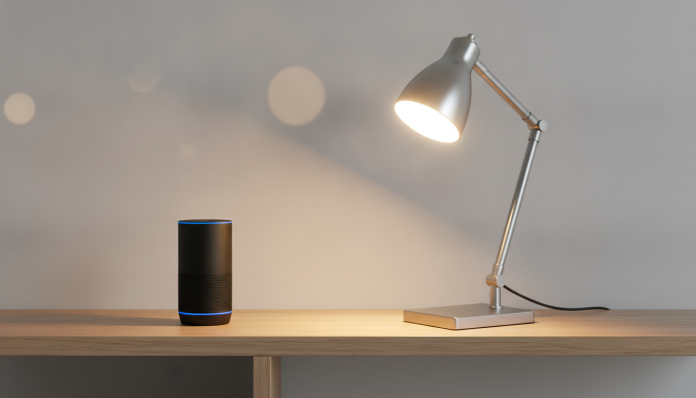

Positivo Smart Bulb: Real Alexa Compatibility and What You Need to Know Before Buying
Positivo Casa Inteligente has become one of the most searched names for those who want to set up a connected home without spending too much. The smart lamps in the line are sold in physical stores and e-commerce across Brazil, have affordable prices and promise integration with the main voice assistants on the market. The question that appears most often in technology forums and groups is direct: does the Positivo smart bulb work with Alexa?
The short answer is yes, it works. But there’s a right way to get there, and some details that make a difference in daily use. If you just plug in the lamp and say “Alexa, turn on the light,” it won’t work. The integration depends on configuration via app and, depending on the model, on the communication protocol used. This article explains how it works, what you need to have at home, and how to avoid the most common mistakes.
Technical specifications of the main Positivo Smart Lamp models
The specifications below are based on public information disclosed by Positivo Tecnologia and technical datasheets available on the brand’s official website. Always check the packaging of the specific model you’re going to buy, as the line has variations.
| Specification | Smart Wi-Fi Bulb | Smart Wi-Fi Dichroic |
|---|---|---|
| Power | 10 W | 5 W |
| Incandescent equivalence | ~60 W | ~35 W |
| Light color | Adjustable white + RGB | Warm or cold white |
| Color temperature | 2700 K to 6500 K | Check packaging |
| Connectivity | Wi-Fi 2.4 GHz | Wi-Fi 2.4 GHz |
| Protocol | Tuya Smart / SmartLife | Tuya Smart / SmartLife |
| Declared compatibility | Alexa, Google Assistant | Alexa, Google Assistant |
| Anatel approval | Yes | Yes |
| Voltage | Dual voltage (100–240 V) | Dual voltage (100–240 V) |
| Warranty in Brazil | 1 year | 1 year |
| Approximate price range | R$ 60 to R$ 90 | R$ 50 to R$ 80 |
Prices vary widely depending on the retailer and promotions. The values above are a reference for 2026; check Mercado Livre, Magazine Luiza, Amazon Brazil and specialized stores for current pricing.
How Alexa integration works in practice
The Positivo lamp uses the Tuya Smart platform behind the scenes, which is a cloud infrastructure used by dozens of smart device brands around the world. Think of Tuya as an “invisible operating system” that runs inside the lamp and allows it to communicate with other services.
Amazon’s Alexa has native integration with Tuya via the Alexa app and the SmartLife skill. This means you don’t need any extra physical hub (that intermediary device that some older brands require). Everything works directly over the cloud: the lamp talks to Tuya servers, which communicate with Amazon servers.
The point of attention here is the Wi-Fi network. The lamp only connects to 2.4 GHz networks. If your router mixes 2.4 GHz and 5 GHz with the same network name (the famous band steering), it may be necessary to manually separate the bands during setup. Once the lamp is paired, it works normally, but the setup moment is critical.
Step by step: how to connect the Positivo lamp to Alexa
Before you start, you need three things: the lamp installed in the socket and turned on, the smartphone with the SmartLife app (available on the App Store and Google Play) and the Amazon Alexa app installed and logged in to the same account you use on Echo or Fire TV. The Wi-Fi network needs to be 2.4 GHz.
- Install the lamp in the socket and turn on the light switch.
- Open the SmartLife app on your phone and create an account or log in.
- Tap “Add device” and select “Lighting” from the category list.
- The app will ask you to confirm that the lamp is blinking rapidly (pairing mode). If not, turn the switch on and off three times in a row until the lamp starts blinking.
- Enter your 2.4 GHz Wi-Fi network name and password and wait for pairing.
- Give the lamp a simple name, such as “Living room” or “Bedroom,” because that’s the name you’ll speak to Alexa.
- Open the Amazon Alexa app, go to “More” > “Skills and Games” and search for SmartLife.
- Enable the SmartLife skill and log in with the same account from the SmartLife app.
- Alexa will automatically discover the linked devices. If it doesn’t, say “Alexa, discover devices” or tap “Discover devices” in the app.
- Done. Say “Alexa, turn on the living room” and the lamp should respond.
If you want to organize better, create groups in Alexa (for example, “Living room”) and add the lamp to that group. This way you control multiple lamps at once with a single command.
What you can control by voice with Alexa
On models with adjustable RGB and color temperature, voice control goes beyond turning on and off. You can ask Alexa to change the color (“Alexa, change the living room light to blue”), adjust brightness (“Alexa, dim the bedroom light to 30%”) and switch between warm and cool tones.
On fixed-color models (warm white only or cool white only), control is limited to turning on, off, and adjusting intensity. Check the packaging for the specifications of the model you’re buying, because the functionality difference is real and impacts your experience.
Alexa routines also work well with these lamps. You can create a routine that turns on the bedroom lamp at 20% brightness when the alarm goes off in the morning, or turns everything off when you say “Alexa, good night.” This integration with routines is one of the strengths of the Positivo + Alexa combination.
Limitations and points of attention
Cloud dependency is the biggest point of attention. If the Tuya server goes down (which has happened a few times historically with platforms of this type) or if your internet goes out, you lose remote and voice control. The physical control via the light switch always works, but the intelligence disappears temporarily.
Another point: the latency (the time between the command and the lamp’s response) can vary. Under normal Wi-Fi and stable internet conditions, response time is usually 1 to 2 seconds, which is acceptable. On congested networks or with weak signal, this time increases and the experience becomes frustrating.
The 1-year warranty covers manufacturing defects, but does not include compatibility issues with Alexa or SmartLife firmware updates. As the integration depends on third-party software, possible compatibility breaks may require app updates or reconfiguration, something any smart home user needs to be willing to do.
Alternatives available in Brazil
If Positivo doesn’t convince you, the Brazilian market has other options in the same price range or slightly above. See a quick comparison:
| Brand/Model | Protocol | Alexa | Apple Home | Price range | |
|---|---|---|---|---|---|
| Positivo Smart Bulb | Tuya/Wi-Fi | Yes | Yes | No | R$ 60 to R$ 90 |
| Multilaser Smart Lamp | Tuya/Wi-Fi | Yes | Yes | No | R$ 55 to R$ 85 |
| Intelbras izy Wi-Fi | Tuya/Wi-Fi | Yes | Yes | No | R$ 70 to R$ 100 |
| Philips Hue (imported) | Zigbee + hub | Yes | Yes | Yes | R$ 200 to R$ 400+ |
| Wyze Bulb Color (imported) | Wi-Fi | Yes | Yes | No | Varies with import |
Philips Hue uses Zigbee, a radio frequency protocol different from Wi-Fi, which requires its own hub but offers faster response, less internet dependence, and Apple HomeKit compatibility. For those who build an Apple ecosystem, it’s practically the only choice with native support in Brazil, but the cost is much higher.
Multilaser and Intelbras are direct competitors of Positivo, run on the same Tuya platform and have very similar user experience. The choice between them usually comes down to price and availability in your city. If you already have other devices from any of these brands in the SmartLife app, you can manage everything in the same account, which is a practical advantage.
Frequently asked questions about Positivo lamp and Alexa
Do I need an Echo to use the lamp with Alexa?
Yes, you need a device with Alexa built in for voice control, such as any Echo model (Dot, Pop, Show) or devices with Alexa built in, like Fire TV Stick. If the goal is just to control it via the SmartLife app on your phone, you don’t need anything beyond the lamp and smartphone.
Does the Positivo lamp work with Alexa without internet?
No. Alexa integration depends on connection to the Tuya and Amazon cloud. Without internet, voice control and remote app control become unavailable. Physical control via the light switch continues to work normally.
Is it possible to use the Positivo lamp with Apple HomeKit?
Not natively. The Positivo Casa Inteligente line has no declared support for HomeKit (Apple’s smart home system). Advanced users report on forums like Reddit and Tableless that it’s possible to integrate via Homebridge, which is intermediary software, but this requires technical knowledge and a server always on at home.
Does the Positivo lamp have Anatel approval?
Yes. The models in the Positivo Casa Inteligente line sold officially in Brazil go through Anatel approval, which is Brazil’s telecommunications regulatory body. This guarantees that the device is within the electromagnetic interference standards required in the country. Check the approval number on the packaging or on the Anatel website.
Who should buy and who should wait
The Positivo lamp with Alexa is a good entry point to home automation in Brazil. The price is competitive, Anatel approval is in order, the 1-year warranty is the same you find in imported brands, and setup, while requiring a few minutes of attention, is accessible to those comfortable with smartphones.
Recommended for: anyone who wants to start a smart home with controlled budget, already uses Alexa or Google Assistant, and has no interest in Apple HomeKit. It works well for apartments and houses with stable 2.4 GHz Wi-Fi.
Not the best choice for: iPhone users who want integration with Apple’s Home app, those who have many Zigbee devices at home, or those who need automation that works without internet.
Price range: R$ 55 to R$ 100, depending on the model and retailer. Check Positivo’s official website and major Brazilian e-commerce sites for updated pricing.
If you’re building a more complete home environment and thinking about other gadgets beyond lamps, like microphones for home office or podcasting, the beginner USB microphone guide for podcasting 2026 can help you complete your setup without mistakes. The logic of researching specifications before buying applies to any category of technology.