

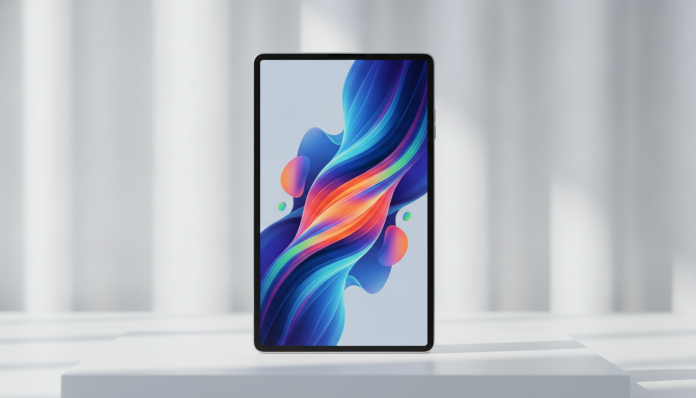

The Redmi Pad 2 arrived on the market positioned as one of Xiaomi’s most aggressive bets in the entry and mid-range tablet segment. With specifications that promise to deliver more than the price suggests, it quickly became a hot topic among Brazilians looking for a tablet for content consumption, studies, or light work, without paying what Apple or Samsung usually charge. But does this promise hold up in practice?
The short answer is: it depends on what you expect. The Redmi Pad 2 is a solid choice for those who need a large screen with good battery life and don’t want to spend more than necessary. It won’t replace a premium tablet for creative tasks or heavy games, but it covers the daily routine well for those who consume video, read documents, and use social media. The problem, as always with Xiaomi devices in Brazil, is finding it with adequate warranty and fair price.
This review brings together information based on the official technical sheet and public data released by the manufacturer. We do not claim to have tested the device in laboratory conditions, but we have organized everything you need to know to make a safe purchase decision.
Redmi Pad 2 Technical Specifications
| Specification | Detail |
|---|---|
| Screen | LCD IPS, 11 inches, Full HD+ resolution (2000 x 1200 px) |
| Refresh Rate | 90 Hz |
| Processor | Qualcomm Snapdragon 7s Gen 3 (to confirm according to variant) |
| RAM | 4 GB, 6 GB or 8 GB (depending on version) |
| Storage | 128 GB or 256 GB (expandable via microSD) |
| Battery | 8,000 mAh |
| Charging | 18 W wired |
| Operating System | HyperOS (based on Android) |
| Rear Camera | 8 MP |
| Front Camera | 8 MP with wide angle |
| Connectivity | Wi-Fi 6, Bluetooth 5.3, USB-C |
| Audio | Four speakers with Dolby Atmos |
| Weight | Approximately 490 g (check variant) |
| Anatel Certification | Verify before importing |
Attention: the Redmi Pad 2 did not have an official launch confirmed in Brazil until the publication of this article. Always check with the seller’s technical sheet if the model has Anatel certification, which is the mandatory certification for legal use in the country. Without it, the device may be held at customs or warranty coverage may be denied.
90 Hz Screen: Delivers What It Promises for Daily Use
Eleven inches is a generous size for a tablet competing in this price range. The LCD IPS screen delivers good color coverage and wide viewing angle, characteristics that make the experience of watching series or video lessons much more pleasant than on lower quality panels.
The 90 Hz refresh rate deserves attention. This number indicates how many times per second the image is redrawn on the screen. Think of it this way: a regular tablet runs at 60 Hz, which means the image “flickers” 60 times per second. At 90 Hz, scrolling pages and menus becomes noticeably smoother, which reduces eye fatigue during long reading or browsing sessions.
Maximum brightness and behavior under direct sunlight are points that Xiaomi does not detail accurately in public materials. If you use the tablet a lot in outdoor environments, verify this data with someone who has already purchased one or access specialized forums like XDA Developers, which usually has detailed user reviews.
Performance: Sufficient for Those Who Don’t Play Heavy Titles
The Snapdragon 7s Gen 3 processor (verify the exact variant of your model) is a high-mid-range Qualcomm chip, manufactured on a 4 nm process. In practical terms, this means better power efficiency than chips from previous generations and the ability to run most daily applications with fluidity.
For tasks like editing presentations in Google Slides, making video calls on Teams, using Notion, or watching streaming content, the Redmi Pad 2 should not present visible stuttering, according to Xiaomi’s official positioning for this chip. Where you’ll feel limitation is in graphically demanding games like Genshin Impact at maximum quality, or in video editing with multiple layers.
MicroSD expansion is a relevant differentiator. Tablets from Apple, for example, do not allow adding external storage. If you want to carry movies or files without relying on the cloud, this option makes a real difference in everyday use.
HyperOS, Xiaomi’s system that replaced MIUI starting in 2024, brings a cleaner interface and better integration between devices in the brand’s ecosystem. The experience varies greatly depending on the software version available in your country, so keep an eye on updates as soon as the device is in your hands.
Battery and Autonomy: The Device’s Strong Point
Eight thousand mAh is an expressive battery capacity for an 11-inch tablet. According to the manufacturer, the device delivers autonomy for extended use without needing a daily recharge in moderate usage patterns, something that makes a difference if you use the tablet to study throughout the day or on trips.
18 W charging is the weak point of the equation. For a battery of this capacity, 18 W means a charging time that can exceed two hours depending on discharge level. Other tablets in the same price range already offer 33 W or even 45 W of fast charging. It’s not a serious problem, but it’s something to consider if you’re in the habit of using the tablet while charging.
There is no wireless charging, which is expected in this price category. Make sure the charger included in the box is compatible with Brazilian electrical voltage (100-240 V), especially if you import the device from abroad.
Software and Cameras: What to Expect Without Exaggeration
HyperOS offers reasonable support for multi-window mode, which allows working with two applications side by side on the 11-inch screen. This feature is more useful than it sounds: you can have YouTube open on one side while you take notes in a text editor on the other, for example.
The 8 MP rear and front cameras are functional, not exceptional. The wide-angle front camera is the real highlight, as it facilitates group video calls without needing to position the tablet with precision. For registering documents or making video conferences, it does the job. For quality photography, you’ll continue using your phone.
The presence of four speakers with Dolby Atmos is a differentiator worth highlighting. On tablets in this range, it’s common to find two mediocre speakers. Four speakers positioned at the corners create a wider sound field, which greatly improves the experience when watching movies without headphones.
Buying in Brazil: Import, Anatel, and Warranty
This is the most important chapter for Brazilian consumers. As of the publication date of this article, the Redmi Pad 2 does not have an official launch confirmed in Brazil, which means that most units available on the national market come through parallel import, either via sites like AliExpress, Shopee, or resellers on Mercado Livre.
Buying through parallel import carries concrete risks: without Anatel certification, the device may be held at customs. Without official Xiaomi Brazil warranty, any hardware issues need to be resolved on your own or through independent technical services. The Brazilian Consumer Protection Code guarantees 90 days of warranty on products purchased in the country, but practical coverage depends on where you bought it.
The price range revolves around R$ 1,400 to R$ 2,000 depending on the RAM and storage configuration and the sales channel. The launch price in the US is around US$ 250 to US$ 300 for intermediate versions, but direct conversion rarely reflects the final price in Brazil because of taxes and retailer margins. Always confirm the updated price at the time of purchase.
If you’re looking for simplicity and want to expand your Xiaomi gadget ecosystem, it’s also worth checking the Xiaomi Smart Band 10 review to understand how the brand positions itself in other segments in Brazil.
Pros and Cons
Pros:
- Large 11-inch screen with 90 Hz at a competitive price
- 8,000 mAh battery with good declared autonomy
- Four speakers with Dolby Atmos, a real differentiator in this range
- Storage expansion via microSD
- Wide-angle front camera, great for video calls
- HyperOS with multi-window mode support
Cons:
- Charging of only 18 W for a large battery
- Absence of official launch in Brazil (no Xiaomi Brazil warranty)
- Risk of customs retention without confirmed Anatel certification
- Mediocre cameras for those expecting more than basic
- Limited performance in demanding games and video editing
- LCD screen, without the contrast and vivid colors of an OLED panel
Competitors and Alternatives in Brazil
| Model | Screen | Processor | RAM/Storage | Approximate Price (BR) | Availability |
|---|---|---|---|---|---|
| Redmi Pad 2 | 11″ LCD 90 Hz | Snapdragon 7s Gen 3 | 4/6/8 GB + 128/256 GB | R$ 1,400 to R$ 2,000 | Parallel import |
| Samsung Galaxy Tab A9+ | 11″ LCD 90 Hz | Snapdragon 695 | 4/8 GB + 64/128 GB | R$ 1,500 to R$ 2,200 | Official sale in Brazil |
| Xiaomi Pad 7 | 11.2″ LCD 144 Hz | Snapdragon 7+ Gen 3 | 8/12 GB + 128/256 GB | R$ 2,000 to R$ 2,800 | Parallel import |
| Lenovo Tab P11 Pro Gen 2 | 11.2″ OLED | MediaTek Kompanio 1300T | 6/8 GB + 128/256 GB | R$ 1,800 to R$ 2,500 | Limited availability |
| Apple iPad 10th generation | 10.9″ LCD | Apple A14 Bionic | 4 GB + 64/256 GB | R$ 3,500 to R$ 4,500 | Official sale in Brazil |
The Samsung Galaxy Tab A9+ is the most direct competitor with official sales in Brazil, which greatly simplifies things in terms of warranty and support. The Xiaomi Pad 7 delivers more performance and a screen with a higher refresh rate (144 Hz), but costs more. If you can stretch your budget, it makes more sense in the long run.
For those evaluating other types of technology equipment and cost-benefit in 2026, the article PS5 Pro vs PC Gamer: Which One Has Better Cost-Benefit shows how to think about technology purchases considering the ecosystem and usage profile, not just the price at the moment of purchase.
Frequently Asked Questions about the Redmi Pad 2
Does the Redmi Pad 2 have warranty in Brazil?
There is no confirmed official launch in Brazil, so warranty depends on the sales channel. Resellers on Mercado Livre and similar platforms usually offer their own 3 to 12-month warranty, but Xiaomi Brazil coverage does not apply. Before buying, explicitly ask the seller how technical assistance works in case of defects.
Can I use the Redmi Pad 2 with a cell phone chip?
There are Wi-Fi only versions and versions with LTE connectivity (mobile data via chip). Confirm with the seller which version is being sold, as models may vary by region. For use only at home or work with Wi-Fi, the Wi-Fi only version is sufficient and usually cheaper.
Does the Redmi Pad 2 support stylus pen?
According to official materials released by Xiaomi, the Redmi Pad 2 is compatible with the second-generation Xiaomi Smart Pen, sold separately. The pen allows writing and drawing directly on the screen, but is not included in the box and represents a relevant additional cost.
Is it better to buy the Redmi Pad 2 or the Samsung Galaxy Tab A9+?
If priority is warranty and support within the country, the Galaxy Tab A9+ has an advantage due to official sales in Brazil. If you prioritize specifications for the price and accept the import risk, the Redmi Pad 2 may offer more for an equivalent value. Compare available configurations at the time of your purchase, as prices and inventory change frequently.
Is the Redmi Pad 2 Worth It?
The Redmi Pad 2 is a well-built tablet for the segment it competes in. The combination of a large screen with 90 Hz, generous battery, and four speakers puts it above most competitors in the same price range. The HyperOS software has evolved greatly compared to MIUI and makes everyday use more pleasant.
The real problem for Brazilian consumers is not in the hardware: it’s in the lack of official launch. Buying without Anatel certification and without Xiaomi Brazil warranty is a risk that not everyone is willing to accept. If you have import experience and know how to act in case of problems, the product is worth the investment. If you prefer security, the Galaxy Tab A9+ is the most sensible alternative in the same budget.
Recommended for: those who need a tablet for content consumption, studies and light work, have experience with imports, accept warranty risks, and want to maximize specifications for the amount invested.
Price range: R$ 1,400 to R$ 2,000 through parallel import channels, depending on configuration and purchase timing. Always confirm the updated price before placing your order.