

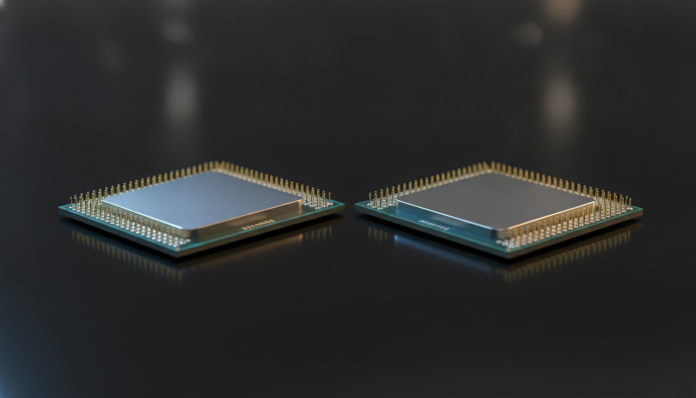

What separates two processors that look similar on paper, but perform very differently in practice
The Ryzen 7 9700X and the Core Ultra 7 compete in a similar price range, target the same audience, and appear together in any list of best desktop processors in 2026. But choosing wrong here costs you: beyond the chip itself, you still need to consider the motherboard, compatible RAM, and in Brazil, the cost of importing or the reseller’s margin. The short answer: if you prioritize energy efficiency and high-resolution gaming, the Ryzen 7 9700X has a clear advantage. If your usage leans toward AI workloads, content creation with NPU acceleration (Neural Processing Unit, the specialized AI chip within the processor), and Intel ecosystem integration, the Core Ultra 7 deserves real consideration.
Before diving into details, it’s worth setting the context. The Ryzen 7 9700X is part of AMD’s Zen 5 generation, launched in 2024, while the Core Ultra 7 belongs to Intel’s Arrow Lake lineup, also from 2024. In 2026, both are still among the best-selling processors in the mid-to-high range for desktops, both in the American market and in Brazilian stores that work with imports or domestically invoiced products.
Comparative specifications
| Specification | Ryzen 7 9700X | Core Ultra 7 265K |
|---|---|---|
| Architecture | Zen 5 | Arrow Lake (Lion Cove + Skymont) |
| Cores / Threads | 8 cores / 16 threads | 20 cores / 20 threads (8P + 12E) |
| Base / Boost Frequency | 3.8 GHz / up to 5.5 GHz | 3.9 GHz / up to 5.5 GHz |
| L3 Cache | 32 MB | 36 MB |
| TDP (nominal power) | 65 W | 125 W |
| RAM support | DDR5 (up to 5600 MT/s official) | DDR5 and DDR4 |
| Integrated NPU | No | Yes (Intel AI Boost) |
| Integrated Graphics | No | Yes (Intel Graphics) |
| Socket | AM5 | LGA1851 |
| Launch price (USA) | US$ 359 | US$ 394 |
| Approximate price range in Brazil* | R$ 2,200 to R$ 2,800 | R$ 2,400 to R$ 3,100 |
*Prices vary by store, exchange rate, and taxes. Check major Brazilian e-commerce sites before purchasing.
Gaming performance: when fewer cores isn’t a problem
One of the surprises of the Zen 5 generation is that the Ryzen 7 9700X delivers very competitive gaming performance even with just 8 physical cores. Zen 5 architecture brought significant improvements in IPC (instructions per clock, meaning how much the processor can do in each cycle), and AMD positioned the 9700X as a chip optimized for efficiency without sacrificing high frequencies.
The Core Ultra 7 265K has more cores overall, but the split between performance cores (P-cores) and efficiency cores (E-cores, smaller and more economical) may not directly benefit games that haven’t yet been optimized for this hybrid architecture. According to Intel, the Windows 11 scheduler was designed to work well with this split, but in practice the gain depends heavily on the game title.
For those gaming at 1080p or 1440p with a high-end GPU, both processors deliver very similar results. The difference starts to appear in mixed-use scenarios, like gaming with active streaming on a second monitor and Discord open, where the Core Ultra 7’s core count can provide more headroom.
Content creation and productivity with multiple cores
Here the scenario changes. The Core Ultra 7 265K has an advantage in workloads that scale well with more cores, such as 3D application rendering, video export in DaVinci Resolve or Adobe Premiere, code compilation, and virtualization. Twenty cores against eight make a real difference when the software knows how to use them.
The presence of the Intel AI Boost NPU is a growing differentiator in 2026. With more AI tools being integrated into professional software, like Adobe Firefly, Photoshop features, and Windows 11 resources that require Copilot+ certification, having a dedicated chip for these tasks can ease the load on the main processor and GPU. The Ryzen 7 9700X doesn’t bring an integrated NPU, which doesn’t make it obsolete, but it means these accelerations will depend on your graphics card or simply won’t be available.
For amateur or professional video editors working with up to 4K resolutions and exporting frequently, the Core Ultra 7 delivers a faster workflow according to Intel’s official specifications for multithread workloads.
Power consumption and temperature: the silent advantage of the 9700X
The 65 W TDP of the Ryzen 7 9700X is one of the most relevant numbers in this comparison for those building compact PCs, using low-profile coolers, or simply wanting a quiet machine. A more economical processor generates less heat, meaning you can use a cheaper and more discreet cooler without compromising stability.
The Core Ultra 7 265K has a nominal TDP of 125 W, but in maximum performance mode (MTP, Maximum Turbo Power), consumption can be considerably higher according to Intel’s specifications. This requires a robust motherboard with good power delivery and a cooler compatible with this level of heat dissipation. For compact builds or systems that need to run for long periods, this point weighs heavily.
Those building a workstation that will run for hours at a time will feel the difference in their electricity bill over time. The Ryzen 7 9700X, according to AMD, was designed exactly for this profile: high performance with energy efficiency as a design priority.
Platform and total build cost
Buying a processor alone is only half the decision. The platform matters as much as the chip itself.
For the Ryzen 7 9700X:
- AM5 socket, with AMD confirming support until at least 2027
- B650 and X670 motherboards are the most common options, with prices starting from R$ 900 in Brazil
- Requires DDR5 exclusively
- No integrated GPU: you need a dedicated graphics card or you’ll have no video output
For the Core Ultra 7 265K:
- LGA1851 socket, exclusive to the Arrow Lake line
- Z890 motherboards are the main partners
- Supports DDR5 and DDR4, which can reduce costs if you already have old DDR4 memories
- Intel Graphics integrated GPU present, useful for diagnostics or casual use without a dedicated graphics card
In Brazil, the availability of both platforms in physical stores is still limited outside major cities. Self-importing requires attention: products without domestic invoices may have restricted warranty, and Anatel doesn’t certify processors the way it certifies communication devices, but the invoice is essential to claim warranty with the importer or retailer. Check that the reseller offers at least 12 months local warranty.
Which one to choose based on your profile
This is the question that really matters, and the answer depends less on benchmarks and more on how you’ll use the computer.
Choose the Ryzen 7 9700X if:
- You prioritize gaming and want energy efficiency
- You’re building a compact PC or using a low-profile cooler
- You don’t plan to use NPU-accelerated AI resources in the near term
- You want an AM5 platform with prospects for future processor upgrades
Choose the Core Ultra 7 265K if:
- You edit video, render, or compile code frequently
- You want NPU acceleration for AI tools in Windows 11 and Adobe
- You prefer having an integrated GPU as backup or for casual use
- You already own DDR4 memories and want to take advantage of Intel platform support
For most Brazilian gamers looking for a robust processor without spending on top-tier motherboards, the Ryzen 7 9700X offers the best value for money of the two. For those working with content creation as their main activity, the Core Ultra 7 justifies the slightly larger investment.
Frequently asked questions about Ryzen 7 9700X and Core Ultra 7
Does the Ryzen 7 9700X work with DDR4 memory?
No. AMD’s AM5 socket works exclusively with DDR5. If you still use DDR4 memories, you’ll need to buy a new kit, which raises the total build cost. Check the minimum speed recommended by AMD in the official specifications before choosing your memory kit.
Does the Core Ultra 7 265K need special cooling?
With a 125 W TDP and maximum turbo power above that, a mid-size air cooler or a 240 mm liquid cooler is recommended for prolonged use under high load. Basic case coolers are not recommended for this processor.
Can I buy these processors with warranty in Brazil?
Yes, but it depends on the purchase channel. Authorized retailers and major Brazilian e-commerce sites usually offer 12 months warranty. Direct imports from international sites may not have local coverage. Always keep your receipt.
Is the Ryzen 7 9700X compatible with AM4 motherboards?
No. The 9700X uses the AM5 socket, which is physically different from AM4. Old boards from the Ryzen 3000 and 5000 generation are not compatible. If you have an AM4 build and want to upgrade without replacing everything, consider a previous-generation Ryzen 5000.
Price range and where to find in Brazil
Both processors are found in stores like Pichau, KaBuM, Terabyte, and authorized resellers. Watch for end-of-year promotions and dates like Black Friday, when prices usually drop significantly in this category.
The Ryzen 7 9700X ranges between R$ 2,200 and R$ 2,800 depending on the store and current exchange rates. The Core Ultra 7 265K falls between R$ 2,400 and R$ 3,100, since the Z890 platform also tends to have slightly more expensive motherboards. These values don’t include cooler, motherboard, or memory: calculate your total build cost before making your final decision.
If you’re building a complete setup and haven’t yet decided on peripherals, a good pair of headphones for home office can be your next step after finalizing the main hardware. Building a PC well-balanced for work and leisure is a process that goes beyond the processor.