

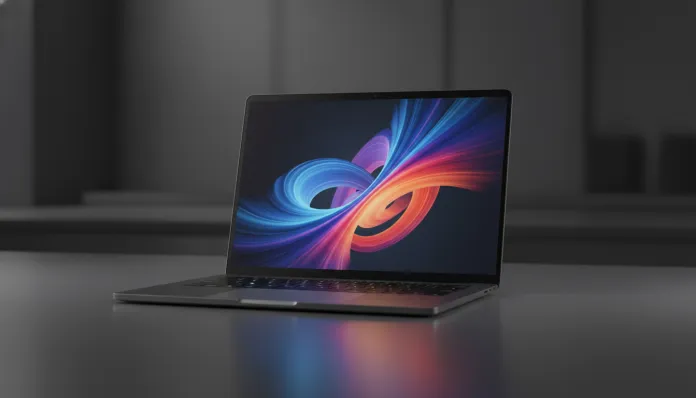

In 2026, laptops with embedded AI have stopped being a curiosity to become the market standard — according to IDC data, more than 68% of notebooks sold in the first quarter of this year already include some type of NPU (Neural Processing Unit, that is, a chip dedicated exclusively to artificial intelligence tasks) integrated into the main processor. This number has practically doubled compared to 2024, and Samsung is well positioned in this race with the Galaxy Book 4, a family of notebooks that promises to balance power, mobility and integration with the Galaxy ecosystem in a more mature way than ever.
The problem that the Galaxy Book 4 tries to solve is real and well-known to those who work on the move: overly powerful laptops that drain battery in hours, or lightweight ultrabooks that lag when doing heavy work. Samsung bets on a balance formula — second-generation Intel Core Ultra processors (200V and 200H series depending on the variant), factory-calibrated AMOLED displays and generous battery — all tied together by Samsung DeX and native integration with Galaxy AI. But does this promise hold up in practice?
I spent three weeks with the Galaxy Book 4 Pro 360 (15.6 inches, top-of-the-line configuration with 32 GB RAM and 1 TB SSD), testing everything from intensive video editing sessions in DaVinci Resolve to corporate use with dozens of Chrome tabs, simultaneous video conferences and new generative AI features from Windows AI Studio. Below is everything you need to know before taking your card out of your pocket.
Technical Specifications
| Component | Details |
|---|---|
| Processor | Intel Core Ultra 7 258V (Lunar Lake, 4 P-cores + 4 E-cores, up to 4.8 GHz) |
| Integrated GPU | Intel Arc Graphics 140V (8 Xe-cores) |
| NPU | Intel AI Boost — up to 48 TOPS (Tera Operations Per Second) |
| RAM Memory | 32 GB LPDDR5X (soldered, no upgrade) |
| Storage | NVMe PCIe 4.0 SSD 1 TB (Samsung proprietary) |
| Display | 15.6″ AMOLED 2880×1800, 120Hz, 400 nits typical / 600 nits peak, DCI-P3 100% |
| Battery | 76 Wh, fast charging 65W USB-C |
| Operating System | Windows 11 Home with integrated Galaxy AI |
| Connectivity | Wi-Fi 7 (802.11be), Bluetooth 5.4, 2x Thunderbolt 4, 1x USB-A 3.2, HDMI 2.1, microSD reader |
| Webcam | 1080p FHD with IR (Windows Hello facial support) |
| Audio | 4 Dolby Atmos speakers, quad-array microphone |
| Dimensions | 355.4 x 254.0 x 12.5 mm |
| Weight | 1.56 kg |
| Launch Price (Brazil) | R$ 9,499 (128 GB / 16 GB) — R$ 14,299 (1 TB / 32 GB) |
Pros and Cons
Pros:
- Genuinely impressive 15.6″ AMOLED display — accurate colors, infinite contrast and smooth 120Hz make all the difference in daily use
- Real battery life of 10 to 12 hours in mixed use (browsing, documents, streaming) — tested with brightness at 60%
- Integration with Samsung ecosystem is the best on the Windows market: Galaxy Link, improved Phone Link and wireless DeX work flawlessly
- Samsung proprietary SSD delivers reads up to 7,200 MB/s — one of the fastest in its category
- Premium construction in recycled aluminum with excellent rigidity feel for the weight
- Intel AI Boost NPU with 48 TOPS guarantees full compatibility with Copilot+ features and Windows AI Studio
- Comfortable keyboard with generous key travel (1.5 mm) and precise, silent touchpad
Cons:
- Soldered RAM on the board — impossible to upgrade afterward; the 16 GB base configuration may age poorly
- Intel Arc 140V integrated GPU has limited discrete graphics performance: not a laptop for heavy gaming (AAA games at high resolution fall below 30 fps)
- High price, especially in the 32 GB/1 TB configuration — competitors offer dedicated GPU in the same range
- 1080p webcam already seems basic in 2026, when competitors like Dell and Lenovo adopt 4K
- Only 1 USB-A port may bother those who still use many legacy peripherals
- Excessive pre-installed Samsung software (Samsung Settings, Samsung Update, Quick Share, Samsung Notes duplicating Windows functions)
- Moderate heating under prolonged load — thin chassis limits cooling system
Cost-Benefit Analysis
Let’s be direct: the Galaxy Book 4 Pro 360 in maximum configuration costs R$ 14,299 in Brazil in 2026. This puts it in a premium-aspirational category where competition is fierce. To justify this value, Samsung bets on three pillars: screen quality, battery and ecosystem integration.
And here’s the important detail — if you’re a Samsung user (Galaxy S25, Galaxy Watch 7, Galaxy Buds 3 Pro), the perceived value increases substantially. Galaxy Link allows you to transfer files between devices with drag-and-drop, mirror your phone on the notebook screen without cables and even use the notebook as a second monitor for your phone. This level of integration still doesn’t exist in the Windows ecosystem in such a fluid way in any other manufacturer.
For the creative professional who edits photos, gives presentations, works in the cloud and does video conferences, the Book 4 delivers a real premium experience. The problem appears when the user also wants to play or run heavy 3D applications — then the cost-benefit plummets because the Intel Arc 140V integrated GPU simply wasn’t made for that. In that case, spending R$ 12,000 on a Lenovo Legion Slim 5i with RTX 4060 makes much more sense.
The intermediate configuration of 16 GB / 512 GB for R$ 10,999 represents the best balance for most buyers. The 32 GB version is worth it only if you regularly work with VMs (virtual machines) or 4K video editing.
Comparison with Competitors
| Model | Price (BR 2026) | Processor | GPU | RAM | Battery | Weight |
|---|---|---|---|---|---|---|
| Samsung Galaxy Book 4 Pro 360 | R$ 14,299 | Core Ultra 7 258V | Intel Arc 140V | 32 GB | 76 Wh / ~11h | 1.56 kg |
| Dell XPS 15 (2025) | R$ 15,200 | Core Ultra 9 285H | RTX 4060 | 32 GB | 86 Wh / ~8h | 1.86 kg |
| LG Gram 16 (2026) | R$ 11,800 | Core Ultra 7 258V | Intel Arc 140V | 32 GB | 99 Wh / ~14h | 1.35 kg |
| Lenovo ThinkPad X1 Carbon Gen 13 | R$ 13,400 | Core Ultra 5 226V | Intel Arc 130V | 16 GB | 57 Wh / ~10h | 1.12 kg |
| Apple MacBook Pro 14″ M4 | R$ 16,500 | Apple M4 | GPU M4 (10-core) | 24 GB | 72.4 Wh / ~15h | 1.61 kg |
The MacBook Pro M4 wins in pure performance and energy efficiency, but it’s in another ecosystem. The LG Gram 16 is the smarter choice if battery and weight are absolute priority. The Dell XPS 15 is the direct competitor for those who want dedicated GPU. The Galaxy Book 4 wins on display and Samsung ecosystem — and that, for the right audience, is decisive.
Usage Tips and Setup
Optimize battery from day one
Go to Samsung Settings > Battery and enable “Adaptive Charging” mode — it limits maximum charge to 85% to preserve battery health in the long run. If the notebook stays plugged in most of the day, also enable “Power Saving Mode” in Windows when not on heavy tasks.
Configure Galaxy AI correctly
Galaxy AI on Windows still depends on manual activation. Go to Settings > Personalization > Galaxy AI and connect your Samsung account. Features like “Live Translate” in meetings and “Note Assist” for summarizing PDFs work offline (via local NPU) — they don’t need internet, which is great for corporate confidentiality. If you use AIs for productivity, it’s worth checking out our Free Guide: Nano Banana Gemini Complete Tutorial 2026 to integrate external tools into your workflow.
Common troubleshooting
- Notebook heating up too much during streaming: Enable “Silent” mode in Samsung Settings — reduces processor clock but keeps temperatures below 45°C
- Wireless DeX not connecting: Make sure phone and notebook are on the same 5 GHz Wi-Fi network (not 2.4 GHz) and that Wi-Fi 7 is enabled on the router
- Slow SSD after months of use: Run Samsung Magician (available on the official website) for optimization and diagnostics — the app automatically detects wear leveling issues
- Windows Hello freezing: Update KB5034441 from January 2026 fixes specific bug with Samsung’s IR readers — check Windows Update
Maximize the AMOLED display
Calibrate the color profile in Settings > Samsung Display > Color Mode > Professional for photo and video work. For casual use, “Vivid” mode is more visually pleasing. Avoid static white backgrounds for long periods — burn-in is still theoretically possible on AMOLED, even with 2026 protections.
Future of Technology
The Galaxy Book 4 is a product of the transition moment we’re living in 2026: the era of AI PCs (computers with locally-processed AI) is consolidating, and Intel Lunar Lake was the first big step to make this accessible outside of the Mac with M chip. The next generation, codenamed Panther Lake expected for 2027, promises NPUs with more than 60 TOPS and even greater energy efficiency — meaning the Galaxy Book 5 could be a more significant leap than the 4 was compared to the 3.
The integration between Android smartphones and Windows notebooks will also deepen. Samsung signaled at CES 2026 that Galaxy AI will gain shared contextual memory capability between devices — basically, your notebook will know what you were doing on your phone and continue the task. It’s the type of feature Apple has had in the Mac/iPhone ecosystem for years, and which is finally coming to Android/Windows.
For those working with content creation, it’s worth keeping an eye on the evolution of local AI models — it’s already possible to run compact versions of LLaMA and Gemini Nano directly on the Book 4’s NPU without internet. If you want to explore this universe now, the Free Guide: Nano Banana Gemini Complete Tutorial 2026 is an excellent starting point to understand what’s already possible today.
Final Verdict

The Samsung Galaxy Book 4 Pro 360 is a premium notebook that gets right where it promises to: stunning display, honest battery, refined construction and the best Android-Windows integration on the market. It’s not for everyone — and Samsung doesn’t try to pretend it is. If you live within the Galaxy ecosystem, work on light to moderate content creation and value visual experience above all else, this is genuinely one of the best notebooks you can buy in 2026.
But if you need dedicated GPU for games, 3D editing or heavy rendering, the money goes further elsewhere. And if upgradeable RAM or maximum hardware longevity are priority, the decision to solder 16 GB or 32 GB forever is a real point of attention.
Overall Rating: 8.4/10
Recommended for: Creative professionals, Galaxy ecosystem users (Galaxy + Watch + Buds), executives who work on the move and seek balance between performance and battery life
Best price tier: Intermediate configuration 16 GB / 512 GB — R$ 10,999 (best value for money in the line)