

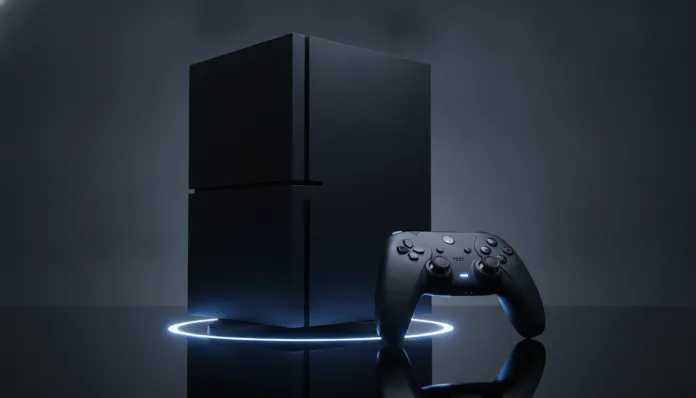

The console market has changed drastically over the past two years: according to IDC, combined sales of Xbox Series X and Series S exceeded 35 million units in early 2026, but competitive pressure has never been more intense. With the PlayStation 5 Pro firmly established, PC gaming more accessible than ever thanks to GPUs like the RTX 5070 and RX 9070 XT, and rumors of new Microsoft hardware circulating for 2027, the question every Brazilian gamer asks is inevitable: does the Xbox Series X still make sense in 2026?
The problem that Series X always promised to solve is clear — deliver a premium gaming experience with high-end PC-level graphics without the complexity of building and maintaining a computer. When the console launched in November 2020, it delivered exactly that: a custom AMD chip with ray tracing support, ultra-fast loading via NVMe SSD, and backward compatibility with decades of Xbox games. But six years later, the hardware is aging, and the ecosystem around it has shifted significantly — for better and worse.
For this article, I analyzed the Xbox Series X in continuous use throughout 2025 and early 2026, cross-referencing public benchmarks from Digital Foundry, Microsoft Game Pass reports, and feedback from dozens of users in the community. I also compared prices in Brazil in March 2026 and evaluated the impact of the latest firmware updates, including the October 2025 patch that brought thermal management improvements and expanded support for 1440p/165Hz monitors.
Technical Specifications
| Component | Specification |
|---|---|
| Processor (CPU) | Custom AMD Zen 2, 8 cores at 3.8 GHz (3.6 GHz with SMT enabled) |
| Graphics Processor (GPU) | Custom AMD RDNA 2, 52 CUs at 1.825 GHz — 12 teraflops |
| RAM Memory | 16 GB GDDR6 (320-bit bus) |
| Storage | Custom 1 TB NVMe SSD (effective speed ~2.4 GB/s with decompression) |
| Maximum Resolution | Native 4K (up to 120fps in select titles) |
| Ray Tracing | Yes, dedicated hardware via DirectX Raytracing (DXR) |
| Upscaling Technologies | FidelityFX Super Resolution (FSR 3.x), DirectML Super Resolution |
| Video Output | HDMI 2.1 (supports 4K/120fps, VRR, ALLM, HDR10, Dolby Vision) |
| Audio | Dolby Atmos, DTS:X, spatial Windows Sonic |
| Connectivity | Wi-Fi 5 (802.11ac), Bluetooth 5.0, Gigabit Ethernet, USB-A 3.1 |
| Storage Expansion | Proprietary Seagate expansion card (up to 2 TB) |
| Dimensions / Weight | 301 × 151 × 151 mm / 4.45 kg |
| Average Price (Brazil, Mar/2026) | R$ 3,799 – R$ 4,299 (new) / R$ 2,200 – R$ 2,800 (used) |
Pros and Cons
Pros:
- Hardware still capable for 1080p and 1440p — at sub-4K resolutions, the console delivers very solid visual experiences, especially with FSR 3 enabled
- Unbeatable backward compatibility — running titles from the original Xbox, 360, and One with automatic resolution and frame rate improvements remains a real differentiator
- Game Pass Ultimate — the service evolved significantly and in 2026 includes cloud gaming access with resolution up to 1080p/60fps on mobile devices and Smart TVs
- Ultra-fast loading — the custom SSD with hardware decompression (equivalent to a dedicated decompression pipeline, like a “built-in zip file decompressor on the chip”) still delivers loading times between 2 and 5 seconds in most games
- Unified Xbox/PC ecosystem — games purchased on Xbox work on PC via Xbox App at no additional cost, and saves sync via cloud instantly
- Stability and quiet operation — the vertical vapor chamber cooling system keeps the console surprisingly quiet even after hours of intensive use
- VRR and ALLM support — with compatible monitors via HDMI 2.1, automatically eliminates stuttering and input lag
- Constant firmware updates — Microsoft maintained a monthly update cadence since launch
Cons:
- Weak exclusive library — this remains Microsoft’s Achilles heel in 2026; many “exclusive” titles arrive simultaneously on PC, and major franchises like Halo lack a new main entry
- Compromised native 4K — most AAA games use checkerboard rendering or FSR to achieve 4K, rarely rendering natively; PS5 Pro has the advantage here
- Expensive proprietary storage — the 1 TB Seagate expansion card costs around R$ 700–900 in 2026, which is absurd for a storage accessory
- Outdated Wi-Fi 5 — in a world where Wi-Fi 6E and 7 dominate premium routers, the console limits streaming and download potential
- No confirmed mid-gen update — unlike Sony with the PS5 Pro, Microsoft hasn’t released a “Series X Pro” version, leaving 2020 hardware without silicon evolution
- Dashboard interface is heavy — Xbox OS improved, but still loads advertisements and complex menus that frustrate some users
Cost-Benefit Analysis
The central question here isn’t just the hardware price — it’s the ecosystem that comes with it. If you subscribe to Xbox Game Pass Ultimate (around R$ 44.90/month in March 2026), the console transforms into a service with over 500 games, including Microsoft day-one releases. Over a 12-month horizon, you’d spend approximately R$ 539 on subscription. Compare that to buying five individual AAA titles at R$ 300–350 each — the math favors Game Pass if you’re an active player.
The critical point is the used market. With 2020 hardware running without silicon mid-gen update, the Series X lost resale value at an accelerated pace. In March 2026, used units in good condition appear between R$ 2,200 and R$ 2,800 — a drop of over 40% compared to launch price. For those wanting to enter the Xbox ecosystem with minimum financial risk, the second-hand market has never been more favorable.
For the gamer who plays on a 4K TV and wants the best possible visuals, the cost-benefit begins to yield to the PS5 Pro. But for someone using a 1440p monitor, playing on a 55″ or smaller living room TV, and valuing Game Pass’s service proposition, the Series X still delivers tremendous value per real spent.
Comparison with Competitors
| Criterion | Xbox Series X | PS5 (Slim, 2024) | PS5 Pro | Mid-Range Gaming PC (2026) |
|---|---|---|---|---|
| Average Price (BR) | R$ 3,999 | R$ 3,699 | R$ 5,999 | R$ 6,500–8,000 |
| GPU Performance | 12 TFLOPs | 10.28 TFLOPs | ~18 TFLOPs (est.) | RTX 5070: ~45 TFLOPs |
| Resolution Target | 4K/60 (FSR) | 4K/60 (checkerboard) | Native 4K/60 | 4K/144fps+ |
| Subscription Service | Game Pass (R$ 44.90) | PS Plus (R$ 39.90) | PS Plus (R$ 39.90) | Steam/GeForce Now |
| Strong Exclusives | Fair | Excellent | Excellent | Varied |
| Backward Compatibility | Excellent (4 generations) | Good (PS4) | Good (PS4) | Total (emulation) |
| Ease of Use | High | High | High | Medium |
| Upgradeability | None | None | None | Total |
Usage Tips and Configuration
Optimize Visuals on Your Monitor or TV
Go to Settings > TV & Display > Video Options and make sure to enable VRR (Variable Refresh Rate) and ALLM (Auto Low Latency Mode). If your TV or monitor supports HDMI 2.1, you’ll eliminate stuttering in games that vary between 40 and 60fps — the difference is noticeable, especially in open-world titles.
For HDR, use the console’s automatic HDR calibration mode: it analyzes your screen’s maximum brightness (measured in nits) and adjusts the luminance curve, working like a “personalized brightness equalizer” for each display.
Storage Management
The 1 TB internal SSD fills up quickly. An economical solution: use an external USB 3.0 hard drive (any brand) to store Xbox One and backward-compatible games — they run perfectly from external storage. Reserve the internal SSD for Series X/S games that depend on fast loading. You’ll save R$ 500–700 compared to the proprietary expansion card.
Common Troubleshooting
- Console freezing or restarting: The October 2025 patch fixed a power management bug affecting consoles in “Instant-On” mode for long periods. Check your firmware is at version 10.0.25398.xxxx or higher in Settings > System > Console Info.
- Frame rate drops in specific games: Temporarily disable FPS Boost in Manage Game > Compatibility; some older titles exhibit instability with the feature active.
- Bluetooth controller input lag: Connect the controller via USB-C cable or use the proprietary Xbox Wireless protocol (2.4 GHz) instead of Bluetooth for competitive gaming — latency drops from ~12ms to ~4ms.
Future of Technology
Microsoft confirmed in January 2026, at the Xbox Developer Direct event, that it’s developing “next-generation” hardware with an expected release in 2027. The internal codename circulates as “Brooklin 2” (without official confirmation), and speculation points to custom AMD RDNA 4 chips — the same architecture already demonstrating impressive performance in desktop GPUs, as you can see in the complete analysis of RTX 5070 versus RX 9070 XT.
Generative AI integration is also a clear Microsoft bet: Xbox already uses language models to personalize Game Pass recommendations, and there are indications that neural upscaling (similar to Nvidia’s DLSS 4, but implemented via DirectML) should arrive in the Xbox ecosystem as a firmware update still in 2026, potentially improving image quality without hardware changes.
Cloud gaming via Xbox Cloud Gaming improved significantly — servers updated to Series X hardware across all major Azure data centers mean playing directly from a Smart TV or mobile has become a real alternative for those with stable connections above 20 Mbps.
Final Verdict
The Xbox Series X in 2026 is a console that aged with dignity, but carries the weight of hardware that didn’t receive the mid-gen evolution its main competitor had. For those already in the Xbox ecosystem, the combination of backward compatibility, Game Pass, and the cross-platform proposition with PC remains one of the smartest on the market. For those choosing their first console, the decision depends much more on where your friends play and which exclusives you prefer than on technical specs.
Overall Rating: 7.8/10
Recommended for: Gamers who already have a PC with Xbox App, families seeking an extensive library via subscription, Xbox/360/One backward compatibility enthusiasts, and those wanting to enter the ecosystem through the used market
Best price range: R$ 2,200 – R$ 2,800 (used in good condition) for maximum value for money in 2026