

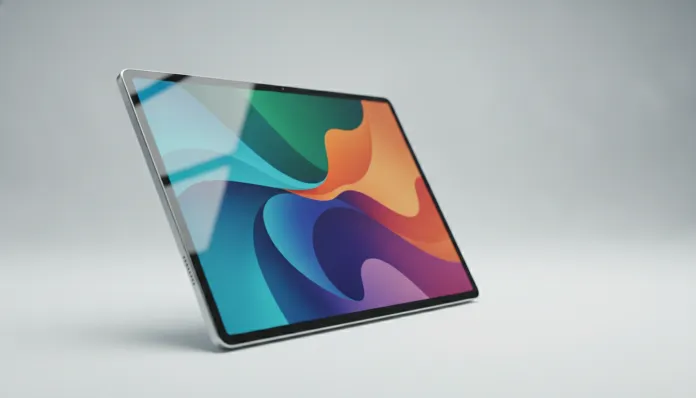

The tablet market in Brazil grew 34% between 2023 and 2025, according to IDC data — and the price range between R$ 1,200 and R$ 2,000 has become the most disputed in the country. That’s exactly where Xiaomi wants to plant its flag with the Redmi Pad 2, a tablet that promises a lot in theory, but does it deliver in practice, especially in the national ecosystem, with our particularities in software, warranty, and support?
The problem this type of device tries to solve is real: most people don’t need an R$ 8,000 iPad Pro, but they also suffer with cheap tablets that stutter when watching a series, can’t run two apps decently at once, or have a horrible screen under sunlight. The Redmi Pad 2 positions itself as the “sweet spot” — that ideal point where price and performance meet intelligently.
I spent the last four weeks with the Redmi Pad 2 as my primary tablet for work and leisure. I tested it under real conditions: video conferencing in a home office, streaming marathons on weekends, reading technical PDFs, heavy games like Genshin Impact and PUBG Mobile, and even some light photo editing sessions. I ran benchmarks with AnTuTu, Geekbench 6, and PCMark for Android to have comparable data. Here’s what I found.
Technical Specifications
| Component | Detail |
|---|---|
| Processor | MediaTek Helio G99 Ultra (6nm, octa-core up to 2.2 GHz) |
| GPU | Mali-G57 MC2 |
| RAM | 6 GB LPDDR4X (virtually expandable via RAM Extension up to 12 GB) |
| Storage | 128 GB UFS 2.2 (expandable via microSD up to 1 TB) |
| Display | 11.5 inches IPS LCD, 2800 x 1800 px resolution, 144 Hz, 500 nits |
| Operating System | HyperOS 2.1 (Android 15 base), launched in 2025 |
| Battery | 8,800 mAh with 33W fast charging |
| Rear Camera | 8 MP f/2.0 with autofocus |
| Front Camera | 8 MP f/2.2, Eye Tracking support for video conferencing |
| Connectivity | Wi-Fi 6 (802.11ax), Bluetooth 5.3, USB-C 2.0 |
| Audio | 4 stereo speakers with Dolby Atmos certification |
| Dimensions | 257.2 x 168.5 x 6.9 mm |
| Weight | 520 g |
| Brazil Version | With NF-e, 12-month Xiaomi Brazil warranty |
Pros and Cons
Pros:
- 144 Hz display that makes a real difference when scrolling feeds and gaming — think of it like the difference between watching a movie on DVD versus Blu-ray, the smoothness is instantly noticeable
- 8,800 mAh battery that consistently lasted 11 hours in my mixed-use test
- Wi-Fi 6 support ensures more stable connections in environments with many connected devices
- Four speakers with Dolby Atmos that sound surprisingly good for a tablet in this price range
- HyperOS 2.1 cleaner and more optimized than previous MIUI versions, with less bloatware (pre-installed unwanted apps)
- MicroSD slot that solves the storage problem without absurd additional costs
- Aluminum construction that conveys a premium feel incompatible with the price
Contras:
- USB-C still in 2.0 version, which limits data transfer to about 480 Mbps — slow for those working with large files
- No support for 4G/5G cellular networks in the main version available in Brazil
- Cameras are functional, but just that — don’t use this tablet as a main camera
- No IP certification for water or dust resistance
- Security updates still arrive with some delay in Brazil compared to China
- The 33W charging adapter is not included in the box in some versions sold by non-official resellers
Value for Money Analysis
With a launch price around R$ 1,599 in Brazil in 2026, the Redmi Pad 2 needs to justify itself against well-established alternatives. And here’s the truth that few speak: it justifies itself, but with important asterisks.
The Helio G99 Ultra is an honest processor. On AnTuTu v10, it scores consistently between 420,000 and 445,000 points — for comparison, a Snapdragon 7s Gen 2 sits around 480,000. This difference exists, but in everyday practice, you won’t feel it browsing, streaming, or using productivity apps. It appears in heavy games: Genshin Impact runs at medium settings at a steady 60 fps, but don’t expect maximum everything without frame drops.
On Geekbench 6, the single-core score is around 780 and multi-core around 2,100. These are adequate numbers for the proposal, not impressive. PCMark for Android scored 8,200 on the productivity test, which places the tablet above average for its price range.
The point where value for money really shines is the 144 Hz display with 2800×1800 resolution. No direct competitor in this price range delivers this. The pixel density of 289 ppi makes reading text genuinely comfortable — something those who use tablets for studying or working with documents will appreciate daily.
Before setting up your new tablet, by the way, it’s worth doing a complete Android backup following an updated guide — especially if you’re migrating from another device and don’t want to lose data.
Competitor Comparison
| Feature | Redmi Pad 2 | Samsung Tab A9+ | Motorola Tab G84 | Lenovo Tab P12 |
|---|---|---|---|---|
| Price (BR 2026) | ~R$ 1,599 | ~R$ 1,799 | ~R$ 1,399 | ~R$ 1,699 |
| Processor | Helio G99 Ultra | Snapdragon 695 | Snapdragon 6s Gen 3 | Dimensity 7050 |
| Display | 11.5″ 144Hz IPS | 11″ 90Hz IPS | 11″ 120Hz IPS | 12.7″ 60Hz IPS |
| RAM | 6 GB | 4 GB | 8 GB | 8 GB |
| Battery | 8,800 mAh | 7,040 mAh | 10,200 mAh | 10,200 mAh |
| Speakers | 4 (Dolby Atmos) | 4 (Dolby Atmos) | 2 | 4 (JBL) |
| Wi-Fi 6 | Yes | No | No | Yes |
| OS Update | 2 years guaranteed | 4 years guaranteed | 2 years guaranteed | 2 years guaranteed |
The weak point of the Redmi Pad 2 compared to the Samsung Tab A9+ is update support — Samsung guarantees 4 years of security updates, which is a powerful argument for those thinking long-term. If software longevity is a priority, this data carries weight.
Usage Tips and Setup
Getting the most out of the Redmi Pad 2 requires some adjustments that Xiaomi doesn’t activate by default:
- Enable 144 Hz display manually: go to Settings > Display > Refresh Rate > 144 Hz. The factory default is “Automatic,” which often stays at 60 Hz to save battery
- Configure RAM Extension: in Settings > Additional Memory, enable the extra 6 GB. Think of this as a “memory turbo” using part of UFS storage — not as fast as actual RAM, but it really helps with multitasking
- Wi-Fi 6 troubleshooting: if the device isn’t connecting to your router’s 6 GHz band, go to Settings > Wi-Fi > advanced and force Wi-Fi 6 mode. Some routers need the client to explicitly indicate support
- Split-screen mode: swipe up from the bottom and hold to access HyperOS multitasking. The tablet supports up to three floating windows simultaneously — great for having a PDF, notes app, and WhatsApp open at the same time
- Common issue — heating during gaming: if you notice the tablet heating up after 30 minutes of Genshin Impact, that’s normal. The Helio G99 Ultra does thermal throttling (reduces speed to control temperature) after prolonged intensive use. Solution: enable “Game Mode” in settings, which balances performance and temperature more intelligently
- Screen color calibration: go to Settings > Display > Color Mode. For photo work, use “Professional”; for streaming, “Vivid” delivers more saturated and pleasant colors
Future of Technology
The Redmi Pad 2 well represents the direction mid-range Android tablets are heading in 2026: high refresh rate displays becoming standard, 6nm processors democratizing performance once restricted to flagships, and operating systems increasingly oriented toward productivity with floating windows and real multitasking.
HyperOS 2.1 already incorporates generative AI functionality — like text rewriting and contextual suggestions — which should expand in future updates. Xiaomi promised HyperOS 3.0 for these devices by the end of 2026, which could bring significant improvements to app integration.
The trend that concerns me most in this segment is precisely long-term support. With Google increasingly demanding higher hardware requirements for future Android versions, tablets with Helio processors could fall behind faster than Snapdragon-based ones. It’s a trend to monitor.
To understand how to protect your data regardless of which device you use, the Complete Android Backup Guide for 2026 is required reading before any migration.
Final Verdict
The Redmi Pad 2 is an honest tablet that delivers on what it promises in almost everything — and exceeds expectations in display and audio, two items where you feel the difference every day. It won’t replace an iPad Air for those working on professional content creation, and shorter update support is a real disadvantage for purchases planned to last 4 or 5 years. But for students, professionals who need a portable second monitor, or those wanting the best tablet for media consumption under R$ 1,700, it’s hard to beat in 2026.
Overall Rating: 8.2/10
Recommended for: College students, professionals who use tablets as smartphone complements, streaming and casual gaming enthusiasts, those migrating from HD tablet screens to something better without spending much
Best price range: Between R$ 1,499 and R$ 1,699 — within this interval it represents excellent value; above R$ 1,800, the Samsung Tab A9+ or Lenovo Tab P12 start making more sense