

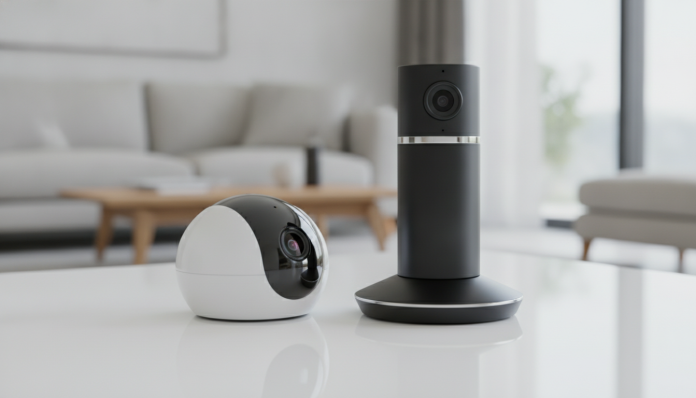

IM5 vs Tapo C200: Which Camera is Best for Your Home
Home security cameras stopped being a luxury item years ago, and today the Brazilian market has options for all budgets. Two cameras that frequently appear in searches for people wanting to monitor their homes without breaking the bank are the IM5, from Intelbras, and the Tapo C200, from TP-Link. These are products from different companies with similar proposals on paper, but with differences that can define which is right for your case.
The short answer is this: if you want a simple, reliable camera sold in any electronics store in Brazil, with local support and Anatel approval, the Tapo C200 remains one of the best options in its category. The Intelbras IM5 is a solid Brazilian alternative, with its own ecosystem and a Portuguese-language app, and may be worth more for those who already use other products from the brand or want warranty and support without import complications.
This comparison will detail point by point what each camera actually delivers, based on the manufacturers’ official specifications.
Comparative Technical Sheet
| Specification | Intelbras IM5 | Tapo C200 |
|---|---|---|
| Resolution | 2 MP (1080p Full HD) | 2 MP (1080p Full HD) |
| Field of View | 107° horizontal | 360° pan + 114° vertical tilt |
| Motorized Rotation | No | Yes (pan/tilt) |
| Night Vision | Up to 10 meters (IR) | Up to 10 meters (IR) |
| Audio | Microphone and bidirectional speaker | Microphone and bidirectional speaker |
| Local Storage | microSD card (up to 128 GB) | microSD card (up to 128 GB) |
| Cloud | iCloud Intelbras (paid) | Tapo Care (limited free plan) |
| Wi-Fi | 2.4 GHz 802.11b/g/n | 2.4 GHz 802.11b/g/n |
| Power Supply | USB cable/adapter | USB cable/adapter |
| App | iSIC / Intelbras | Tapo (TP-Link) |
| Compatibility | Alexa, Google Assistant | Alexa, Google Assistant |
| Use | Indoor | Indoor |
| Anatel Approval | Yes | Yes |
| Price Range (Brazil, 2026) | R$ 120 to R$ 160 | R$ 130 to R$ 180 |
Estimated prices based on values practiced in major Brazilian retailers. May vary depending on the seller and purchase date.
Image and Video Quality in Daily Use
In official specifications, both cameras deliver 1080p Full HD resolution with a 2 MP sensor. In practice, what differentiates the experience is the field of view and camera movement.
The IM5 has a fixed field of view of 107°, which covers a small to medium room well, such as a bedroom or compact living room. The Tapo C200 has a clear advantage here: it is a pan/tilt camera, meaning motorized. You can rotate it horizontally in 360° and tilt vertically up to 114° directly from the app, without leaving the couch. For those who want to cover a large room, hallway, or an area with multiple points of interest, this difference is significant.
Night vision on both uses infrared (IR) technology, with a declared range of up to 10 meters by the manufacturers. The result is a black and white image sufficient to identify movements and nearby faces. Neither has color night vision with ambient light sensor (technology found in higher-end cameras), so don’t expect colors in the dark.
Motion Detection and Notifications
Motion detection is the feature that most influences daily experience, because it’s what triggers alerts on your phone. The Tapo C200 uses software detection with configurable zones, meaning you define in the app which area of the image should be monitored, reducing false alerts caused by shadows or pets. According to TP-Link, the Tapo app allows sensitivity adjustment and activation scheduling.
The Intelbras IM5 also offers motion detection with sensitivity configuration through the app. The differentiator Intelbras highlights is native integration with the brand’s ecosystem, useful for those who already have other Intelbras devices, such as alarms or automation hubs. For the average user, both cameras behave similarly in this function.
One point that affects apartment dwellers with pets or trees near windows greatly: cameras in this price range still don’t reliably bring AI person detection embedded directly. Tapo Care, TP-Link’s cloud service, offers AI person detection in paid plans. To have this feature at no recurring cost, you would need cameras from higher categories.
Storage, Cloud, and Privacy
Recording locally to a microSD card is the most practical and cheapest option for both. Both support cards up to 128 GB according to their technical sheets, which represents several days of continuous recording or weeks in motion mode, depending on configuration. The card doesn’t come included in the box for either, so add this cost to your planning.
The Tapo C200 has a competitive advantage here: the free plan of Tapo Care offers some days of cloud storage at no cost, which works as a safety net if something happens to the SD card. For advanced functions, such as AI person detection or longer history, you need to pay for the premium plan. Plan prices can be checked directly in the Tapo app.
Intelbras offers cloud integration through its own service, but cloud recordings are charged. If you only need local SD card storage, both work without any subscription.
In terms of privacy, both brands store data on their servers. Intelbras is a Brazilian company and data tends to stay on national infrastructure, which can be a decision factor for those concerned about this. TP-Link is a global company with distributed servers; it’s worth reading the Tapo app privacy policy if this aspect is relevant to you.
App, Configuration, and Integrations
Setting up an IP camera (internet-connected Wi-Fi camera) often intimidates those who’ve never done it, but both apps have greatly simplified the process. Tapo guides the user through a fairly intuitive setup process: you download the app, create an account, scan the QR code on the camera, and connect to your home Wi-Fi. The process takes less than five minutes in most cases, according to user reports and TP-Link’s official documentation.
Intelbras’ app has undergone updates in recent years and is more polished, but historically the Tapo app has received praise for its cleaner interface. For beginner users, either one works.
Both the IM5 and C200 are compatible with Amazon Alexa and Google Assistant, which allows displaying the image on an Echo Show or Chromecast with a voice command. If you already use voice assistants at home, this point is a tie.
If you’re building a broader smart home ecosystem, with routers, smart plugs, and other devices, it’s worth considering that the Tapo line has a huge range of mutually compatible products. Intelbras, on the other hand, offers better integration with its own alarms and security products. Like choosing a voice assistant depends on what you already use, the camera choice can also depend on the ecosystem you already have at home. If you want to better understand how voice assistants work with connected devices, the guide on how to set up Echo Dot on Wi-Fi for the first time can be a good starting point.
Brazilian Context: Warranty, Anatel, and Where to Buy
This is a section that many comparisons ignore, but it makes all the difference in post-sale support. Both cameras have Anatel approval, meaning they can be legally sold and used in Brazil.
Intelbras is a Santa Catarina-based company, with technical assistance throughout Brazil and warranty covered directly in the country. If the camera has a defect, you don’t need to contact English-language support or pay international shipping. For entry-level cameras, this difference often outweighs any technical specification.
TP-Link has official operations in Brazil and the Tapo C200 is sold by authorized distributors. The warranty is covered locally, but the support experience may vary depending on the seller. Buying from third-party marketplaces without checking origin can result in a product without an invoice or valid warranty in the country.
Both cameras are found in chains like Magazine Luiza, Americanas, Kabum, and Amazon Brasil, as well as computer stores and electronics chains. The IM5 tends to be more available in regional physical stores because of Intelbras distribution. The Tapo C200 has strong presence in e-commerce.
Frequently Asked Questions About Residential Security Cameras
Does the camera work without internet?
Yes, but with limitations. Both cameras can record locally to the microSD card even without internet connection. What you lose without internet is remote access via mobile phone, motion notifications, and cloud recording.
Do I need a cloud plan to use the camera?
No. Both work completely with a microSD card at no recurring cost. The cloud plan is optional and useful for those who want to access old recordings without relying on the physical card.
Does the camera work on 5 GHz Wi-Fi?
No. Both the IM5 and Tapo C200 operate only on the 2.4 GHz band. Check if your router transmits on this band; most modern routers offer both, but cameras in this category are usually limited to 2.4 GHz for range and power consumption reasons.
Which camera is better for those with pets at home?
For those with pets, the Tapo C200 has an advantage with pan/tilt movement, which allows you to follow your pet around the room without needing to position the camera at a fixed angle. Also configure motion detection sensitivity to reduce unnecessary alerts.
Which Camera to Choose for Your Case
The decision between IM5 and Tapo C200 is more about usage profile than raw specifications.
Choose the Tapo C200 if:
- You want to cover a large room or track movement from the app
- You already use other Tapo devices at home
- You prefer the app with a more modern interface
- You want some free cloud backup as a safety net
Choose the Intelbras IM5 if:
- You already have other Intelbras products and want native integration
- You prefer technical support and 100% national warranty without complications
- The nearest point of sale to you sells Intelbras easily
- A fixed angle is already sufficient for the environment you want to monitor
Recommended for the Tapo C200: those who want angle flexibility, are building a TP-Link ecosystem, or prioritize cost-benefit with included free cloud.
Recommended for the IM5: those who value Intelbras local support, already use products from the brand, or simply want the peace of mind of a company with consolidated distribution and technical assistance in Brazil.
Price range: R$ 120 to R$ 180 for both cameras, depending on seller and purchase date. Always check the price with invoice and authorized seller before closing the purchase.