

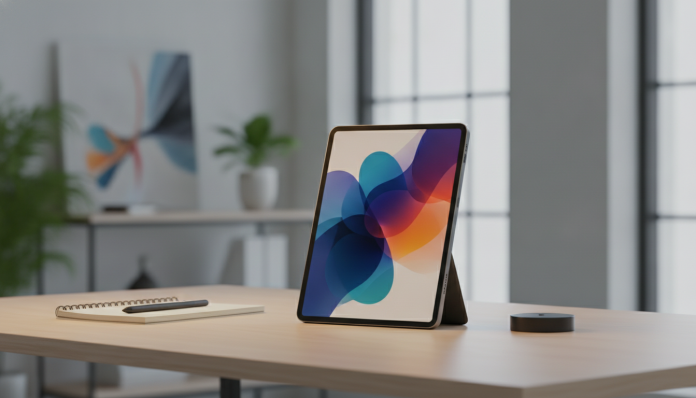

Tablet vs Notebook in 2026: Is It Worth Making the Switch?
The question has returned with force. With tablets increasingly capable, better magnetic keyboards and operating systems that finally take work seriously, many people are questioning whether the notebook still makes sense for professional daily use. And the honest answer is: it depends a lot on what you do, but for a growing number of professionals, the tablet has become a real alternative, not just a pretty addition to your bag.
What has changed is the software. Powerful hardware on tablets is not new since the iPad Pro with M-series chips or top Android tablets with Snapdragon 8 Elite. The bottleneck was always the operating system imposing limits on multitasking and professional applications. In 2026, with iPadOS 19 advancing window management and Android 16 consolidating desktop mode on more devices, that border became less clear. It still exists, but it has shrunk.
The short answer: if you live by browser, email, video conferencing, text documents and presentations, a top-tier tablet with keyboard will probably do the job. If you need specific desktop software, multiple heavy windows running together or expansion ports without adapters, the notebook still has a clear advantage.
What determines if a tablet replaces a notebook at work
Before comparing products, it’s worth understanding which criteria really matter in this decision. It’s not just the processor or the screen.
Software: where the battle still happens
The biggest obstacle remains software. Many enterprise management systems, ERPs, code editing tools with full terminal, CAD software and accounting platforms still require Windows or macOS to run with full functionality. On iPad, you can use web versions or adapted apps, but they rarely match desktop versions in feature parity.
On Android, the scenario is similar: desktop mode (called DeX on Samsung and natively available on other manufacturers with Android 16) projects an interface similar to a conventional computer when you connect a monitor or use the keyboard, but the app store still has gaps for heavy professional use. If your work depends on specific software, check beforehand if a tablet version exists, and if it’s complete.
Multitasking: improved, but has limits
iPadOS 19 brought resizable windows more flexibly than previous versions, and the Stage Manager (Apple’s window management feature) became more stable. Still, anyone who needs ten browser tabs open, a text editor, an email client and a heavy spreadsheet at the same time will feel more restriction than on a MacBook or Windows notebook with 16 GB of RAM visible to the operating system.
On Android 16, multi-window mode evolved, but the experience varies greatly depending on the manufacturer. Samsung and Lenovo have more polished implementations; cheaper tablets can fall short.
Keyboard and trackpad: the weak (or strong) link
A tablet without a physical keyboard is a content consumer, not a production tool. Top-tier keyboards, such as the Magic Keyboard for iPad Pro or Samsung’s folio keyboard for the Tab S10 Ultra, are functional, but expensive and add weight. With keyboard and case, a 13-inch iPad Pro weighs close to 1.2 kg, which isn’t light.
If you’re going to use a keyboard all the time, assess whether the total cost (tablet + accessory) still makes sense compared to a notebook with an already integrated keyboard.
iPad Pro versus notebook: where each one wins
For those comparing platforms more objectively, the table below shows the most relevant decision points. Prices are approximate and vary by exchange rate, taxes and store.
| Criteria | iPad Pro 13″ (M4, 2024/2025) | Windows or Mac Equivalent Notebook |
|---|---|---|
| Portability without accessories | Excellent (600 g) | Good (from 1.2 kg) |
| Integrated keyboard | No (separate accessory) | Yes |
| Full desktop software | Limited | Complete |
| Battery duration (specs) | Up to 10 hours (Apple) | 8 to 15 hours depending on model |
| Heavy multitasking | Moderate | High |
| Average price in Brazil (device only) | From R$ 9,500 | R$ 4,000 to R$ 15,000 |
| National availability | Apple stores and major retailers | Widespread |
| Anatel approval | Yes, models sold in Brazil | Yes |
The iPad Pro with M4 chip has impressive specifications on paper, according to Apple’s spec sheet: 3nm chip with 10-core CPU, OLED screen with peak brightness up to 1,600 nits and support for Apple Pencil Pro. For photo editing, light video and presentations, it’s hard to find anything more portable with this level of screen quality. But if you need a complete development environment with Unix terminal, tools like VS Code in web version have limitations that the developer will feel on a daily basis.
For those looking for a notebook that balances performance and price for work and programming, our guide to notebooks for programming up to R$ 5,000 can help you understand what the market offers in this range.
Android Tablets: Samsung Tab S10 Ultra and the competition
On Android, the Samsung Galaxy Tab S10 Ultra remains the top reference in Brazil in 2026. According to Samsung’s spec sheet, the device features a 14.6-inch AMOLED screen with 2960 x 1848 pixel resolution and 120 Hz refresh rate, Snapdragon 8 Elite and up to 16 GB of RAM. For corporate work that lives in the Google ecosystem (Gmail, Google Docs, Meet, Sheets), the experience is fluid and DeX mode adds a layer of real productivity.
The price in Brazil, considering the 256 GB model, ranges around R$ 7,500 to R$ 9,000, depending on the retailer. The official keyboard (Book Cover Keyboard) is sold separately and costs about R$ 1,200 to R$ 1,500. In total, you reach the price of an intermediate to premium notebook.
Other tablets with good presence in the national market include the Lenovo Tab Extreme line, with robust specifications for productivity and generally more aggressive prices. It’s worth checking availability and Anatel approval before buying imported models, as the one-year legal warranty (Consumer Protection Code) only applies to products sold in Brazil by official distributors.
For whom the tablet really works as a replacement
There is a clear profile of professionals who switch their notebook for a tablet without regret:
- Those who work mainly with Google Workspace or Microsoft 365 tools (Word, Excel, PowerPoint, Outlook, Teams)
- Healthcare professionals who use the device to consult medical records and take field notes
- Designers who use the tablet with pen for sketches and need extreme mobility
- Executives and managers whose routine is email, meetings and approvals
- Teachers and content creators who need good camera, quality screen and portability
Those who should keep the notebook without hesitation:
- Developers who need a complete local development environment
- Video editors with heavy projects (4K multicam, for example)
- Finance professionals with huge spreadsheets and specific Excel add-ins
- Those who use proprietary architecture, engineering or medicine software that has no tablet version
Frequently asked questions about tablet at work
Does a tablet with keyboard replace a notebook for home office?
For most cloud-based office tasks, yes. If you mainly use Google Workspace, Microsoft 365 or Notion, and have meetings via Zoom or Google Meet, an iPad Pro or Galaxy Tab S10 Ultra with keyboard works well. The limit appears when some specific software for your work requires Windows or macOS.
Is it worth importing a tablet to save money?
It depends on the risk you accept. Tablets imported without Anatel approval can be held at customs and have no warranty assured by CDC. Models from different regions may also have different network bands, which can affect 5G connectivity in Brazil. It is recommended to buy from stores with national operations.
Do tablets run full Microsoft Office?
Word, Excel, PowerPoint and Outlook apps for iPad and Android exist and are functional for most uses. But advanced Excel features (such as some complex VBA macros) and specific Word add-ons are not available in mobile versions. For basic to intermediate corporate use, Office on tablet is sufficient.
What is the software support lifespan of a tablet compared to a notebook?
Apple guarantees iPadOS updates for about six to seven years for recent iPads, a history that remains consistent. Samsung committed to seven years of security and system updates for the Tab S10 line. Windows notebooks depend on Microsoft’s system support, which tends to be longer in absolute terms, but this is rarely a deciding factor in device replacement.
What you should do before deciding

The decision between tablet and notebook in 2026 is less about hardware and more about workflow. List the five software programs you use most at work and verify if they have a tablet version with the functionality you need. If they’re all on the list, the tablet can be a smart choice, especially if portability and battery life are priorities for you.
If you still have doubt about which notebook to consider if you decide to keep the traditional computer, it’s worth consulting an updated guide to notebooks for programming up to R$ 5,000 to have clear parameters for performance and value for money in the Brazilian market. The tablet has reached a point where the question is no longer “can I work on it?”, but rather “can I do my specific work on it?”. And that distinction makes all the difference.