

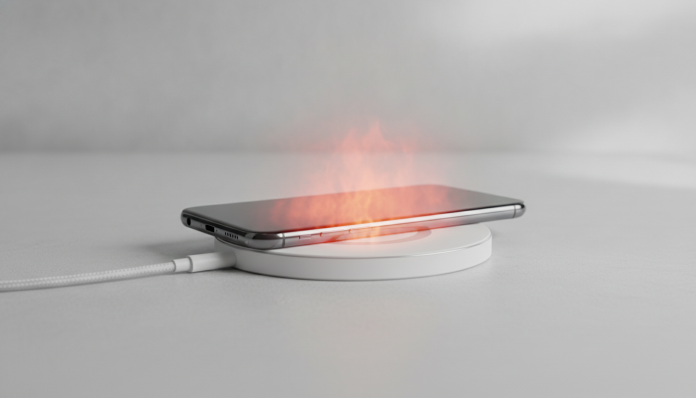

Your phone gets hot when charging for these reasons, and there’s a solution
You plug in the cable, place your phone on the table and, a few minutes later, it’s warm enough to be uncomfortable. This happens to almost everyone, and the good news is that in most cases, the problem has an identifiable cause and practical solution. Heating during charging is not necessarily a sign of a defect, but ignoring the wrong pattern can significantly shorten your battery’s lifespan.
What defines whether the heat is normal or concerning depends on three factors: the intensity of the charge that the charger applies, what the processor is doing while the device charges, and the state of the battery. Understanding each of these points is what separates those who solve the problem from those who keep changing chargers without results. This article covers exactly that, with concrete steps for each scenario.
Why the battery generates heat when charging
The lithium-ion battery, technology present in practically all current smartphones, works by moving lithium ions between two electrodes. This energy transfer process has an efficiency that never reaches 100%. The part of the energy that doesn’t become stored charge becomes heat. The faster you try to force this transfer, the more heat is generated, which is exactly the principle behind the fast charging debate.
Chargers with fast charging (fast charging) such as Qualcomm Quick Charge standards, USB Power Delivery or proprietary protocols from Xiaomi, OPPO and Samsung work by raising the voltage or electric current delivered to the device. Think of it like a hose analogy: increasing water pressure makes it arrive faster, but requires more effort from the plumbing. The charge management chip inside the phone controls this flow, but even with fine control, more energy in less time means more unavoidable heat. This is not a defect, it’s physics.
What varies between manufacturers is the intelligence of the cooling system and the charging algorithm. Premium line devices typically use vapor chambers (small sealed structures that distribute heat across the shell) or thermal graphite to dissipate heating more evenly. Entry and mid-range devices usually rely on the plastic or metal shell itself for this function, with less efficiency.
The most common causes of overheating
Incompatible or low-quality charger
Using a charger that is not certified for your device is the most frequent cause of abnormal heating. Generic chargers, especially those imported without Anatel certification (the certification process that ensures the product meets Brazilian technical standards for safety and electromagnetic compatibility), often do not respect the voltage and current limits specified by the phone manufacturer. The result is poorly regulated energy flow that overloads the management chip and heats the battery more than necessary.
Original chargers or those certified by the manufacturer’s seals for that specific model communicate with the charging chip via digital protocol, adjusting power in real time. A generic charger doesn’t have this conversation, delivers energy raw and leaves the device trying to compensate on its own.
Apps and processes running in the background
If the processor is working while your phone charges, heating is doubled. The chip and battery generate heat at the same time, and the device has less capacity to dissipate everything. This is especially common when you charge during games, high-resolution streaming or while an application is syncing large volumes of data in the background.
Social media with video autoplay, fitness apps that constantly track GPS, and antivirus software that runs automatic scans are frequent offenders that go unnoticed. Your phone gets hot, you blame the charger, but the real cause is in the software.
Aged or damaged battery
Lithium-ion batteries have useful charge cycles. According to specifications disclosed by manufacturers like Apple and Samsung, a typical battery retains about 80% of its original capacity after 500 complete charge and discharge cycles. With aging, the internal resistance of the battery increases, and higher resistance means more heat for the same amount of energy transferred.
If your phone is two or more years old with intensive use and heating has progressively worsened, the aged battery is the primary candidate. In devices over three years old, this is almost always the correct diagnosis.
High ambient temperature environment
Brazil has a relevant climate detail here: in much of the country, summer pushes ambient temperatures to 35 degrees or higher. Lithium battery works best between 20°C and 25°C, according to general guidelines from manufacturers like Apple and Samsung. Charging your phone under a pillow, inside very closed cases or in hot environments amplifies any heating that would already be happening.
How to solve the problem, step by step
- Remove the case during charging. Thick silicone and leather cases retain heat significantly. Especially during fast charging, removing the case for 30 minutes makes a noticeable difference.
- Close active applications before plugging in the charger. On Android, use the recent apps button and close everything. On iPhone, swipe apps upward on the recent apps screen. Especially important before charging overnight.
- Replace the charger with an original or certified one. If you use a generic charger purchased separately, this is the first step. Check the packaging or the Anatel website to see if the product is certified. Replacement original chargers cost between R$ 80 and R$ 250 depending on the manufacturer and power, and are the safest swap you can make.
- Activate slow charging mode when possible. Some Android devices allow you to disable fast charging in battery settings. This increases charging time but reduces heat generated, ideal for charging overnight when time is not an issue.
- Charge in a cool location with the device on a hard surface. Wood or glass tables dissipate heat better than a pillow or bed. Avoid leaving your phone in the sun while charging.
- Check battery health. On iPhone, go to Settings > Battery > Battery Health. On Android, the information varies by manufacturer: Samsung has diagnostics in the “Device Care” app, and other manufacturers sometimes require a proprietary diagnostic app or the code
##4636##in the dialer (works on many Android devices, but not all). If capacity is below 80%, replacing the battery is the definitive solution.
- Consider a battery replacement. Authorized technical services perform the service with warranty. Prices vary widely by model, but generally range from R$ 200 to R$ 500 for mid-range to premium devices. It’s a much more economical alternative than changing phones because of this problem.
If you want to understand the phenomenon in greater technical depth and in another language, the guide Phone Overheating While Charging: How to Fix It covers the topic with focus on international models and can complement what you’ve read here.
What to avoid to not make the situation worse
- Never use chargers without manufacturer identification or without the Anatel seal
- Do not cover the phone with clothes, pillows or any insulating material during charging
- Avoid charging from 0% to 100% frequently. Keeping the battery between 20% and 80% reduces thermal stress and extends lifespan according to guidelines from manufacturers like Apple and Samsung
- Don’t ignore sudden heating in a device that didn’t have the problem before. This may indicate a damaged battery or internal short circuit, and deserves assessment at a technical service
Frequently asked questions about phone heating while charging
Is it normal for a phone to heat up a little while charging?
Yes, some level of heating is expected, especially with fast charging. The problem starts when the device gets hot enough to be uncomfortable to the touch, when a temperature warning appears on the screen, or when it itself reduces charging speed automatically as a protection. In these cases, there is something beyond normal behavior.
Can a charger from another manufacturer damage my phone?
It can, especially if it’s not certified. Chargers with power above what your device’s charging chip can support or with imprecise voltage regulation can damage the battery over time. Use chargers from your phone’s manufacturer or from well-known brands with Anatel certification and declared compatibility with your device’s standard.
Does charging the phone all night damage the battery?
Modern devices have overcharge protection, usually interrupting charging upon reaching 100% and maintaining the battery at that level with small pulses. But staying plugged in for hours keeps the device warm at a low level for longer, which contributes to gradual aging. Features like iPhone’s “optimized charging” or the 85% charge limit on some Android devices help mitigate this.
Do I need technical service or can I solve it myself?
Most cases are resolved with the steps described above, without needing a technician. Technical service is necessary when: the phone shuts down from overheating, the battery is visibly swollen (never use a device with a swollen battery), or the problem persists even after changing the charger and closing all apps.
What to do now
If your phone gets hot while charging, start with the simplest: remove the case, replace the charger with a certified one and close apps before plugging in. Eighty percent of cases are resolved with that. If the problem persists, check battery health using your operating system’s method and, if it’s below 80%, schedule a replacement at an authorized service. It’s preventive maintenance that extends your device’s lifespan for one or two more years without the cost of a new phone.